Software Engineering for Self-Directed Learners CS2103/T edition - 2026 Aug-Dec
This is a printer-friendly version. It omits exercises, optional topics (i.e., four-star topics), and other extra content such as learning outcomes.
SECTION: SOFTWARE ENGINEERING
Then, Now, and Next
Simply put, software engineering turns human needs into dependable software while dealing with real-world limits. These limits include time, money, available people, and incomplete information. Software engineering includes programming, but it also covers deciding what to build, checking that it works, and keeping it useful as needs change. To understand the field, it helps to know how it began, how AI is changing it, and where it may go next.
Then: born of a crisis
The term software engineering became well known during the software crisis of the late 1960s. Many early programs were written by one person and were small enough for that person to understand fully. This approach stopped working as software became larger and more important. Projects were late, cost too much, failed after release, or were never finished. These problems became known as the software crisis. In 1968, a NATO conference used the title software engineering to express a hope: building software could become as systematic as other engineering fields. Computers have changed greatly since 1968, but software projects still face late schedules, rising costs, and systems that break easily.
The joys of software engineering still attract people to the field. The Mythical Man-Month by Frederick P. Brooks describes several of them. Engineers can enjoy building things that help other people, solving problems that feel like puzzles, and turning ideas into working software without needing a factory or raw materials. They also keep learning because the field is always changing.
The woes of software engineering also remain. Brooks listed several. Programs must be precise because computers follow instructions, not intentions. Reviews, tests, and fault-tolerant designs help us find or handle the mistakes that will occur. Engineers also depend on people, requirements, and code they do not control. Testing and debugging take careful work, and the last part of a project often costs the most. Products and the technologies used to build them can quickly become outdated. Even so, Brooks concluded that for many people, "the joys far outweigh the woes."
In 1986, Brooks made a famous prediction: no single breakthrough -- no silver bullet -- would transform software development within ten years. In No Silver Bullet, he divided the difficulty of building software into two types. Accidental complexity comes from imperfect tools. Essential complexity comes from the problem being solved. Brooks argued that essential complexity made up most of the remaining work. Therefore, no single new method or tool was likely to make software development ten times more productive, reliable, or simple. He considered several possible breakthroughs, including AI, but rejected them all. His prediction remained true for decades. Then large language models learned to write code. Could they be the silver bullet that Brooks thought was unlikely?
Now: the AI inflection
Software engineering covers the whole life of a system, not only writing its code. Engineers study user needs, design and build the system, test and review it, deploy and secure it, fix failures, and improve it over time. They repeat these activities as needed and work in teams rather than alone. Success is measured by the value delivered, not the amount of code written. Practices such as agile processes, DevOps, and continuous delivery help teams manage this work. The SWEBOK guide gives an overview of the field.
AI now helps with nearly all of these activities. Within a few years, AI coding tools became a normal part of many developers' work. These tools can do much more than complete lines of code. They can explore an unfamiliar codebase, generate and change code, suggest tests, diagnose failures, review changes, and draft documentation. In agentic mode, an AI tool can receive a goal written in natural language, edit several files, run tests, and prepare the changes for a human to review. Accepting generated code without checking it carefully is often called vibe coding.
However, generating code faster does not automatically produce better software. In surveys, developers' most common frustration is AI output that is almost right, but not quite. Finding a small mistake in code that looks correct can require more skill than writing the code. One randomized study found that experienced developers worked more slowly with AI even though they believed they had worked faster. A later study of newer agentic tools found some improvement in speed, but the study could not show clearly how large the improvement was. In short, the benefit depends on the task, codebase, tool, and user's skill. Our impressions alone do not measure that benefit well.
The clearest finding so far is that AI amplifies both the strengths and weaknesses of the engineering process around it. Research involving thousands of professionals supports this view. A team with clear goals, good tests, effective reviews, and fast feedback can turn faster code generation into useful results sooner. A team without these practices may simply create defects sooner. In Brooks' terms, AI may be our strongest tool yet for reducing accidental complexity. It also helps with essential work, such as exploring requirements and drafting designs. However, humans still decide what to build and whether it has been built well. Therefore, AI makes software engineering fundamentals more important, not less.
Engineers are also building more software that uses AI as part of the system. Such systems bring their own concerns, including data quality, unpredictable output, evaluation, privacy, algorithmic bias, and monitoring.
Next: the evolving engineer
Developers are giving AI larger pieces of work: first lines of code, then whole tasks, and perhaps soon larger parts of a project. In controlled tests, AI agents can complete increasingly long tasks. However, real projects that last many years are more complicated than such tests. Giving instructions through natural language, examples, and tests may become as important as writing code by hand.
One possible next step is AI-native software engineering: designing the workflow for ongoing collaboration between humans and AI. This approach goes further than adding an AI assistant to today's process. In AI-assisted software engineering, AI works inside a process directed by humans. In agentic software engineering, humans give AI tasks with several steps. In AI-native engineering, teams redesign the process itself. In this possible future, sometimes called SE 3.0, engineers record goals, constraints, designs, and acceptance criteria in forms that AI agents can use. Agents plan changes, write code, run tests, and review one another's work. Humans set the direction, make difficult choices, and decide what is safe to release. Requirements, tests, architecture records, and security controls will then matter more, not less. They set the limits within which the agents work.

A possible progression of SE through higher levels of AI use
Experts disagree about how far this change will go, so evaluate their predictions carefully. Some predict the end of programming, with most software requested in natural language and generated when needed. Others point out that benchmarks leave out much of real software work, such as unclear goals, knowledge that has not been written down, and long-term maintenance. They also argue that a code change that passes its tests is not necessarily part of a dependable system. Checking whether AI evaluations reflect real software work is itself a software engineering problem.
As it becomes easier to give implementation work to AI, deciding, designing, checking, and taking responsibility become more valuable. Someone must understand the users and the subject area. Someone must decide what should and should not be built, divide the work into clear parts, design a system that can be maintained, spot mistakes in code that looks correct, combine human and AI work, and take responsibility for the released system. AI can help with every one of these activities, but it cannot take responsibility for the result.
Engineers must understand the work before they can direct, evaluate, or fix it. Therefore, software engineering foundations matter more than ever. The world still needs many software engineers, but the skills they use may change. They may spend less time writing code by hand and more time directing, evaluating, and taking responsibility for it.
Software engineering may now be going through its biggest change since 1968, but its future is still unclear. The rewards Brooks described remain. Some old difficulties may be becoming smaller, while new ones appear. We do not yet know whether AI will be the silver bullet that Brooks thought was unlikely, or simply a powerful tool that amplifies both the strengths and weaknesses of software teams.
SECTION: PROGRAMMING PARADIGMS
What :
Object-Oriented Programming (OOP) is a programming paradigm. A programming paradigm guides programmers to analyze programming problems, and structure programming solutions, in a specific way.
Programming languages have traditionally divided the world into two parts—data and operations on data. Data is static and immutable, except as the operations may change it. The procedures and functions that operate on data have no lasting state of their own; they’re useful only in their ability to affect data.
This division is, of course, grounded in the way computers work, so it’s not one that you can easily ignore or push aside. Like the equally pervasive distinctions between matter and energy and between nouns and verbs, it forms the background against which you work. At some point, all programmers—even object-oriented programmers—must lay out the data structures that their programs will use and define the functions that will act on the data.
With a procedural programming language like C, that’s about all there is to it. The language may offer various kinds of support for organizing data and functions, but it won’t divide the world any differently. Functions and data structures are the basic elements of design.
Object-oriented programming doesn’t so much dispute this view of the world as restructure it at a higher level. It groups operations and data into modular units called objects and lets you combine objects into structured networks to form a complete program. In an object-oriented programming language, objects and object interactions are the basic elements of design.
Some other examples of programming paradigms are:
| Paradigm | Programming Languages |
|---|---|
| Procedural Programming paradigm | C |
| Functional Programming paradigm | F#, Haskell, Scala |
| Logic Programming paradigm | Prolog |
Some programming languages support multiple paradigms.
Example Java is primarily an OOP language, but it supports limited forms of functional programming and can be used to write procedural code (although this is not recommended), e.g., se-edu/addressbook-level1.
Example JavaScript and Python support functional, procedural, and OOP programming.
What :
An object in Object-Oriented Programming (OOP) has state and behavior, similar to objects in the real world.
Every object has both state (data) and behavior (operations on data). In that, they’re not much different from ordinary physical objects. It’s easy to see how a mechanical device, such as a pocket watch or a piano, embodies both state and behavior. But almost anything that’s designed to do a job does, too. Even simple things with no moving parts such as an ordinary bottle combine state (how full the bottle is, whether or not it’s open, how warm its contents are) with behavior (the ability to dispense its contents at various flow rates, to be opened or closed, to withstand high or low temperatures).
It’s this resemblance to real things that gives objects much of their power and appeal. They can not only model components of real systems, but equally as well fulfill assigned roles as components in software systems.
OOP views the world as a network of interacting objects.
Example A real world scenario viewed as a network of interacting objects:
You are asked to find out the average age of a group of people: Adam, Beth, Charlie, and Daisy. You take a piece of paper and pen, go to each person, ask for their age, and note down each age. After collecting the ages of all four, you enter them into a calculator to find the total. You then use the same calculator to divide the total by four to get the average age. This can be viewed as the objects You, Pen, Paper, Calculator, Adam, Beth, Charlie, and Daisy interacting to accomplish the end result of calculating the average age of the four persons. These objects can be considered connected in a network with a certain structure that dictates how they can interact. For example, the You object is connected to the Pen object, and hence You can use the Pen object to write.
OOP solutions try to create a similar object network inside the computer’s memory – a sort of virtual simulation of the corresponding real world scenario – so that a similar result can be achieved programmatically.
OOP does not demand that the virtual world object network follow the real world exactly.
Example Our previous example can be tweaked a bit as follows:
- Use an object called
Mainto represent your role in the scenario. - As there is no physical writing involved, you can replace the
PenandPaperwith an object calledAgeListthat is able to keep a list of ages.
Every object has both state (data) and behavior (operations on data).
Example The state and behavior of our running example are as follows:
| Object | Real World? | Virtual World? | Example of State (i.e., Data) | Examples of Behavior (i.e., Operations) |
|---|---|---|---|---|
| Adam | Name, Date of Birth | Calculate age based on birthday | ||
| Pen | - | Ink color, Amount of ink remaining | Write | |
| AgeList | - | Recorded ages | Give the number of entries, Accept an entry to record | |
| Calculator | Numbers already entered | Calculate the sum, divide | ||
| You/Main | Average age, Sum of ages | Use other objects to calculate |
Every object has an interface and an implementation.
Every real-world object has,
- an interface through which other objects can interact with it, and
- an implementation that supports the interface but may not be accessible to the other objects.
Example The interface and implementation of some real-world objects in our example:
- Calculator: the buttons and the display are part of the interface; circuits are part of the implementation.
- Adam: In the context of our 'calculate average age' example,
- the interface of Adam consists of requests that Adam will respond to, e.g., "Give age to the nearest year, as at Jan 1st of this year", or "State your name".
- the implementation includes the mental calculation Adam uses to calculate the age which is not visible to other objects.
Similarly, every object in the virtual world has an interface and an implementation.
Example The interface and implementation of some virtual-world objects in our example:
Adam: the interface might have a methodgetAge(Date asAt); the implementation of that method is not visible to other objects.
Objects interact by sending messages. Both real world and virtual world object interactions can be viewed as objects sending messages to each other. The message can result in the sender object receiving a response and/or the receiver object’s state being changed. Furthermore, the result can vary based on which object received the message, even if the message is identical (see rows 1 and 2 in the example below).
Example Same messages and responses from our running example:
| World | Sender | Receiver | Message | Response | State Change |
|---|---|---|---|---|---|
| Real | You | Adam | "What is your name?" | "Adam" | - |
| Real | as above | Beth | as above | "Beth" | - |
| Real | You | Pen | Put nib on paper and apply pressure | Makes a mark on your paper | Ink level goes down |
| Virtual | Main | Calculator (current total is 50) | add(int i): int i = 23 | 73 | total = total + 23 |
Objects as Abstractions :
The concept of Objects in OOP is an abstraction mechanism because it allows us to abstract away lower-level details and work with larger units. That is, we can ignore details such as data formats and method implementations, and work at the level of objects.
Example You can deal with a Person object that represents the person Adam and query the object for Adam's age instead of dealing with details such as Adam’s date of birth (DoB), in what format the DoB is stored, the algorithm used to calculate the age from the DoB, etc.
Encapsulation Of Objects :
Encapsulation protects an implementation from unintended actions and from inadvertent access.
-- Object-Oriented Programming with Objective-C, Apple
An object is an encapsulation of some data and related behavior in terms of two aspects:
1. The packaging aspect: An object packages data and related behavior together into one self-contained unit.
2. The information hiding aspect: The data in an object is hidden from the outside world and is only accessible using the object's interface.
What :
Writing an OOP program is essentially writing instructions that the computer will use to,
- create the virtual world of the object network, and
- provide it with the inputs to produce the outcome you want.
A class contains instructions for creating a specific kind of object. Sometimes, multiple objects keep the same type of data and have the same behavior because they are of the same kind. Instructions for creating a 'kind' (or ‘class’) of object can be written once, and those same instructions can be used to objects of that kind. We call such instructions a class.
Example Classes and objects in an example scenario:
Consider the example of writing an OOP program to calculate the average age of Adam, Beth, Charlie, and Daisy.
Instructions for creating objects Adam, Beth, Charlie, and Daisy will be very similar because they are all the same kind: they all represent ‘persons’ with the same interface, the same kind of data (i.e., name, dateOfBirth, etc.), and the same kind of behavior (i.e., getAge(Date), getName(), etc.). Therefore, you can have a class called Person containing instructions on how to create Person objects and use that class to instantiate objects Adam, Beth, Charlie, and Daisy.
Similarly, you need AgeList, Calculator, and Main classes to instantiate one each of AgeList, Calculator, and Main objects.
| Class | Objects |
|---|---|
Person | objects representing Adam, Beth, Charlie, Daisy |
AgeList | an object to represent the age list |
Calculator | an object to do the calculations |
Main | an object to represent you (i.e., the one who manages the whole operation) |
Class Level Members :
While all objects of a class have the same attributes, each object has its own copy of the attribute value.
Example All Person objects have the name attribute but the value of that attribute varies between Person objects.
However, some attributes are not suitable to be maintained by individual objects. Instead, they should be maintained centrally, shared by all objects of the class. They are like ‘global variables’ but attached to a specific class. Such variables whose value is shared by all instances of a class are called class-level attributes.
Example The attribute totalPersons should be maintained centrally and shared by all Person objects rather than copied at each Person object.
Similarly, when a normal method is being called, a message is being sent to the receiving object and the result may depend on the receiving object.
Example Sending the getName() message to the Adam object results in the response "Adam" while sending the same message to the Beth object results in the response "Beth".
However, there can be methods related to a specific class but not suitable for sending messages to a specific object of that class. Such methods that are called using the class instead of a specific instance are called class-level methods.
Example The method getTotalPersons() is not suitable to send to a specific Person object because a specific object of the Person class should not have to know about the total number of Person objects.
Class-level attributes and methods are collectively called class-level members (also called static members sometimes because some programming languages use the keyword static to identify class-level members). They are to be accessed using the class name rather than an instance of the class.
Enumerations :
An Enumeration is a fixed set of values that can be considered as a data type. An enumeration is often useful when using a regular data type such as int or String would allow invalid values to be assigned to a variable.
Example Suppose you want a variable called priority to store the priority of something. There are only three priority levels: high, medium, and low. You can declare the variable priority as type int and use only values 2, 1, and 0 to indicate the three priority levels. However, this opens the possibility of an invalid value such as 9 being assigned to it. But if you define an enumeration type called Priority that has three values HIGH, MEDIUM and LOW only, a variable of type Priority will never be assigned an invalid value because the compiler is able to catch such an error.
Priority: HIGH, MEDIUM, LOW
What
Objects in an OO solution need to be connected to each other to form a network so that they can interact with each other. Such connections between objects are called associations.
Example Suppose an OOP program for managing a learning management system creates an object structure to represent the related objects. In that object structure you can expect to have associations between a Course object that represents a specific course and Student objects that represent students taking that course.
Associations in an object structure can change over time.
Example To continue the previous example, the associations between a Course object and Student objects can change as students enroll in the course or drop the course over time.
Associations among objects can be generalized as associations between the corresponding classes too.
Example In our example, as some Course objects can have associations with some Student objects, you can view it as an association between the Course class and the Student class.
Implementing associations
You use instance-level variables to implement associations.
Example In our example, the Course class can have a students variable to keep track of students associated with a particular course.
Navigability
When two classes are linked by an association, it does not necessarily mean both objects taking part in an instance of the association know about (i.e., have a reference to) each other. The concept of navigability tells us if an object taking part in an association knows about the other. In other words, it tells us if we can 'navigate' from the one object to the other in a given direction -- because if the object 'knows' about the other, it has a reference to the other object, and we can use that reference to 'navigate to' (i.e., access) that other object.
Navigability can be unidirectional or bidirectional. Suppose there is an association between the classes Box and Rope, and the Box object b and the Rope object r are taking part in one instance of that association.
- Unidirectional: If the navigability is from
BoxtoRope,bwill have a reference torbutrwill not have a reference tob. That is, one can navigate frombtorusingb's reference tor(but not in the other direction).
Similarly, if the navigability is in the other direction,rwill have a reference tobbutbwill not have a reference tor. - Bidirectional:
bwill have a reference torandrwill have a reference tobi.e., the two objects will be pointing to each other for the same single instance of the association.
Note that two in opposite directions do not add up to a single bidirectional association.
Example In the code below, there is a bidirectional association between the Person class and the Cat class i.e., if Person p is the owner of the Cat c, it will result in p and c having references to each other.
class Person {
Cat pet;
//...
}
class Cat {
Person owner;
//...
}
class Person:
def __init__(self):
self.pet = None # a Cat object
class Cat:
def __init__(self):
self.owner = None # a Person object
The code below has two unidirectional associations between the Person class and the Cat class (in opposite directions). Because the breeder is not necessarily the same person keeping the cat as a pet, they are two separate associations, not a bidirectional association.
class Person {
Cat pet;
//...
}
class Cat{
Person breeder;
//...
}
class Person:
def __init__(self):
self.pet = None # a Cat object
class Cat:
def __init__(self):
self.breeder = None # a Person object
Multiplicity
Multiplicity is the aspect of an OOP solution that dictates how many objects take part in each association.
Example The multiplicity of the association between Course objects and Student objects tells you how many Course objects can be associated with one Student object and vice versa.
Implementing multiplicity
A normal instance-level variable gives us a 0..1 multiplicity (also called optional associations) because a variable can hold a reference to a single object or null.
Example In the code below, the Logic class has a variable that can hold 0..1 i.e., zero or one Minefield objects.
class Logic {
Minefield minefield;
// ...
}
class Minefield {
//...
}
class Logic:
def __init__(self):
self.minefield = None
# ...
class Minefield:
# ...
A variable can be used to implement a 1 multiplicity too (also called compulsory associations).
Example Implementing a compulsory (1) association:
In the code below, the Logic class will always have a ConfigGenerator object, provided the variable is not set to null at some point.
class Logic {
ConfigGenerator cg = new ConfigGenerator();
...
}
In the Logic class, ensure there is a variable that refers to a ConfigGenerator object.
To implement other multiplicities, choose a suitable data structure such as Arrays, ArrayLists, HashMaps, Sets, etc.
Example Implementing a 1-to-many association from Minefield to Cell:
This code uses a two-dimensional array.
class Minefield {
Cell[][] cell;
//...
}
class Minefield:
def __init__(self):
self.cells = {1:[], 2:[], 3:[]}
Dependencies
In the context of OOP associations, a dependency is a need for one class to depend on another without having a direct association in the same direction. Reason for the exclusion: If there is an association from class Foo to class Bar (i.e., navigable from Foo to Bar), that means Foo is obviously dependent on Bar and hence there is no point in mentioning dependency specifically. In other words, we are specifically focusing on non-obvious dependencies here. One cause of such dependencies is interactions between objects that do not have a long-term link between them.
Example A Course class can have a dependency on a Registrar class because the Course class needs to refer to the Registrar class to obtain the maximum number of students it can support (e.g., Registrar.MAX_COURSE_CAPACITY).
Example In the code below, Foo has a dependency on Bar but it is not an association because it is only a interaction and there is no long-term relationship between a Foo object and a Bar object. i.e., the Foo object does not keep the Bar object it receives as a parameter.
class Foo {
int calculate(Bar bar) {
return bar.getValue();
}
}
class Bar {
int value;
int getValue() {
return value;
}
}
class Foo:
def calculate(self, bar):
return bar.value;
class Bar:
def __init__(self, value):
self.value = value
Composition
A composition is an association that represents a strong whole-part relationship.
Example A Board (used for playing board games) consists of Square objects.
Composition implies:
- when the whole is destroyed, parts are destroyed too i.e., the part cannot exist without being attached to a whole.
- there cannot be cyclical links.
Example The ‘sub-folder’ association between Folder objects is a composition type association. Consider the case where Folder object subF is a sub-folder of Folder object F. In this case,
- if
Fis deleted,subFwill be deleted with it. Fcannot be a sub-folder ofsubF(i.e., no cyclical 'sub-folder' association between the two objects).
Whether a relationship is a composition can depend on the context.
Example Is the relationship between Email and EmailSubject composition? That is, is the email subject part of an email to the extent that an email subject cannot exist without an email?
- When modeling an application that sends emails, the answer is 'yes'.
- When modeling an application that gathers analytics about email traffic, the answer may be 'no' (e.g., the application might collect just the email subjects for text analysis).
A common use of composition is when parts of a big class are carved out as smaller classes to make the internal design easier to manage. In such cases, the classes extracted out still act as parts of the bigger class and the outside world has no business knowing about them.
Cascading deletion alone is not sufficient for composition. Suppose there is a design in which Person objects are attached to Task objects and the former get deleted whenever the latter are deleted. This fact alone does not mean there is a composition relationship between the two classes. For it to be composition, a Person must be an integral part of a Task in the context of that association, at the concept level (not simply at implementation level).
Identifying and keeping track of composition relationships in the design has benefits such as helping to maintain the data integrity of the system. For example, when you know that a certain relationship is a composition, you can take extra care in your implementation to ensure that when the whole object is deleted, all its parts are deleted too.
Implementing composition
Composition is implemented using a normal variable. If correctly implemented, the ‘part’ object will be deleted when the ‘whole’ object is deleted. Ideally, the ‘part’ object may not even be visible to clients of the ‘whole’ object.
Example One way to implement the composition between Email and Subject, in which the Email has a composition type relationship with the Subject class, in the sense that the subject is part of the email:
class Email {
private Subject subject;
...
}
class Email:
def __init__(self):
self.__subject = Subject()
Aggregation
Aggregation represents a container-contained relationship. It is a weaker relationship than composition.
Example SportsClub can act as a container for Person objects who are members of the club. Person objects can survive without a SportsClub object.
Implementing aggregation
Implementation is similar to that of composition except the containee object can exist even after the container object is deleted.
Example In the code below, there is an aggregation association between the Team class and the Person class in that a Team contains a Person object who is the leader of the team.
class Team {
Person leader;
...
void setLeader(Person p) {
leader = p;
}
}
class Team:
def __init__(self):
self.__leader = None
def set_leader(self, person):
self.__leader = person
Association Classes
An association class represents additional information about an association. It is a normal class but plays a special role from a design point of view.
Example A Man class and a Woman class are linked with a ‘married to’ association and there is a need to store the date of marriage. However, that data is related to the association rather than specifically owned by either the Man object or the Woman object. In such situations, an additional association class can be introduced, e.g., a Marriage class, to store such information.
Implementing association classes
There is no special way to implement an association class. It can be implemented as a normal class that has variables to represent the endpoints of the association it represents.
Example In the code below, the Transaction class is an association class that represents a transaction between a Person who is the seller and another Person who is the buyer.
class Transaction {
//all fields are compulsory
Person seller;
Person buyer;
Date date;
String receiptNumber;
Transaction(Person seller, Person buyer, Date date, String receiptNumber) {
//set fields
}
}
What :
The OOP concept Inheritance allows you to define a new class based on an existing class.
Example For example, you can use inheritance to define an EvaluationReport class based on an existing Report class so that the EvaluationReport class does not have to duplicate data/behaviors that are already implemented in the Report class. The EvaluationReport can inherit the wordCount attribute and the print() method from the base class Report.
- Other names for Base class: Parent class, Superclass
- Other names for Derived class: Child class, Subclass, Extended class
A superclass is said to be more general than the subclass. Conversely, a subclass is said to be more specialized than the superclass.
Applying inheritance to a group of similar classes can result in the common parts of those classes being extracted into more general classes.
Example Man and Woman behave the same way for certain things. However, the two classes cannot be simply replaced with a more general class Person because of the need to distinguish between Man and Woman for certain other things. A solution is to add the Person class as a superclass (to contain the code common to men and women) and let Man and Woman inherit from the Person class.
Inheritance implies that the derived class can be considered a subtype of the base class (and the base class is a supertype of the derived class), resulting in an is-a relationship.
Inheritance does not necessarily mean a subtype relationship exists. However, the two often go hand-in-hand. For simplicity, at this point let us assume inheritance implies a subtype relationship.
Example To continue the previous example,
Womanis aPersonManis aPerson
Inheritance relationships through a chain of classes can result in inheritance hierarchies (aka inheritance trees).
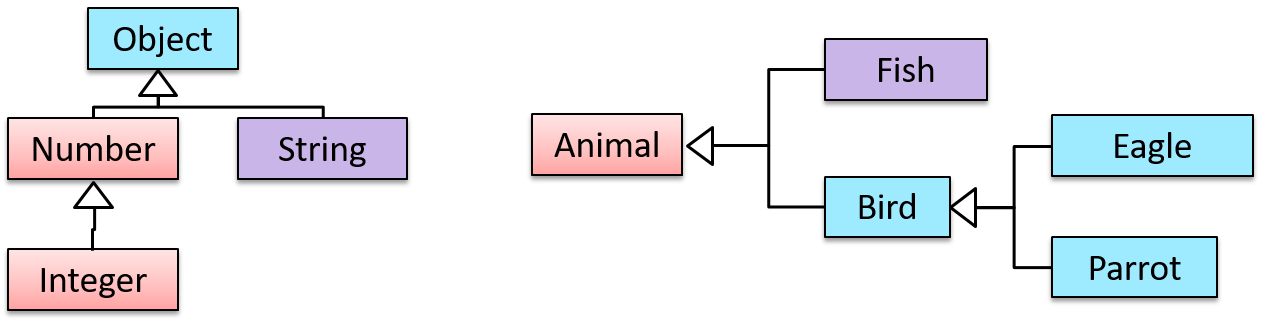
Example Two inheritance hierarchies/trees are given below. Note that the triangle points to the parent class. Observe how the Parrot is a Bird as well as an Animal.
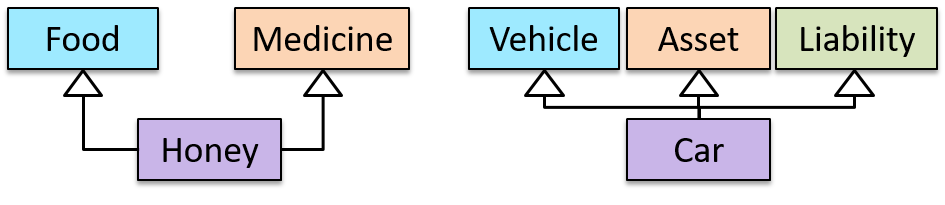
Multiple Inheritance is when a class inherits directly from multiple classes. Multiple inheritance among classes is allowed in some languages (e.g., Python, C++) but not in other languages (e.g., Java, C#).
Example The Honey class inherits from the Food class and the Medicine class because honey can be consumed as a food as well as a medicine (in some oriental medicine practices). Similarly, a Car is a Vehicle, an Asset, and a Liability.
Overriding :
Method overriding is when a subclass changes the behavior inherited from the parent class by re-implementing the method. Overridden methods have the same name, the same type signature, and the same (or a subtype of the) return type.
Example Consider the following case of EvaluationReport class inheriting the Report class:
Report methods | EvaluationReport methods | Overrides? |
|---|---|---|
print() | print() | Yes |
write(String) | write(String) | Yes |
read():String | read(int):String | No. Reason: the two methods have different signatures; this is a case of overloading (rather than overriding). |
Overloading :
Method overloading is when there are multiple methods with the same name but different type signatures. Overloading is used to indicate that multiple operations do similar things but take different parameters.
Type signature: The type signature of an operation is the type sequence of the parameters. The return type and parameter names are not part of the type signature. However, the parameter order is significant.
Example:
| Method | Type Signature |
|---|---|
int add(int X, int Y) | (int, int) |
void add(int A, int B) | (int, int) |
void m(int X, double Y) | (int, double) |
void m(double X, int Y) | (double, int) |
Example In the case below, the calculate method is overloaded because the two methods have the same name but different type signatures (String) and (int).
calculate(String): voidcalculate(int): void
Interfaces :
An interface is a behavior specification i.e., a collection of . If a class , it means the class is able to support the behaviors specified by that interface.
There are a number of situations in software engineering when it is important for disparate groups of programmers to agree to a "contract" that spells out how their software interacts. Each group should be able to write their code without any knowledge of how the other group's code is written. Generally speaking, interfaces are such contracts. --Oracle Docs on Java
Example Suppose SalariedStaff is an interface that contains two methods setSalary(int) and getSalary(). AcademicStaff can declare itself as implementing the SalariedStaff interface, which means the AcademicStaff class must implement all the methods specified by the SalariedStaff interface i.e., setSalary(int) and getSalary().
A class implementing an interface results in an is-a relationship, just like in class inheritance.
Example In the example above, AcademicStaff is a SalariedStaff. An AcademicStaff object can be used anywhere a SalariedStaff object is expected
e.g., SalariedStaff ss = new AcademicStaff()
Abstract Classes :
Abstract class: A class declared as an abstract class cannot be instantiated, but it can be subclassed.
You can declare a class as an abstract class when it is merely a representation of commonalities among its subclasses, in which case it does not make sense to instantiate objects of that class.
Example The Animal class that exists as a generalization of its subclasses Cat, Dog, Horse, Tiger, etc. can be declared as abstract because it does not make sense to instantiate an Animal object.
Abstract method: An abstract method is a method signature without a method implementation.
Example The move method of the Animal class is likely to be an abstract method as it is not possible to implement a move method at the Animal class level to fit all subclasses because each animal type can move in a different way.
A class that has an abstract method becomes an abstract class because the class definition is incomplete (due to the missing method body) and it is not possible to create objects using an incomplete class definition.
Substitutability :
Every instance of a subclass is an instance of the superclass, but not vice versa. As a result, inheritance allows substitutability: the ability to substitute a child class object where a parent class object is expected.
Example Consider the Staff hierarchy below.
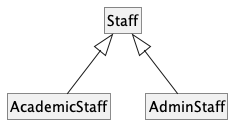
An AcademicStaff is an instance of a Staff, but a Staff is not necessarily an instance of an AcademicStaff. That is, wherever an object of the superclass is expected, it can be substituted by an object of any of its subclasses.
The following code is valid because an AcademicStaff object is substitutable for a Staff object.
Staff staff = new AcademicStaff(); // OK
But the following code is not valid because staff is declared as a Staff type and therefore its value may or may not be of type AcademicStaff, which is the type expected by variable academicStaff.
Staff staff;
...
AcademicStaff academicStaff = staff; // Not OK
Dynamic and Static Binding :
Dynamic binding (): a mechanism where method calls in code are at , rather than at compile time.
Overridden methods are resolved using dynamic binding, and therefore resolve to the implementation in the object's actual type.
Example Consider the code below. The declared type of s is Staff and it appears as if the adjustSalary(int) operation of the Staff class is invoked.
void adjustSalary(int byPercent) {
for (Staff s: staff) {
s.adjustSalary(byPercent);
}
}
However, at runtime s can receive an object of any subclass of Staff. That means the adjustSalary(int) operation of the actual subclass object will be called. If the subclass does not override that operation, the operation defined in the superclass (in this case, Staff class) will be called.
Static binding (aka early binding): When a method call is resolved at compile time.
In contrast, overloaded methods are resolved using static binding.
Example Note how the constructor is overloaded in the class below. The method call new Account() is bound to the first constructor at compile time.
class Account {
Account() {
// Signature: ()
...
}
Account(String name, String number, double balance) {
// Signature: (String, String, double)
...
}
}
Example Similarly, the calculateGrade method is overloaded in the code below and a method call calculateGrade("A1213232") is bound to the second implementation, at compile time.
void calculateGrade(int[] averages) { ... }
void calculateGrade(String matric) { ... }
What :
Polymorphism:
The ability of different objects to respond, each in its own way, to identical messages is called polymorphism. -- Object-Oriented Programming with Objective-C, Apple
Polymorphism allows you to write code targeting superclass objects, use that code on subclass objects, and achieve possibly different results based on the actual class of the object.
Example Assume classes Cat and Dog are both subclasses of the Animal class. You can write code targeting Animal objects and use that code on Cat and Dog objects, achieving possibly different results based on whether it is a Cat object or a Dog object. Some examples:
- Declare an array of type
Animaland still be able to storeDogandCatobjects in it. - Define a method that takes an
Animalobject as a parameter and yet be able to passDogandCatobjects to it. - Call a method on a
Dogor aCatobject as if it is anAnimalobject (i.e., without knowing whether it is aDogobject or aCatobject) and get a different response from it based on its actual class e.g., call theAnimalclass's methodspeak()on objectaand get a"Meow"as the return value ifais aCatobject and"Woof"if it is aDogobject.
Polymorphism literally means "ability to take many forms".
How :
Three concepts combine to achieve polymorphism: substitutability, operation overriding, and dynamic binding.
- Substitutability: Because of substitutability, you can write code that expects objects of a parent class and yet use that code with objects of child classes. That is how polymorphism is able to treat objects of different types as one type.
- Overriding: To get polymorphic behavior from an operation, the operation in the superclass needs to be overridden in each of the subclasses. That is how overriding allows objects of different subclasses to display different behaviors in response to the same method call.
- Dynamic binding: Calls to overridden methods are bound dynamically to the implementation of the actual object's class at runtime. That is how the polymorphic code can call the method of the parent class and yet execute the implementation of the child class.
Miscellaneous
What is the difference between a Class, an Abstract Class, and an Interface?
- An interface is a behavior specification with no implementation.
- A class is a behavior specification + implementation.
- An abstract class is a behavior specification + a possibly incomplete implementation.
How does overriding differ from overloading?
Overloading is used to indicate that multiple operations do similar things but take different parameters. Overloaded methods have the same method name but different method signatures and possibly different return types.
Overriding is when a subclass redefines an operation using the same method name and the same type signature. Overridden methods have the same name, same method signature, and same return type.
SECTION: REQUIREMENTS
Introduction
A software requirement specifies a need to be fulfilled by the software product.
A software project may be one of two types:
- a brownfield project, i.e., a project to replace or update an existing software product
Example Adding an online payment option to a university's existing course registration system. - a greenfield project, i.e., a project to develop a new system from scratch
Example Building a new app that lets students swap tutorial slots, where no such system exists yet.
In either case, requirements need to be gathered, analyzed, specified, and managed.
Requirements come from stakeholders.
Stakeholder: An individual or an organization that is involved in or potentially affected by the software project. Examples include users, sponsors, developers, interest groups, government agencies, etc.
Identifying requirements is often not easy.
Example Stakeholders may not be aware of their precise needs, may not know how to communicate their requirements correctly, or may not be willing to spend effort identifying requirements.
Non-Functional Requirements
Requirements can be divided into two in the following way:
- Functional requirements specify what the system should do.
Example The system should allow a user to search for a book by its title. - Non-functional requirements specify the constraints under which the system is developed and operated.
Example The search should return results within two seconds.
Example Some categories of non-functional requirements:
- Data requirements, e.g., size, , , etc.
- Environment requirements, e.g., the technical environment in which the system would operate or with which it needs to be compatible.
- Performance, Security, Usability, Interoperability, Maintainability, Compliance with regulations, and more ...
Example Some concrete NFRs, drawn from various projects:
- Business/domain rules: the size of the minefield cannot be smaller than five.
- Constraints: system testers are available only during the last month of the project.
- Performance requirements: the system should respond within two seconds.
- Quality requirements: the system should be usable by a novice who has never carried out an online purchase.
- Process requirements: the project is expected to adhere to a schedule that delivers a feature set every month.
You may have to spend extra effort identifying NFRs as early as possible because:
- NFRs are easier to miss.
Example Stakeholders tend to think of functional requirements first. - Sometimes NFRs are critical to the success of the software.
Example A web application that is too slow or that has weak security is unlikely to succeed even if it has all the right functionality.
Prioritizing Requirements
Requirements can be prioritized based on the importance and urgency, while keeping in mind the constraints of schedule, budget, staff resources, quality goals, and other constraints.
A common approach is to group requirements into priority categories. Note that all such scales are subjective, and stakeholders define the meaning of each level in the scale for the project at hand.
Example One scheme for categorizing requirements:
Essential: The product must fulfill this requirement; otherwise, users will not accept it.Typical: Most similar systems have this feature although the product can survive without it.Novel: New features that could differentiate this product from the rest.
Other schemes:
High,Medium,LowMust-have,Nice-to-have,Unlikely-to-haveLevel 0,Level 1,Level 2, ...
Some requirements can be discarded if they are considered ‘out of ’.
Example The requirement given below is for a Calendar application. Stakeholders of the software (e.g., product designers) might decide it is outside the software's scope.
The software records the actual time taken by each task and shows the difference between the actual and scheduled time for the task.
Quality of Requirements
Here are some characteristics of well-defined requirements [📖 zielczynski]:
- Unambiguous
- Testable (verifiable)
- Clear (concise, terse, simple, precise)
- Correct
- Understandable
- Feasible (realistic, possible)
- Independent
- Necessary
- Implementation-free (i.e., abstract)
Two of these carry most of the weight: a requirement that is unambiguous and testable states an observable result, so evidence can settle whether it has been met.
Example Two requirements from the same project, one testable and one not:
- Good
The system should respond within two seconds.You can measure this, and the measurement settles the matter. - Bad
The system should be usable by a novice who has never carried out an online purchase.Two people can disagree about whether the system is 'usable', and neither can show the other is wrong.
The second can be rewritten so that evidence settles it:
- Good
A user who has never carried out an online purchase should be able to complete a purchase unaided, on the first attempt, within five minutes.
Besides these criteria for individual requirements, the set of requirements as a whole should be:
- Consistent
- Non-redundant
- Complete
Changing Requirements
Requirements are not settled once and then left alone; they keep changing while the product is being built. Three reasons account for most of it:
- Stakeholders work out what they want by seeing something concrete.
Example A user who could not describe the report they needed can say exactly what is wrong with the first version of it. - The world the product lives in changes.
Example A new regulation comes into force, or a competitor ships a feature that users now expect. - The team learns what things actually cost.
Example A requirement turns out to take ten times the effort everyone assumed, which changes whether it is worth having at all.
Two things follow from this.
A specification that is not kept up to date does not become harmless, it becomes misleading, because people keep acting on it. A developer builds the version that was superseded a month ago; a tester reports a defect against behavior nobody wants any more.
Every change is also a decision about what will not be built. Accepting a new requirement late competes with requirements already agreed, so priorities have to be revisited rather than settled once at the start.
Brainstorming
Brainstorming: A group activity designed to generate a large number of diverse and creative ideas for the solution of a problem.
In a brainstorming session there are no "bad" ideas. The aim is to generate ideas, not to validate them. Brainstorming encourages you to "think outside the box" and put "crazy" ideas on the table without fear of rejection.
User Surveys
Surveys can be used to solicit responses and opinions from a large number of stakeholders regarding a current product or a new product.
Observation
Observing users in their natural work environment can uncover product requirements. Usage data from an existing system can also show how that system is being used, which can help in building a better replacement.
Example Usage data can reveal the situations where the user makes mistakes when using the current system.
Interviews
Interviewing stakeholders and domain experts can produce useful information about project requirements. How much it produces depends far more on how the interview is run than on how long it lasts.
- Find out what the person is responsible for before you meet them, and decide what only they can tell you. An interview spent on things you could have looked up is a wasted one.
- Open with something concrete rather than an abstract question. 'What do you need?' invites a vague answer, or a feature request that hides the need behind it. Walking through a recent situation, a screen of the current system, or a prototype gets you specifics.
- Ask what goes wrong today and what they do instead. Workarounds are where unmet requirements hide: if someone keeps a private spreadsheet, the system is failing them in a way worth understanding.
- Play the answer back in your own words before moving on. It is very common for both sides to leave an interview believing they agreed, having understood different things.
- Confirm your written notes with the interviewee afterward. They can correct what you misheard while they still remember what they said.
Example Part of an interview with a manager, for a system that handles leave applications:
You: Walk me through the last time someone on your team asked for leave.
Manager: She emailed me, I checked the shared spreadsheet, and I replied saying yes.
You: What were you checking in the spreadsheet?
Manager: Whether anyone else was already away that week. And her leave balance, but that is usually out of date, so I ask the HR office instead.
You: So you don't rely on the balance in the spreadsheet?
Manager: No. I've been caught out by it before.
Two requirements surface that nobody asked for: an approver needs to see who else is away in the same period, and the leave balance has to be current enough to decide on.
Treat what you hear as claims to be checked, rather than requirements to be recorded. People often describe the process they are supposed to follow rather than the one they actually follow, and two stakeholders can want things that cannot both be true.
Example One department wants every leave application approved by a manager; another wants short absences to need no approval at all.
Focus Groups

[source]
Focus groups are a kind of informal interview within an interactive group setting. A group of people (e.g. potential users, beta testers) is asked about their understanding of a specific issue, process, product, advertisement, etc.
Prototyping
Prototype: A prototype is a mock-up, a scaled-down version, or a partial system constructed
- to get users’ feedback.
- to validate a technical concept (a "proof-of-concept" prototype).
- to give a preview of what is to come, or to compare multiple alternatives on a small scale before committing fully to one alternative.
- for early field-testing under controlled conditions.
Prototyping can uncover requirements, in particular, those related to how users interact with the system. UI prototypes or mock-ups, also called wireframe diagrams, are often used in brainstorming sessions or in meetings with users to get quick feedback.
Example A mock-up of a dialog box:
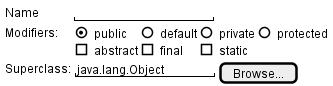
[source: plantuml.com]
Prototyping can be used for discovering as well as specifying requirements e.g. a UI prototype can serve as a specification of what to build.
Product Surveys
Studying existing products can unearth shortcomings that a new product can address. Product manuals and other forms of documentation can tell us how existing solutions work.
Example When developing a game for a mobile device, a look at a similar PC game can give insight into the kind of features and interactions the mobile game can offer.
Validating Requirements
Gathering requirements tells you what people said; validating requirements tells you whether what you wrote down is what they meant. It is worth distinguishing from the check that comes much later:
- Validating requirements asks whether you have written down the right thing.
- Verifying software asks whether what was built matches what was written down.
A team that only does the second can build exactly the wrong product, correctly.
Three checks are cheap enough to run on a student project:
- Walk the requirement back to the stakeholder in words they would use, and wait for the correction. Reading your own notes aloud to the person who gave them to you finds misunderstandings faster than any amount of rereading them yourself.
- Put something in front of a user instead of describing it. People correct a rough sketch or a mock-up far more readily than they correct a paragraph, because they can see what they would actually be given.
- State the observable result that would settle the requirement. If nobody can say what would count as having met it, the requirement is not yet saying anything a team could build against.
Example A requirement gathered for a learning management system:
Lecturers should be able to see how their students are doing.
Walked back to the lecturer who asked for it, this turns out to mean something much narrower: they want to spot students who have stopped participating, early enough to contact them. 'How students are doing' would have been built as a grade dashboard, which nobody wanted.
A requirement you cannot yet state in observable terms is not wrong, it is not ready. Record it as an open question, or as the next thing to put a prototype in front of. A product vision, an unresolved disagreement between two stakeholders, or a quality concern that nobody has quantified yet are all legitimate inputs at this stage; deleting them because they cannot be phrased as a check yet would throw away the very things most worth resolving.
What
A textual description (i.e., prose) can be used to describe requirements. Prose is especially useful when describing abstract ideas such as the vision of a product.
Example The product vision of the TEAMMATES Project, described using prose:
TEAMMATES aims to become the biggest student project in the world (biggest here refers to 'many contributors, many users, large codebase, evolving over a long period'). Furthermore, it aims to serve as a training tool for Software Engineering students who want to learn SE skills in the context of a non-trivial real software product.
Avoid using lengthy prose to describe requirements; they can be hard to follow.
What
Feature list: A list of features of a product grouped according to some criteria such as aspect, priority, order of delivery, etc.
Example A sample feature list from a simple Minesweeper game (only a brief description has been provided to save space):
- Basic play – Single player play.
- Difficulty levels
- Medium levels
- Advanced levels
- Versus play – Two players can play against each other.
- Timer – Additional fixed time restriction on the player.
- ...
Introduction
User story: User stories are short, simple descriptions of a feature told from the perspective of the person who desires the new capability, usually a user or customer of the system. [Mike Cohn]
A common format for writing user stories is:
User story format: As a {user type/role} I can {function} so that {benefit}
Example User stories from a Learning Management System:
- As a student, I can download files uploaded by lecturers, so that I can get my own copy of the files
- As a lecturer, I can create discussion forums, so that students can discuss things online
- As a tutor, I can print attendance sheets, so that I can take attendance during the class
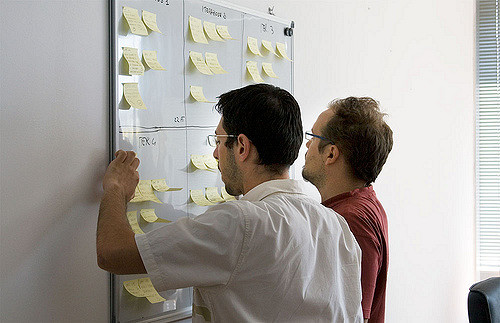
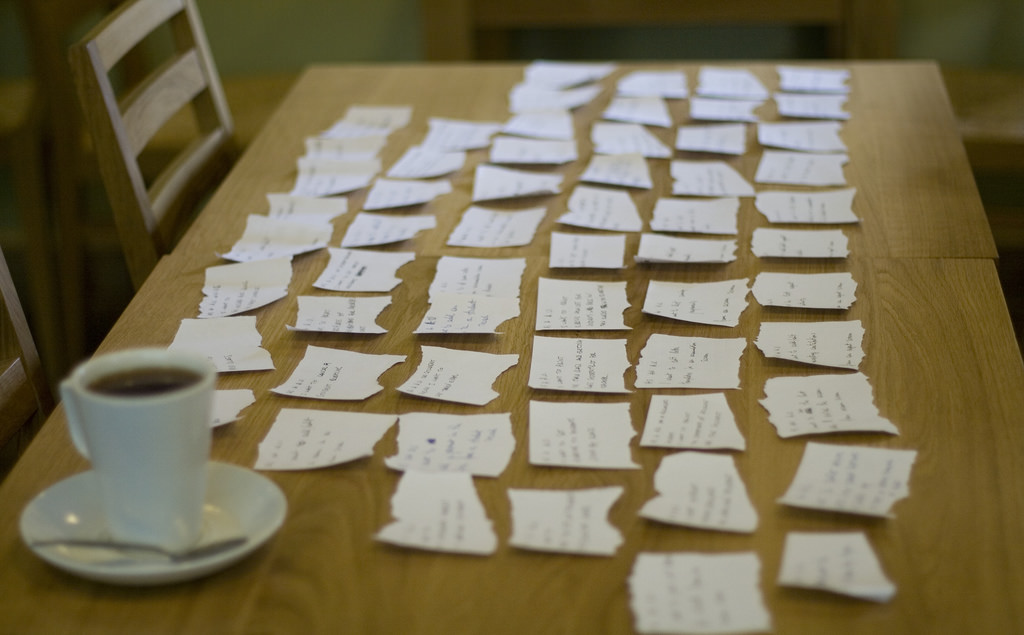
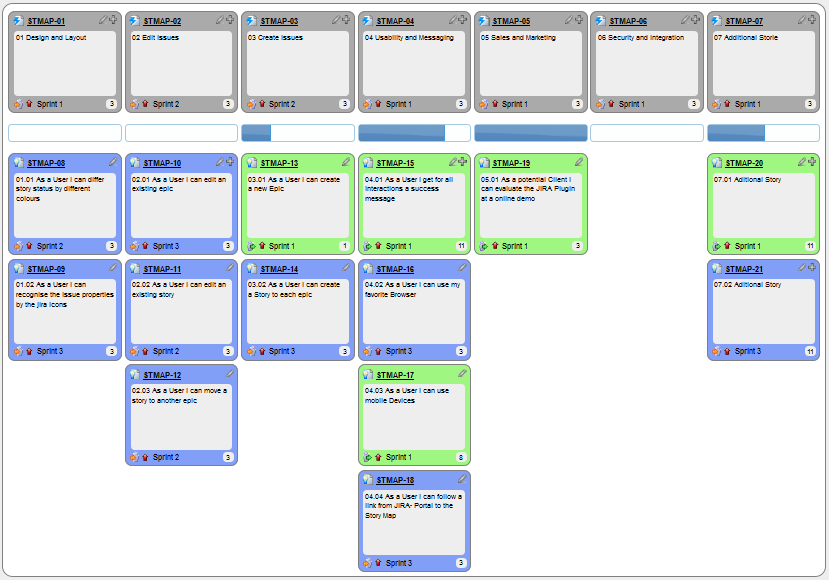
You can write user stories using a physical medium or a digital tool. For example, you can use index cards or sticky notes, and arrange them on walls or tables. Alternatively, you can use software (e.g., GitHub Project Boards, Trello, Google Docs, ...) to manage user stories digitally.
User stories in use
With sticky notes
With paper
With software
Details
The {benefit} can be omitted if it is obvious.
Example A user story with the benefit omitted:
As a user, I can log in to the system so that I can access my data
It is recommended to confirm there is a concrete benefit even if you omit it from the user story. If not, you could end up adding features that have no real benefit.
You can add more characteristics to the {user role} to provide more context to the user story.
Example User stories that add characteristics to the user role:
- As a forgetful user, I can view a password hint, so that I can recall my password.
- As an expert user, I can tweak the underlying formatting tags of the document, so that I can format the document exactly as I need.
You can write user stories at various levels. High-level user stories, called epics (or themes) cover bigger functionality. You can then break down these epics into multiple user stories of normal size.
Example An epic broken down into normal-sized user stories:
[Epic] As a lecturer, I can monitor student participation levels
- As a lecturer, I can view the forum post count of each student
so that I can identify the activity level of students in the forum - As a lecturer, I can view webcast view records of each student
so that I can identify the students who did not view webcasts - As a lecturer, I can view file download statistics of each student
so that I can identify the students who did not download lecture materials
You can add conditions of satisfaction to a user story to specify things that need to be true for the user story implementation to be accepted as ‘done’.
Example A user story with conditions of satisfaction:
As a lecturer, I can view the forum post count of each student so that I can identify the activity level of students in the forum.
Conditions:
Separate post count for each forum should be shown
Total post count of a student should be shown
The list should be sortable by student name and post count
These are more widely known as acceptance criteria. Whatever they are called, they are the part of a story that states an observable result, and therefore the part that survives when the conversation behind the story does not.
Other useful information that can be added to a user story includes (but is not limited to):
- Priority: how important the user story is
- Size: the estimated effort to implement the user story
- Urgency: how soon the feature is needed
Usage
User stories capture user requirements in a way that is convenient for , , and .
[User stories] strongly shift the focus from writing about features to discussing them. In fact, these discussions are more important than whatever text is written. [Mike Cohn, MountainGoat Software 🔗]
User stories differ from mainly in the level of detail. User stories should only provide enough details to make a reasonably low-risk estimate of how long the user story will take to implement. When the time comes to implement the user story, the developers will meet with the customer face-to-face to work out a more detailed description of the requirements. [more...]
Leaving out detail on purpose relies on the implementer being able to come back and ask. Where asking is slow or does not happen at all — work handed to another team across a time zone, or generated in a single pass by an AI coding assistant with no round of clarification — an unstated detail never surfaces as a question. It gets filled in with a plausible guess, and the guess arrives faster than the question ever would.
Example 'As a user, I can delete a task' leaves open whether deleting is recoverable. Someone who can ask, asks. Someone working from the story alone picks one, and the answer looks finished either way.
The further the implementer sits from the conversation, the more of a story's meaning has to survive in writing — which is the job the acceptance criteria are doing.
User stories can capture non-functional requirements too because even NFRs must benefit some stakeholder.
Example An NFR captured as a user story:
| As a/an ___, | I want to ___, | so that ___. |
|---|---|---|
| impatient user | to be able to experience reasonable response time from the website while up to 1000 concurrent users are using it | I can use the app even when the traffic is at the maximum expected level |
Given their lightweight nature, user stories are quite handy for recording requirements during early stages of requirements gathering.
A recipe for brainstorming user stories
Given below is a possible recipe you can use when writing user stories during the early stages of requirement gathering.
Step 0: Clear your mind of preconceived product ideas
Even if you already have some idea of what your product will look/behave like in the end, clear your mind of those ideas. The product is the solution. At this point, we are still at the stage of figuring out the problem (i.e., user requirements). Let's try to get from the problem to the solution in a systematic way, one step at a time.
Step 1: Define the target user as a persona:
Decide your target user's profile (e.g. a student, office worker, programmer, salesperson) and work patterns (e.g. Does he work in groups or alone? Does he share his computer with others?). A clear understanding of the target user will help when deciding the importance of a user story. You can even narrow it down to a persona. Here is an example:
Jean is a university student studying in a non-IT field. She interacts with a lot of people due to her involvement in university clubs/societies. ...
Step 2: Define the problem scope:
Decide the exact problem you are going to solve for the target user. It is also useful to specify what related problems it will not solve so that the exact scope is clear.
ProductX helps Jean keep track of all her school contacts. It does not cover communicating with contacts.
Step 3: List scenarios to form a narrative (aka user journey):
Think of the various scenarios (aka stages your target user is likely to go through as she uses your app. Following a chronological sequence as if you are telling a story might be helpful.
Together, the scenarios form a user journey: a chronological narrative of a persona's interaction with the product. A user journey helps you discover needs that are easy to miss when thinking only about individual features. Use it to find user stories; it does not replace them.
A. First use:
- Jean gets to know about ProductX. She downloads it and launches it to check out what it can do.
- To help Jean learn the app capabilities, the app greets Jean with a ...
- After playing around with the product for a bit, Jean wants to start using it for real.
- ...
B. Second use: (Jean is still a beginner)
- Jean launches ProductX. She wants to find ...
- ...
C. 10th use: (Jean is a little bit familiar with the app)
- ...
D. 100th use: (Jean is an expert user)
- Jean launches the app and does ... and ... followed by ... as usual.
- Jean feels some of the data in the app is no longer needed. She wants to get rid of it to reduce clutter.
More examples that might apply to some products:
- Jean uses the app at the start of the day to ...
- Jean uses the app before going to sleep to ...
- Jean hasn't used the app for a while because she was on a three-month training program. She is now back at work and wants to resume her daily use of the app.
- Jean moves to another company. Some of her clients come with her but some don't.
- Jean starts freelancing in her spare time. She wants to keep her freelancing clients separate from her other clients.
Step 4: List the user stories to support the scenarios:
Based on the scenarios, decide on the user stories you need to support. For example, based on the scenario 'A. First use', you might have user stories such as these:
- As a potential user exploring the app, I can see the app populated with sample data, so that I can easily see how the app will look when it is in use.
- As a user ready to start using the app, I can purge all current data, so that I can get rid of sample/experimental data I used for exploring the app.
To give another example, based on the scenario 'D. 100th use', you might have user stories such as these:
- As an expert user, I can create shortcuts for tasks, so that I can save time on frequently performed tasks.
- As a long-time user, I can archive/hide unused data, so that I am not distracted by irrelevant data.
Do not 'evaluate' the value of user stories while brainstorming. Reason: an important aspect of brainstorming is not judging the ideas generated.
Other tips:
- Don't be too hasty to discard 'unusual' user stories: Those might make your product unique and stand out from the rest, at least for the target users.
- Don't go into too much detail:
For example, consider this user story:
As a user, I want to see a list of tasks that need my attention most at the present time, so that I pay attention to them first.
When discussing this user story, don't worry about what tasks should be considered 'needs my attention most at the present time'. Those details can be worked out later. - Don't discuss implementation details or whether you are actually going to implement it: When gathering requirements, your decision is whether the user's need is important enough for you to want to fulfill it. Implementation details can be discussed later. If a user story turns out to be too difficult to implement later, you can always omit it from the implementation plan.
While user stories can be recorded on in the initial stages, an online tool is more suitable for longer-term management of user stories, especially if the team is not .
Introduction
Use case: A description of a set of sequences of actions, including variants, that a system performs to yield an observable result of value to an actor [ 📖 : ].
A use case describes an interaction between the user and the system for a specific functionality of the system.
Example The main flow of a 'transfer money' use case for an online banking system:
System: Online Banking System (OBS)
Use case: UC23 - Transfer Money
Actor: User
MSS:
  1. User chooses to transfer money.
  2. OBS requests for details of the transfer.
  3. User enters the requested details.
  4. OBS requests for confirmation.
  5. User confirms.
  6. OBS transfers the money and displays the new account balance.
  Use case ends.
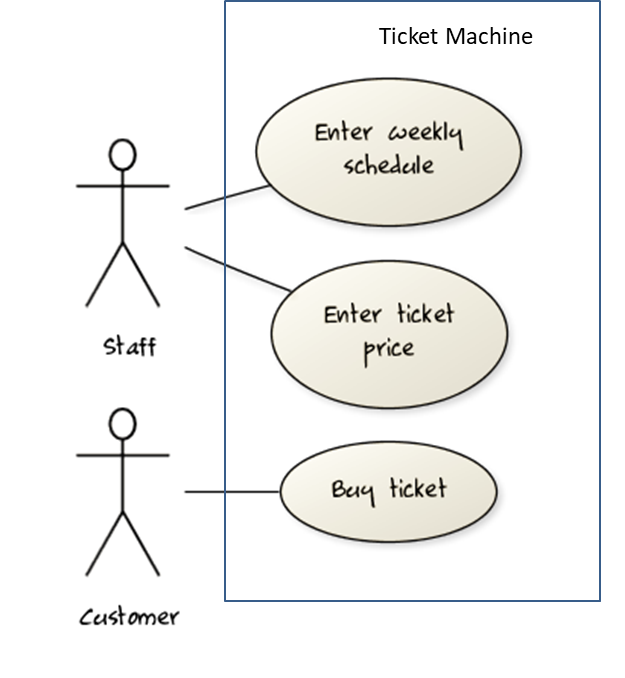
UML includes a diagram type called use case diagrams that can illustrate use cases of a system visually, providing a visual ‘table of contents’ of the use cases of a system.
In the example on the right, note how use cases are shown as ovals and user roles relevant to each use case are shown as stick figures connected to the corresponding ovals.
Use cases capture the functional requirements of a system.
Identifying
A use case is an interaction between a system and its actors.
Actors in Use Cases
Actor: An actor (in a use case) is a role played by an external entity, such as a human user or another system.
Example Some actors for a Learning Management System:
- Actors: Guest, Student, Staff, Admin, , .
A use case can involve multiple actors.
Example A use case involving two actors:
- Software System: LearnSys
- Use case: UC01 Conduct Survey
- Actors: Staff, Student
An actor can be involved in many use cases.
Example One actor taking part in several use cases:
- Software System: LearnSys
- Actor: Staff
- Use cases: UC01 Conduct Survey, UC02 Set Up Course Schedule, UC03 Email Class, ...
A single person/system can play many roles.
Example One person playing several roles:
- Software System: LearnSys
- Person: a student
- Actors (or Roles): Student, Guest, Tutor
Many persons/systems can play a single role.
Example Several kinds of persons playing one role:
- Software System: LearnSys
- Actor (or role): Student
- Persons that can play this role: undergraduate student, graduate student, a staff member doing a part-time course, exchange student
Use cases can be specified at various levels of detail.
Example Consider the three use cases given below. Clearly, (a) is at a higher level than (b) and (b) is at a higher level than (c).
- System: LearnSys
- Use cases:
a. Conduct a survey
b. Take the survey
c. Answer survey question
While modeling user-system interactions,
- start with high level use cases and progressively work toward lower level use cases.
- be mindful of which level of detail you are working at, and do not mix use cases of different levels.
Details
Writing use case steps
The main body of the use case is a sequence of steps that describes the interaction between the system and the actors. Each step is given as a simple statement describing who does what.
Example The main body of a use case:
- Student requests to upload file
- LMS requests for the file location
- Student specifies the file location
- LMS uploads the file
A use case describes only the externally visible behavior, not the internal details, of a system. Therefore, it should minimize details that are not part of the interaction between the user and the system.
Example This use case step refers to behavior that is not externally visible (i.e., the user is not meant to be aware of it).
- LMS saves the file into the cache and indicates success.
A step gives the intention of the actor (not the mechanics). That means UI details are usually omitted. The idea is to leave as much flexibility to the UI designer as possible. That is, the use case specification should be as general as possible (less specific) about the UI.
Example The first step below is not a good use case step because it contains UI-specific details. The second one is better because it omits UI-specific details.
Bad : User right-clicks the text box and chooses ‘clear’
Good : User clears the input
A use case description can show loops too, using a note that says which steps repeat and what ends the repetition.
Example Adding Steps 2-3 are repeated until the Student selects a valid file. after step 3 of the 'upload file' use case above shows a loop.
The Main Success Scenario (MSS) describes the most straightforward interaction for a given use case, which assumes that nothing goes wrong. This is also called the Basic Course of Action or the Main Flow of Events of a use case.
Example Note how the MSS below assumes that all entered details are correct and ignores problems such as timeouts and network outages. It does not tell us what happens if the user enters incorrect data.
System: Online Banking System (OBS)
Use case: UC23 - Transfer Money
Actor: User
MSS:
- User chooses to transfer money.
- OBS requests for details of the transfer.
- User enters the requested details.
- OBS requests for confirmation.
- OBS transfers the money and displays the new account balance.
Use case ends.
Extensions are "add-ons" to the MSS that describe exceptional/alternative flows of events. They describe variations of the scenario that can happen if certain things are not as expected by the MSS. Extensions appear below the MSS.
Example Some extensions added to the use case in the previous example:
System: Online Banking System (OBS)
Use case: UC23 - Transfer Money
Actor: User
MSS:
  1. User chooses to transfer money.
  2. OBS requests for details of the transfer.
  3. User enters the requested details.
  4. OBS requests for confirmation.
  5. User confirms.
  6. OBS transfers the money and displays the new account balance.
  Use case ends.
Extensions:
  3a. OBS detects an error in the entered data.
      3a1. OBS requests for the correct data.
      3a2. User enters new data.
      Steps 3a1-3a2 are repeated until the data entered are correct.
      Use case resumes from step 4.

  3b. User requests to schedule the transfer for a future date.
      3b1. OBS requests for confirmation.
      3b2. User confirms future transfer.
      Use case ends.

  *a. At any time, User chooses to cancel the transfer.
      *a1. OBS requests to confirm the cancellation.
      *a2. User confirms the cancellation.
      Use case ends.

  *b. At any time, 120 seconds lapse without any input from the User.
      *b1. OBS cancels the transfer.
      *b2. OBS informs the User of the cancellation.
      Use case ends.
Note that the numbering style is not a universal rule but a widely used convention. Based on that convention,
- either of the extensions marked
3a.and3b.can happen just after step3of the MSS. - the extension marked as
*a.can happen at any step (hence, the*).
When separating extensions from the MSS, keep in mind that the MSS should be self-contained. That is, the MSS should give us a complete usage scenario.
Also note that it is not useful to mention events such as power failures or system crashes as extensions because the system cannot function beyond such catastrophic failures.
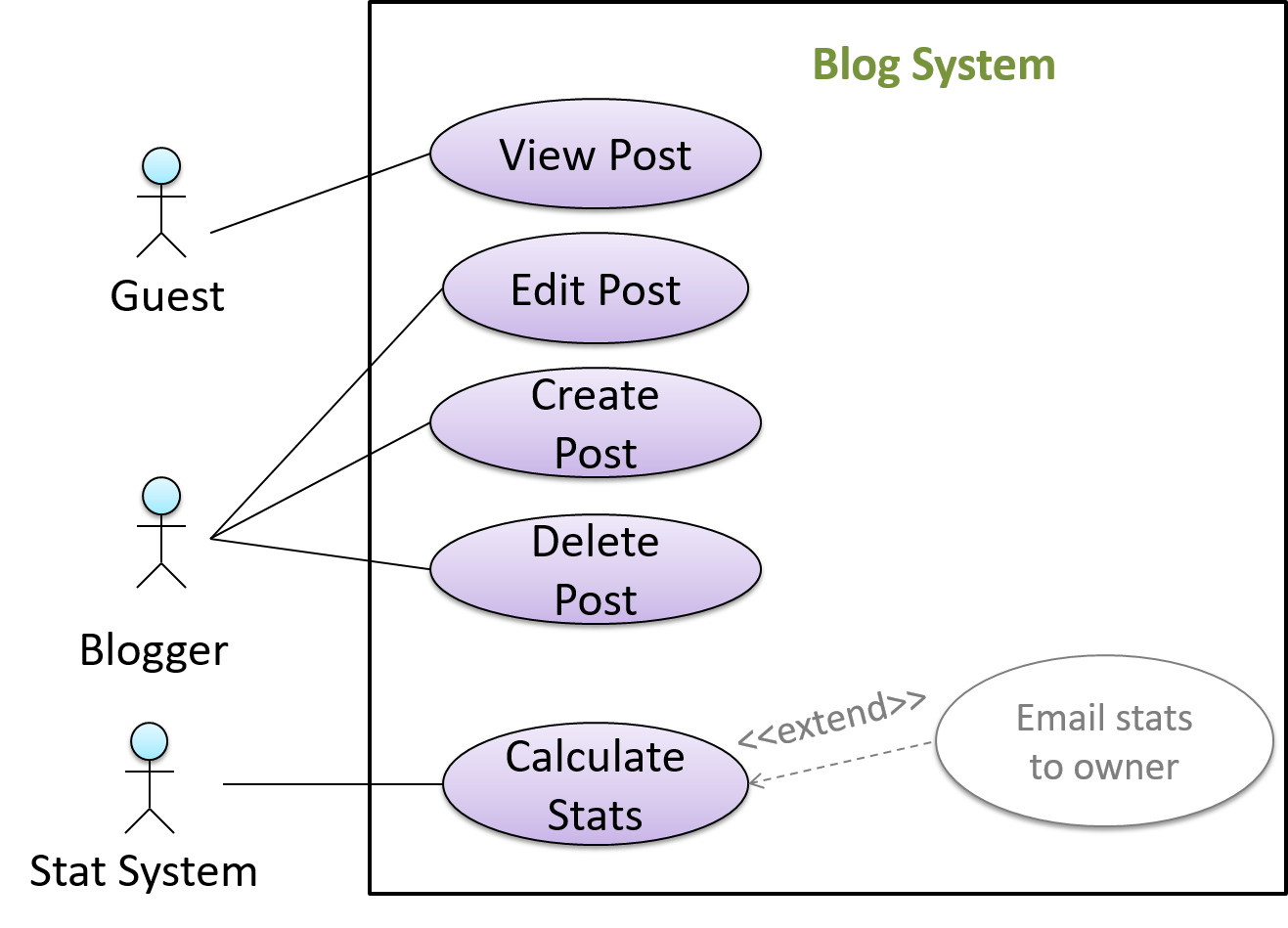
In use case diagrams you can use the <<extend>> arrows to show extensions. Note the direction of the arrow is from the extension to the use case it extends and the arrow uses a dashed line.
A use case can include another use case. Underlined text is used to show an inclusion of a use case.
Example This use case includes two other use cases, one in step 1 and one in step 2.
- Software System: LearnSys
- Use case: UC01 - Conduct Survey
- Actors: Staff, Student
- MSS:
- Staff creates the survey (UC44).
- Student completes the survey (UC50).
- Staff views the survey results.
Use case ends.
Inclusions are useful,
- when you don't want to clutter a use case with too many low-level steps.
- when a set of steps is repeated in multiple use cases.
You use a dotted arrow and an <<include>> annotation to show use case inclusions in a use case diagram. Note how the arrow direction is different from the <<extend>> arrows.
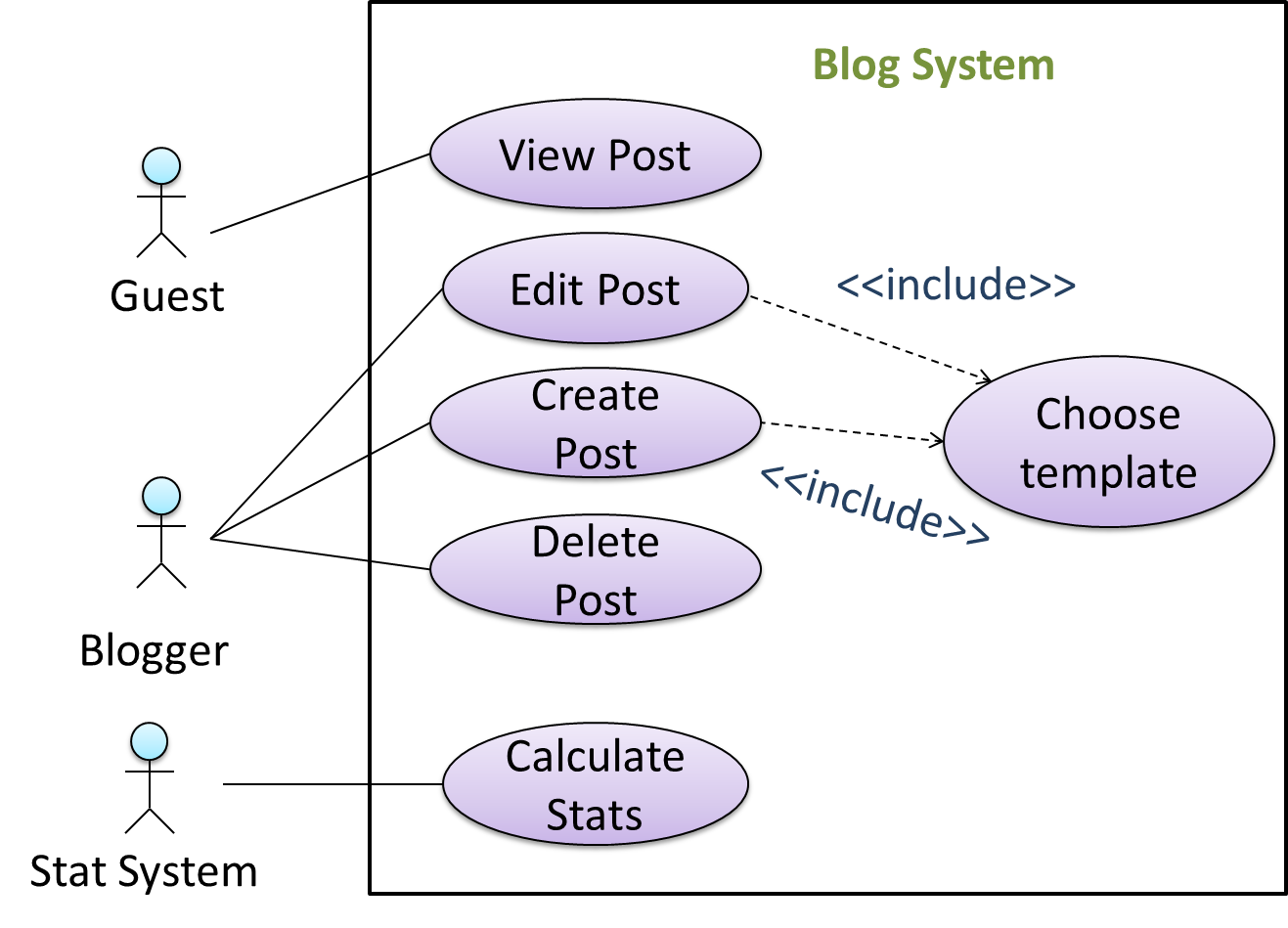
Preconditions specify the state you expect the system to be in before the use case starts.
Example A use case with a precondition:
Software System: Online Banking System
Use case: UC23 - Transfer Money
Actor: User
Preconditions: User is logged in
MSS:
- User chooses to transfer money.
- OBS requests for details for the transfer.
...
Guarantees specify what the use case promises to give us at the end of its operation.
Example A use case with guarantees:
Software System: Online Banking System
Use case: UC23 - Transfer Money
Actor: User
Preconditions: User is logged in.
Guarantees:
- Money will be deducted from the source account only if the transfer to the destination account is successful.
- The transfer will not result in the account balance going below the minimum balance required.
MSS:
- User chooses to transfer money.
- OBS requests for details for the transfer.
...
Guarantees do for a use case what acceptance criteria do for a user story: they state the observable result that decides whether the interaction did its job, so that 'done' does not have to be argued about afterwards.
Usage
You can use actor generalization in use case diagrams using a symbol similar to that of UML notation for inheritance.
Example Actor Blogger can do all the use cases the actor Guest can do, as a result of the actor generalization relationship given in the diagram.
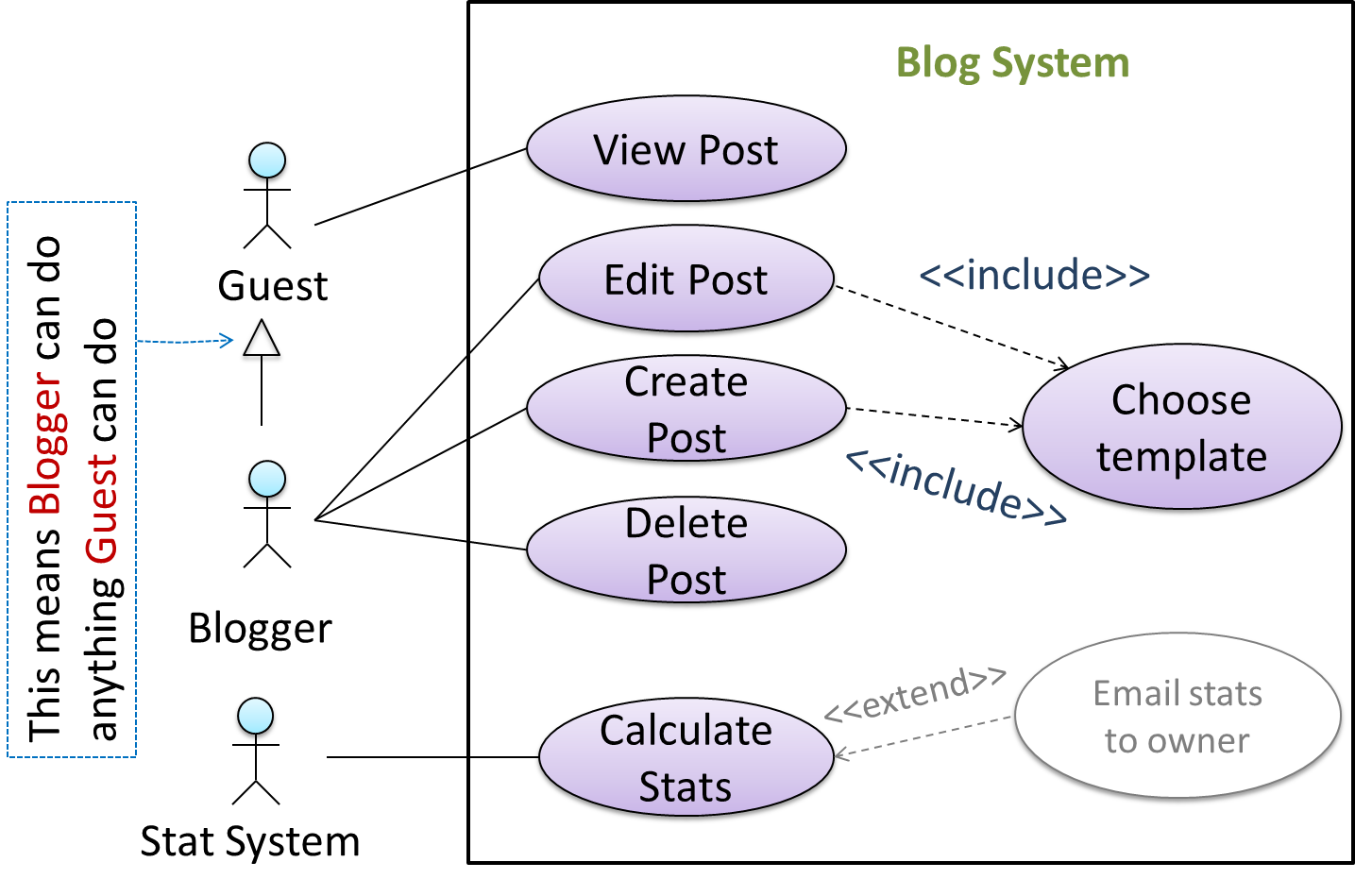
Do not over-complicate use case diagrams by trying to include everything possible. A use case diagram is a brief summary of the use cases that is used as a starting point. Details of the use cases can be given in the use case descriptions.
Some use ‘System’ as an actor to indicate that something is done by the system itself without being initiated by a user or an external system.
Example The diagram below can be used to indicate that the system generates daily reports at midnight.
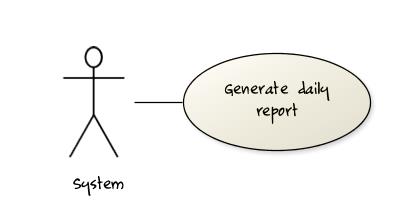
However, others argue that only use cases providing value to an external user/system should be shown in the use case diagram. For example, they argue that view daily report should be the use case, while generate daily report should not be shown in the use case diagram because it is simply something the system has to do to support the view daily report use case.
You are recommended to follow the latter view (i.e., do not to use System as an actor). Limit use cases to modeling behaviors that involve an external actor.
UML is not very specific about the text contents of a use case. Hence, there are many styles for writing use cases. For example, the steps can be written as a continuous paragraph.
Use cases should be easy to read. Note that there is no strict rule requiring you to write all details of all steps or to use all the elements of a use case.
There are some advantages of documenting system requirements as use cases:
- Because they use a simple notation and plain English descriptions, they are easy for users to understand and give feedback.
- They decouple user intention from mechanism (note that use cases should not include UI-specific details), allowing the system designers more freedom to optimize how functionality is provided to a user.
- Identifying all possible extensions encourages us to consider all situations that a software product might face during its operation.
- Separating typical scenarios from special cases encourages us to optimize the typical scenarios.
One of the main disadvantages of use cases is that they are not good for capturing requirements that do not involve a user interacting with the system. Hence, they should not be used as the sole means to specify requirements.
What
Glossary: A glossary serves to ensure that all stakeholders have a common understanding of the noteworthy terms, abbreviations, acronyms etc.
Example A partial glossary from a variant of the Snakes and Ladders game:
- Conditional square: A square that requires a specific face value which a player has to throw before his/her piece can leave the square.
- Normal square: A square that does not have any conditions, snakes, or ladders in it.
Specifying a term in the glossary is useful in the following cases:
- A domain-specific/technical term that may not be known to all stakeholders, to indicate its definition
- When a term has multiple meanings, to indicate which of them is used in the project
- When there are multiple terms used for the same concept, to indicate which of them will be used in the project
What
Requirements are documented in different formats, each suited to a different purpose. Some examples:
- Prose frames the problem and the product's purpose.
- A feature list supports scope and delivery discussions.
- A user story records one negotiable slice of user value.
- A use case makes one workflow, and what can go wrong in it, precise.
- A glossary settles what shared terms mean.
- Supplementary requirements capture what cuts across all of the above.
Some teams document requirements in a single document while others may keep different requirements formats in different places, e.g., user stories in a tracker, the glossary in a wiki, and prototypes in a design tool.
Where there is a single document, there are two common variants:
- Product-led teams usually call it a product requirements document (PRD), or a product brief. It typically carries the product's purpose, who it is for, the scope and the priorities within it, the stories or use cases that matter most, and the quality constraints the product has to meet.
- A software requirements specification (SRS) is its more formal counterpart, used where requirements have to be agreed precisely with a customer, audited, or contracted for. An SRS is heavier, more structured.
A requirements document explains the problem and the required outcomes, whereas a software specification defines the system's behavior precisely enough to implement and verify it.
Example For a library system:
- A requirement: "A member should be able to renew a borrowed book."
- Its specification: "When a member selects Renew for an eligible loan, the system shall extend the due date by the configured loan period and display the new due date."
Some teams put both their requirements and their software specification in one document, while others keep them separate.
Specification-driven development describes an approach that relies heavily on a detailed specification to direct the implementation and to judge the work delivered. The detailed specification serves as a single source of truth for what to build and how to build it. This approach is especially relevant when most of the development work is done by AI agents.
SECTION: DESIGN
What
Design is the creative process of transforming the problem into a solution; the solution is also called design.
-- 📖 Software Engineering Theory and Practice, Shari Lawrence Pfleeger; Joanne M. Atlee
Software design has two main aspects:
- Product/external design: designing the external behavior of the product to meet the users' requirements. This is usually done by product designers with input from business analysts, user experience experts, user representatives, etc.
- Implementation/internal design: designing how the product will be implemented to meet the required external behavior. This is usually done by software architects and software engineers.
What
Abstraction is a technique for dealing with complexity. It works by establishing a level of complexity we are interested in, and suppressing the more complex details below that level.
The guiding principle of abstraction is that only details that are relevant to the current perspective or the task at hand need to be considered. It is the process of hiding complex internal or less relevant details to focus only on essential or more important details. As most programs are written to solve complex problems involving large amounts of intricate details, it is impossible to deal with all these details at the same time. That is where abstraction can help.
Data abstraction: abstracting away the lower level data items and thinking in terms of bigger entities
Example Within a certain software component, you might deal with a user data type, while ignoring the details contained in the user data item such as name and date of birth. These details have been ‘abstracted away’ as they do not affect the task of that software component.
Control abstraction: abstracting away details of the actual control flow to focus on tasks at a higher level
Example print("Hello") is an abstraction of the actual output mechanism within the computer.
Abstraction can be applied repeatedly to obtain progressively higher levels of abstraction.
Example Levels of data abstraction: a File is a data item that is at a higher level than an array, and an array is at a higher level than a bit.
Example Levels of control abstraction: execute(Game) is at a higher level than print(Char), which is at a higher level than an Assembly language instruction MOV.
Abstraction is a general concept that is not limited to just data or control abstractions.
Example More general forms of abstraction:
- An OOP class is an abstraction over related data and behaviors.
- An architecture is a higher-level abstraction of the design of a software system.
- Models (e.g., UML models) are abstractions of some aspect of reality.
What
Coupling is a measure of the degree of dependence between components, classes, methods, etc. Low coupling indicates that a component is less dependent on other components. High coupling (aka tight coupling or strong coupling) is discouraged due to the following disadvantages:
- Maintenance is harder because a change in one module could cause changes in other modules coupled to it (i.e., a ripple effect).
- Integration is harder because multiple components coupled with each other have to be integrated at the same time.
- Testing and reuse of the module are harder due to its dependence on other modules.
Example Design A appears to have more coupling between the components than design B.
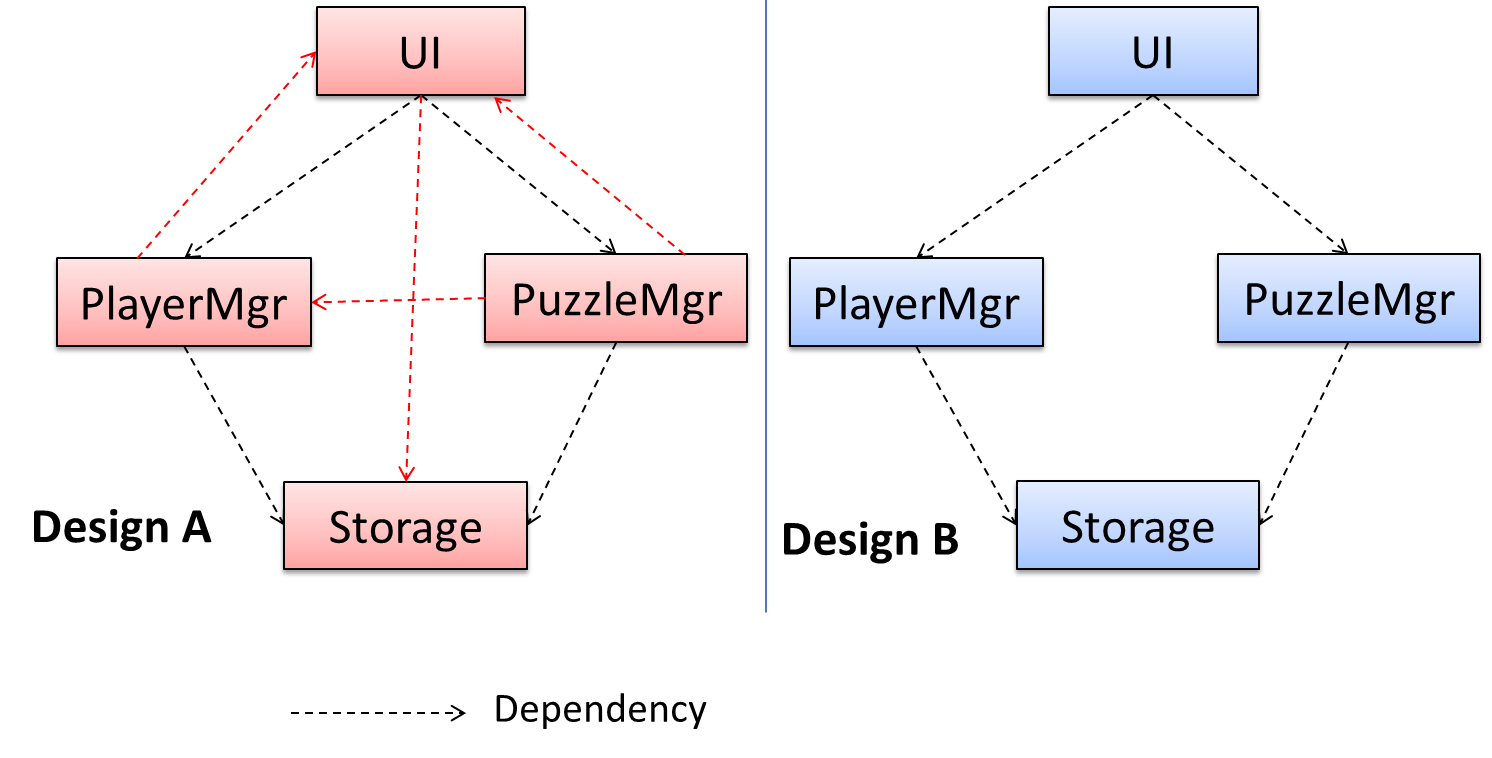
How
X is coupled to Y if X depends on Y such that some changes to Y may require corresponding changes in X.
Example If the Foo class calls the method Bar#read(), Foo is coupled to Bar because a change to Bar can (but does not always) require a change in the Foo class e.g., if the signature of Bar#read() is changed, Foo needs to change as well, but a change to the Bar#write() method may not require a change in the Foo class because Foo does not call Bar#write().
Example A is coupled to B if:
Ahas access to the internal structure ofB(this results in a very high level of coupling)AandBdepend on the same global variableAcallsBAreceives an object ofBas a parameter or a return valueAinherits fromBAandBare required to follow the same data format or communication protocol
What
Cohesion is a measure of how strongly related and focused the various responsibilities of a component are. A highly cohesive component keeps related functionalities together while keeping out all other unrelated things.
Higher cohesion is better. Disadvantages of low cohesion (aka weak cohesion):
- Lowers the understandability of modules as it is difficult to express module functionalities at a higher level.
- Lowers maintainability because a module can be modified due to unrelated causes (reason: the module contains unrelated pieces of code) or many modules may need to be modified to achieve a small change in behavior (reason: the code related to that change is not localized to a single module).
- Lowers reusability of modules because they do not represent logical units of functionality.
How
Cohesion can be present in many forms. Some examples:
- Code related to a single concept is kept together, e.g. the
Studentcomponent handles everything related to students. - Code that is invoked close together in time is kept together, e.g. all code related to initializing the system is kept together.
- Code that manipulates the same data structure is kept together, e.g. the
GameArchivecomponent handles everything related to the storage and retrieval of game sessions.
Example Suppose a Payroll application contains a class that deals with writing data to the database. If the class includes some code to show an error dialog to the user if the database is unreachable, that class is not cohesive because it seems to be interacting with the user as well as the database.
What
A model is a representation of something else.
Example A class diagram is a model that represents a software design.
A model provides a simpler view of a complex entity because a model captures only a selected aspect. This omission of some aspects implies models are abstractions.
Example A class diagram captures the structure of the software design but not the behavior.
Multiple models of the same entity may be needed to capture it fully.
Example In addition to a class diagram (or even multiple class diagrams), a number of other diagrams may be needed to capture various interesting aspects of the software.
How
In software development, models are useful in several ways:
a) To analyze a complex entity related to software development, such as the the software has to operate in.
Example Using models for analysis:
- Models of the problem domain can be built to aid the understanding of the problem to be solved.
- When planning a software solution, models can be created to figure out how the solution is to be built. An architecture diagram is such a model.
b) To communicate information among stakeholders. Models can be used as a visual aid in discussions and documentation.
Example Using models to communicate:
- You can use an architecture diagram to explain the high-level design of the software to developers.
- A business analyst can use a use case diagram to explain to the customer the functionality of the system.
- A class diagram can be reverse-engineered from code so as to help explain the design of a component to a new developer.
c) As a blueprint for creating software. Models can be used as instructions for building software.
Example Using models as blueprints:
- A senior developer draws a class diagram to propose a design for an OOP software and passes it to a junior programmer to implement.
- A software tool allows users to draw UML models using its interface and the tool automatically generates the code based on the model.
UML Models
Unified Modeling Language (UML) is a graphical notation to describe various aspects of a software system. UML is the brainchild of three software modeling specialists James Rumbaugh, Grady Booch and Ivar Jacobson (also known as the Three Amigos). Each of them had developed their own notation for modeling software systems before joining forces to create a unified modeling language (hence, the term ‘Unified’ in UML). UML is currently the most commonly used modeling notation in the software industry.
The following diagram shows different subtypes of UML diagrams.

source:https://en.wikipedia.org/
OO Structures
An OO solution is basically a network of objects interacting with each other. Therefore, it is useful to be able to model how the relevant objects are 'networked' together inside a software i.e., how the objects are connected together.
Example Given below is an illustration of some objects and how they are connected together. Note: the diagram uses an ad-hoc notation.
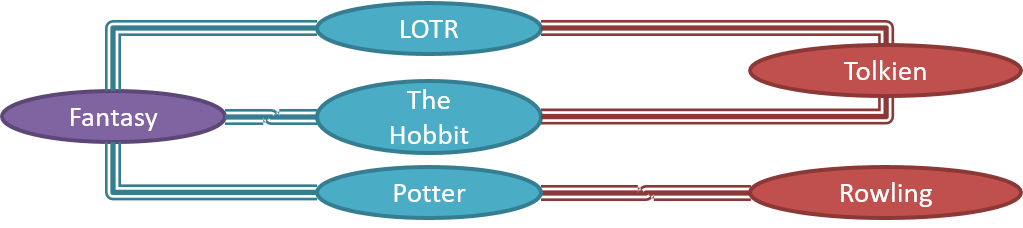
Note that these object structures within the same software can change over time.
Example Given below is how the object structure in the previous example could have looked at a different time.
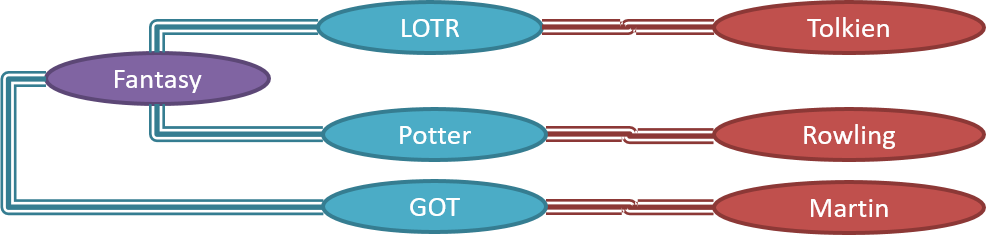
However, object structures do not change at random; they change based on a set of rules set by the designer of that software. Those rules that object structures need to follow can be illustrated as a class structure i.e., a structure that exists among the relevant classes.
Example Here is a class structure (drawn using an ad-hoc notation) that matches the object structures given in the previous two examples. Note how this class structure does not allow any connection between Genre objects and Author objects, a rule followed by the two object structures above.

UML Object Diagrams model object structures. UML Class Diagrams model class structures.
Example Here is an object diagram for the above example:
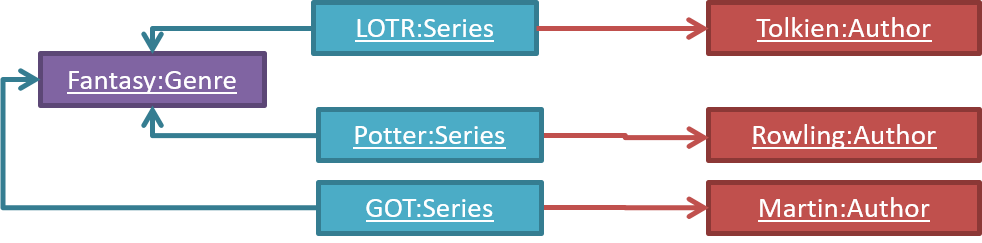
And here is the class diagram for it:

Class Diagrams (Basics)
Classes form the basis of class diagrams.
Associations are the main connections among the classes in a class diagram.
The most basic class diagram is a bunch of classes with some solid lines among them to represent associations, such as this one.
Example A class diagram showing associations between classes.
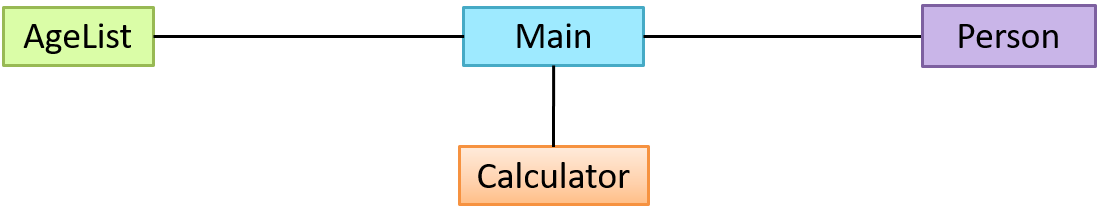
In addition, associations can show additional decorations such as association labels, association roles, multiplicity and navigability to add more information to a class diagram.
Example Here is the same class diagram shown earlier but with some additional information included:
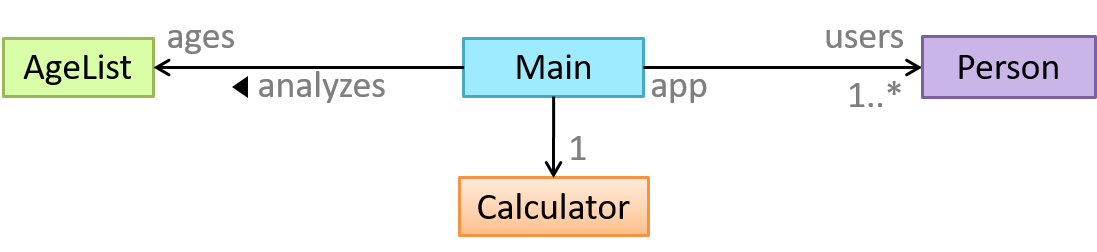
Class Diagrams - Intermediate
A class diagram can also show different types of relationships between classes: inheritance, compositions, aggregations, dependencies.
A class diagram can also show different types of class-like entities:
Customising UML Elements
UML elements can be further customized using the UML stereotypes mechanism.
Object Diagrams
Object diagrams use a notation similar to that of class diagrams (as the former are instantiations of the latter).
Conceptual Class Diagrams (aka OODMs)
The analysis process for identifying objects and object classes is recognized as one of the most difficult areas of object-oriented development. --Ian Sommerville, in the book Software Engineering
Sidebar: Domain Modeling
Domain modeling is modeling the i.e., to model how things actually work in the real world. Domain modeling is useful in understanding the problem domain, which is essential to the success of a project.
Domain modeling can be done using:
- a domain-specific modeling notation if such a notation exists (e.g., a modeling notation specific to the banking domain might have elements to represent loans, accounts, transactions, etc.),
- or a general-purpose modeling notation, such as UML (e.g., you can use an activity diagram to model the workflow of processing a loan application),
- or even other general-purpose notations (e.g., you can use an organization chart to model the employee hierarchy of a company).
When building an OOP system, it makes sense to build OOP models of the problem domain, given OOP aspires to emulate the objects in the real world.
The UML models that capture class structures in the problem domain are called conceptual class diagrams. They are in fact a lighter version of class diagrams, and sometimes also called OO domain models (OODMs). The latter name is somewhat misleading as conceptual class diagrams (CCDs) are actually only one type of domain model that can model an OOP problem domain.
Example The CCD of a snakes and ladders game is given below.
Description: The snakes and ladders game is played by two or more players using a board and a die. The board has 100 squares marked 1 to 100. Each player owns one piece. Players take turns to throw the die and advance their piece by the number of squares they earned from the die throw. The board has a number of snakes. If a player’s piece lands on a square with a snake head, the piece is automatically moved to the square containing the snake’s tail. Similarly, a piece can automatically move from a ladder foot to the ladder top. The player whose piece is the first to reach the 100th square wins.
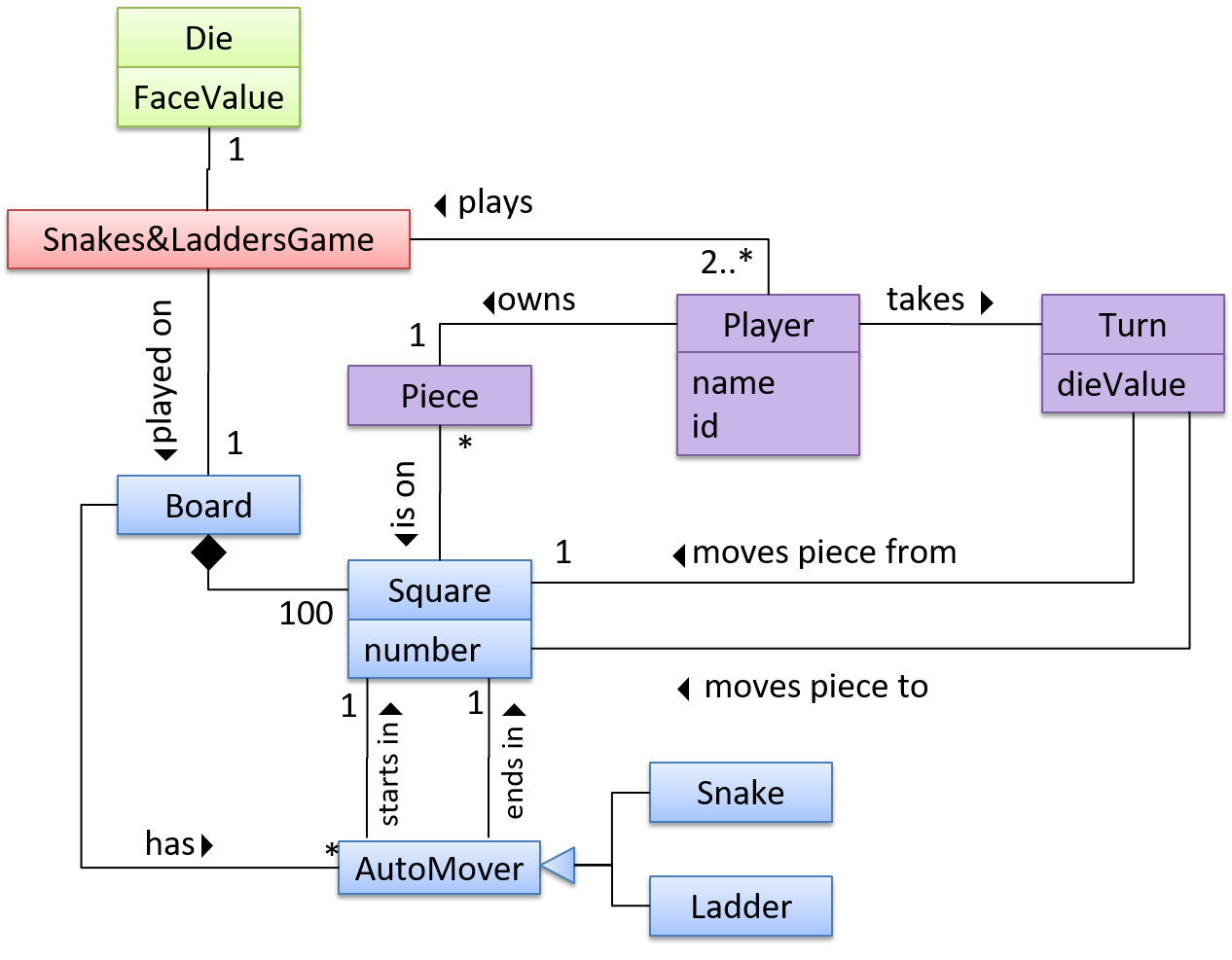
CCDs do not contain solution-specific classes (i.e., classes that are used in the solution domain but do not exist in the problem domain). For example, a class called DatabaseConnection could appear in a class diagram but not usually in a CCD because DatabaseConnection is something related to a software solution but not an entity in the problem domain.
CCDs represent the class structure of the problem domain and not their behavior, just like class diagrams. To show behavior, use other diagrams such as sequence diagrams.
CCD notation is a subset of the class diagram notation (omits methods and navigability).
Activity Diagrams - Basic
Software projects often involve workflows. Workflows define the in which a process or a set of tasks is executed.
Understanding such workflows is important for the success of the software project.
Example A software that automates the work of an insurance company needs to take into account the workflow of processing an insurance claim.
Example The algorithm of a piece of code represents the workflow (i.e., the execution flow) of the code.
Sequence Diagrams - Basic
Sequence diagrams model the interactions between various entities in a system, in a specific scenario. Modeling such scenarios is useful, for example, to verify the design of the internal interactions is able to provide the expected outcomes.
Example Modeling how components of a system interact with each other to respond to a user action.
Example Modeling how objects inside a component interact with each other to respond to a method call it received from another component.
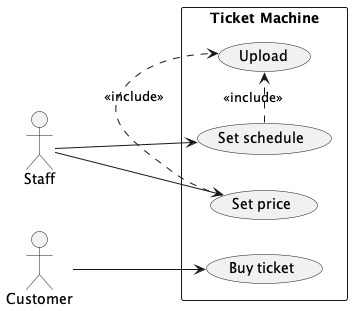

Introduction
You can use models to analyze and design software before you start coding.
Suppose you are planning to implement a simple minesweeper game that has a text-based UI and a GUI. Given below is a possible OOP design for the game.

Before jumping into coding, you may want to find out things such as,
- Can this class structure produce the behavior you want?
- What API should each class have?
- Do you need more classes?
To answer these questions, you can analyze how the objects of these classes will interact with each other to produce the behavior you want.
Basic
As mentioned in [Design → Modeling → Modeling a Solution → Introduction], this is the Minesweeper design you have come up with so far. Our objective is to analyze, evaluate, and refine that design.
Let us start by modeling a sample interaction between the person playing the game and the TextUi object.
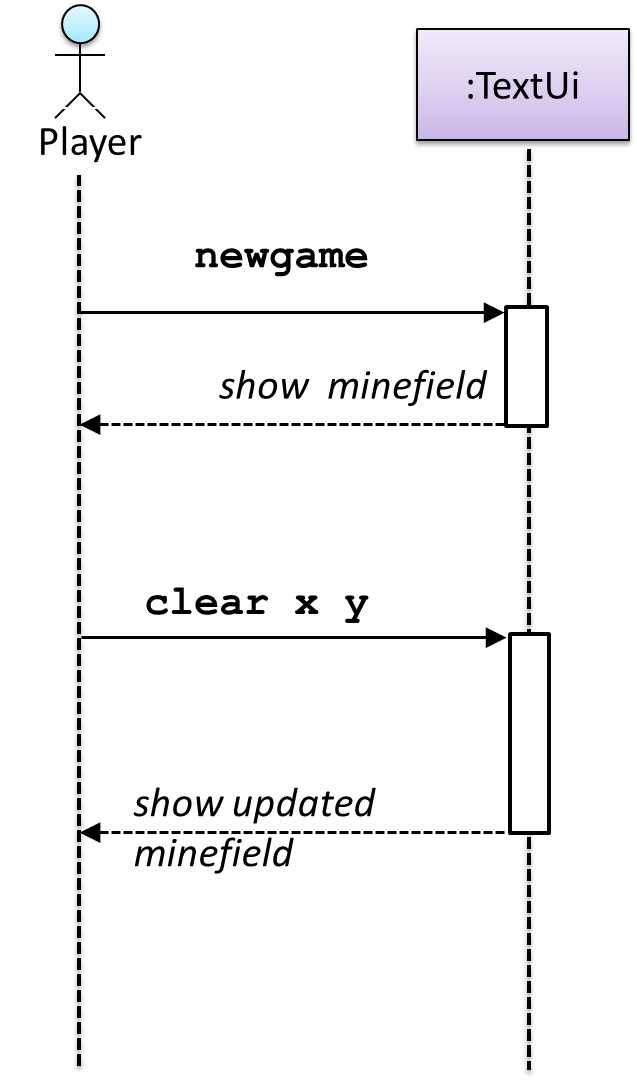
newgame and clear x y represent commands typed by the Player on the TextUi.
How does the TextUi object carry out the requests it has received from the player? It would need to interact with other objects of the system. Because the Logic class is the one that controls the game logic, the TextUi needs to collaborate with Logic to fulfill the newgame request. Let us extend the model to capture that interaction.
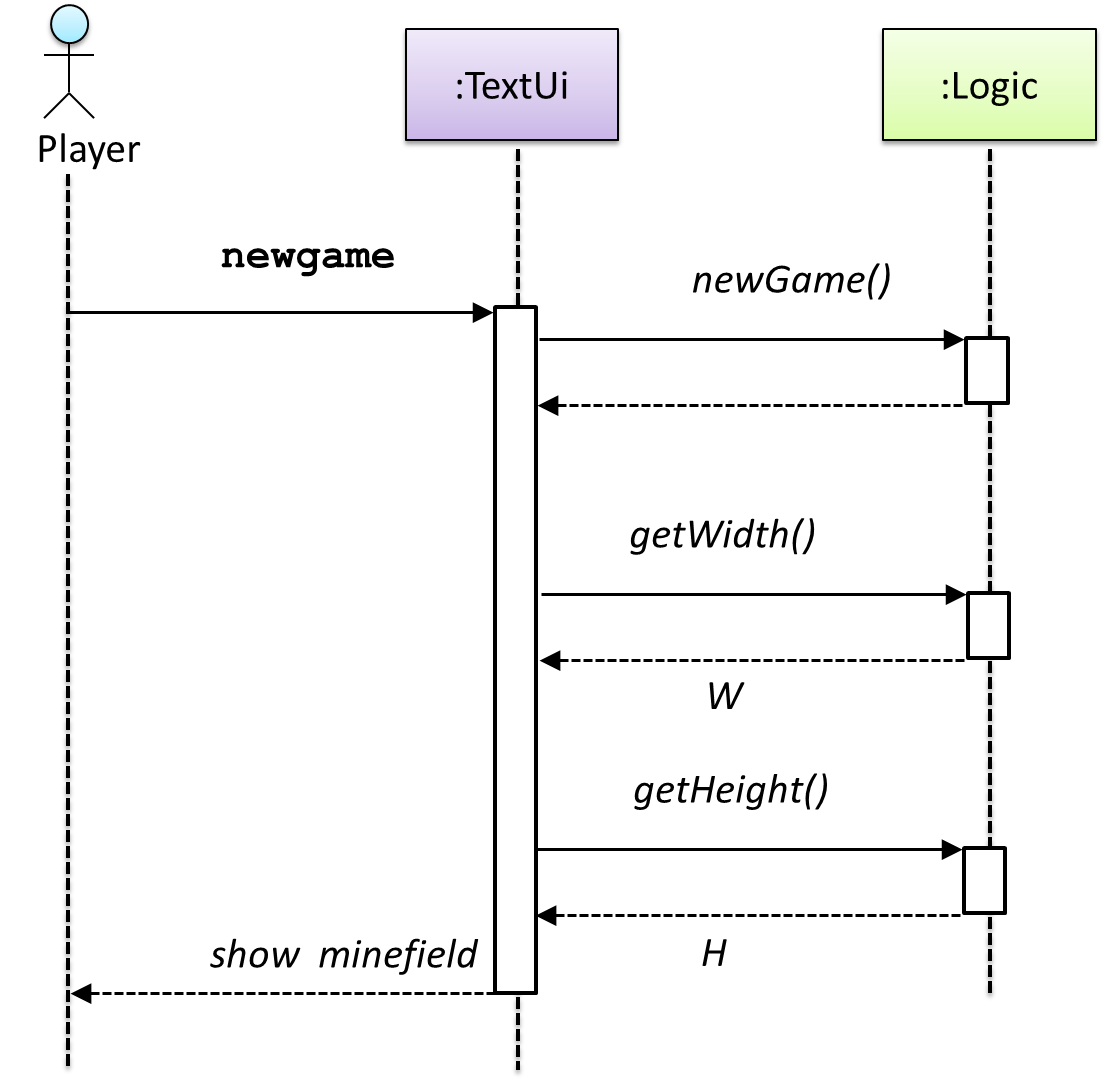
W = Width of the minefield; H = Height of the minefield
The above diagram assumes that W and H are the only information TextUi requires to display the minefield to the Player. Note that there could be other ways of doing this.
The Logic methods you conceptualized in our modeling so far are:
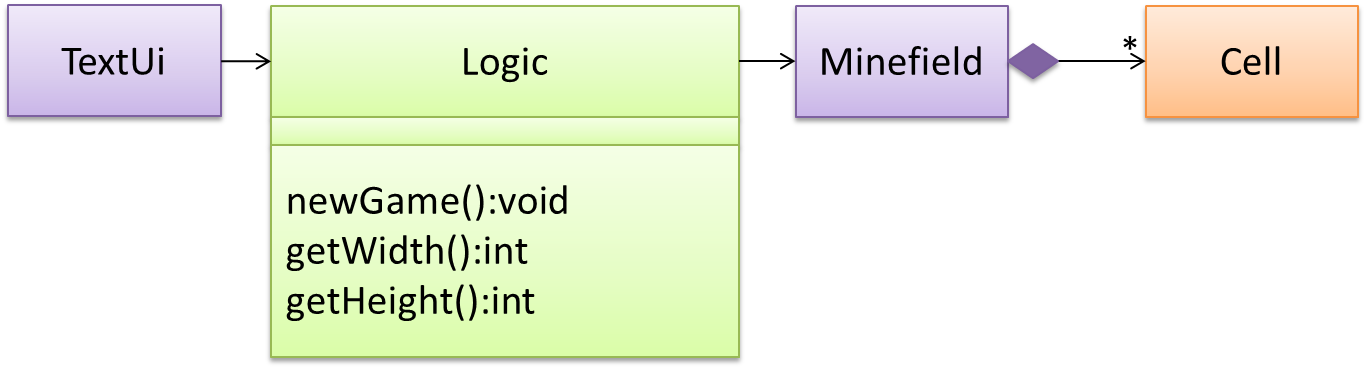
Now, let us look at what other objects and interactions are needed to support the newGame() operation. It is likely that a new Minefield object is created when the newGame() method is called.
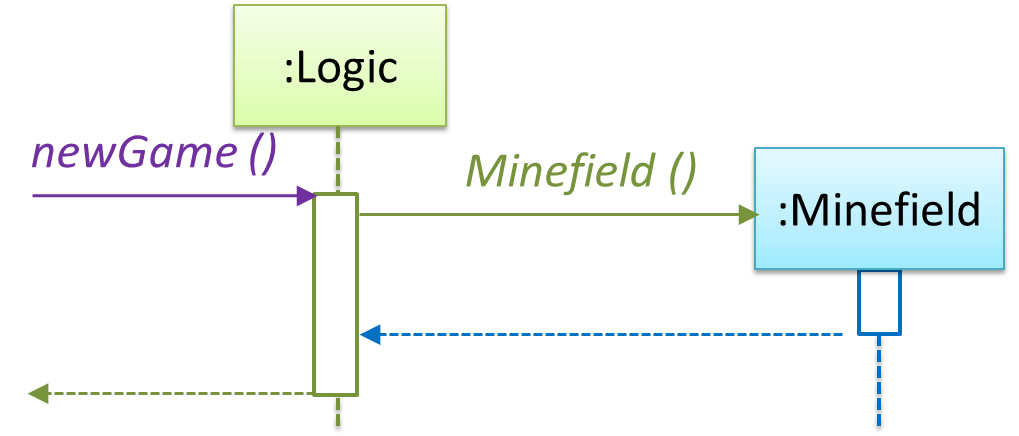
Note that the behavior of the Minefield constructor has been abstracted away. It can be designed at a later stage.
Given below are the interactions between the player and the TextUi for the whole game.
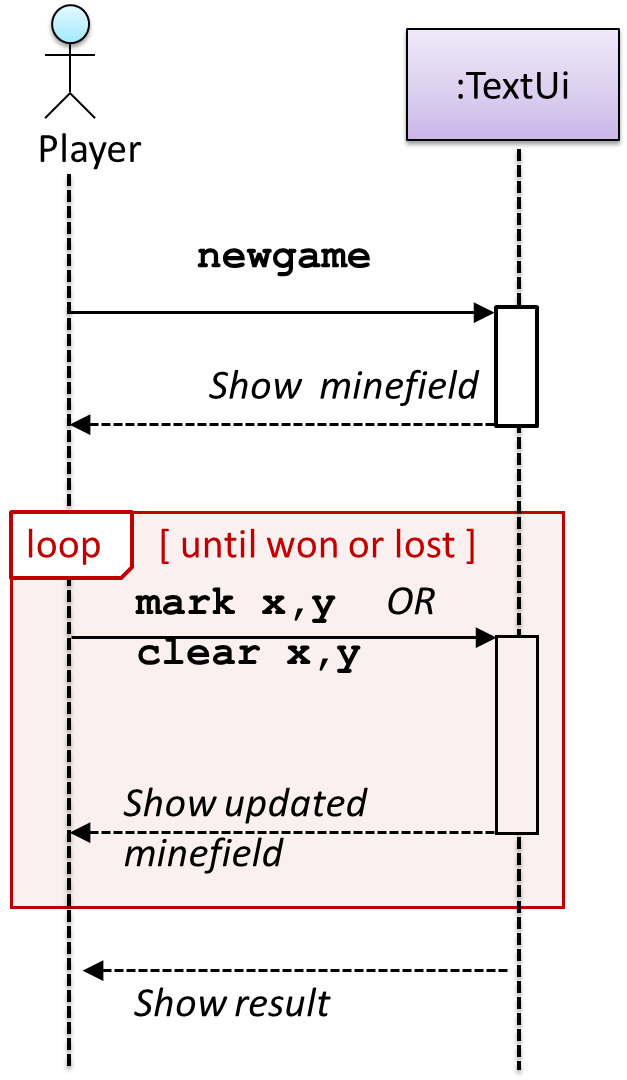
Note that can be used when discovering/defining the architecture-level APIs.
What
When you write a small program by yourself, you can hold its structure in your head. You know where each piece of functionality lives, and you can usually predict what a change will affect.
That becomes much harder as the software and its team grow. Several people add code to the same program at once, and none of them has read all of it. Questions that once seemed trivial start to matter:
- Where does this new code belong?
- Where does each part run?
- How do the parts communicate?
- Which qualities matter most — ease of change, speed, reliability, security?
Software architecture is the set of significant decisions about a system's overall organization. It identifies the major parts, their responsibilities, how they interact, and how they are deployed.
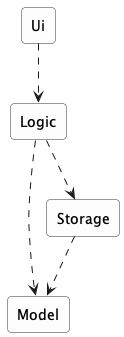
Example Consider a desktop invoice-management application in which users create invoices, set due dates, and mark invoices as paid. A possible architecture has four parts:
Each arrow in the diagram is a dependency: the part at the tail needs the part at the head.
Ui: displays information and receives user inputLogic: interprets user actions and carries out operationsModel: represents invoices and other data while the program runsStorage: reads data from and writes it to persistent storage
An architecture description deliberately leaves out most of what is inside each part. It does not say how many classes are in Logic, which one validates a user command, or which collection holds the invoices. Those are detailed design decisions.
Architecture and detailed design differ in how far a decision reaches, not merely in how big it is. An architectural decision constrains what the other parts can do, shapes the qualities the system can achieve, and is expensive to reverse once the rest of the system is built on it.
Example Deciding that persistent data belongs in a separate Storage component is architecture. Deciding that Storage uses one class per file format is detailed design.
The boundary is not absolute. An internal choice becomes architecturally significant when it strongly affects the rest of the system.
Example A change to the data representation to make the application able to handle a million invoices can be architecturally significant, affecting more than the internals of the Storage component.
Every software system has an architecture, even when nobody designed one deliberately. An unplanned program still has parts and dependencies; they are simply accidental, undocumented, and usually tangled. The value of deciding an architecture on purpose is that the team shares one, understands it, and can reason about it.
An architecture is a shared and evolving technical understanding. A team sets an initial architecture early — the decisions are expensive to reverse later — then tests it against real requirements and revises it deliberately when those requirements change. Larger organizations may give one person an architect role to hold the technical vision, but the architecture still has to be understood by everyone building the system.
An architecture is also more than a diagram. Although an architecture is often represented by a diagram (like the one in the example above), a diagram shows one view. The architecture also includes the constraints everyone must work within and the reasons behind the choices.
Example The fact that the application stores data locally because it must work without a network connection is also part of the architecture, although it may not be captured by the architecture diagram.
The software architecture of a program or computing system is the structure or structures of the system, which comprise software elements, the externally visible properties of those elements, and the relationships among them. Architecture is concerned with the public side of interfaces; private details of elements—details having to do solely with internal implementation—are not architectural.
-- Software Architecture in Practice (2nd edition), Bass, Clements, and Kazman
The definition above is widely quoted in the literature. "Externally visible properties" means what promises to do, not how it does it.
Why Architecture Matters
A useful architecture limits how far many changes spread through the system.
Example Consider the following changes to an invoice manager application:
- Store invoices in a database instead of a file: The main change should stay inside
Storage, as long as its existing interface can still express what is needed. - Add a command-line interface alongside the graphical one: Most new code belongs in
Ui; both interfaces can drive the sameLogic. - Test invoice operations without launching a window: Because
Logicdoes not depend onUi, tests can call it directly. - Let several developers work at once: Clear component boundaries reduce how often two people must edit the same file.
Architecture does not restrain the spread of every change. That is not necessarily an architectural failure: some changes genuinely cross several responsibilities.
Example Adding a new property to every invoice can touch the interface, the rules, the model, and the storage format.
Architecture also shapes the system's quality attributes — the properties that decide whether the software is good enough for its purpose. Common quality attributes include:
- Modifiability — how easily it can be changed
- Performance — how quickly it responds
- Reliability — how well it keeps working when something fails
- Security — how well it protects data and resists misuse
- Deployability — how easily a new version reaches users
Quality attributes often conflict, and that is the central difficulty of architecture. Splitting a system across machines can allow independent scaling while making it slower and adding network failures. Adding component boundaries can limit how far a change spreads while adding interfaces that developers must learn and maintain.
There is no architecture that is best on every attribute — only one that fits the qualities and likely changes that matter for the system being built.
Components, Interfaces, and Dependencies
Three concepts appear frequently in architecture descriptions: components, interfaces, dependencies.
A component is a major part of the system with one coherent responsibility.
Example Storage's work concerns persistent data. A single Invoice class is too small to be an architectural component.
An interface is the agreement stating how the rest of the system may use a component. It is more than a list of operations. A complete interface also covers:
- the data each operation accepts and returns;
- what happens when an operation succeeds or fails; and
- for a component reached over a network, the format and protocol of the messages.
Example Storage might offer saveInvoices(invoices) and readInvoices(), and specify that a corrupt file causes a particular error rather than a crash.
A dependency exists when one component relies on another to do its job. Dependencies have a direction.
Example Logic depends on Storage, because it cannot save without it. Storage does not depend on Logic: it can be compiled, tested, and understood without knowing that commands exist.
A component is not a special programming construct. There is no component keyword; a component is whatever unit of code the team agrees to treat as one part with one responsibility. It may be a separate library, a language-level module, or an entirely separate program reached over a network.
Example In a Java project a component is often a package (or group of packages) plus a type declaring what it offers:
A dependency arrow describes reliance, not necessarily a method call. Whether that reliance is a method call, a message, or a network request is usually indicated in the .
Different Diagrams of one System
Architecture diagrams can differ in what they show and how much detail they show. First consider two common views of a system:
- A logical view shows the major parts and which parts depend on which. It says nothing about where any of it runs.
- A deployment view shows where the parts actually run. For the desktop invoice manager the deployment view is almost boring: all four parts run inside one program, on the user's computer.
Example The same invoice manager, but two views of the architecture:
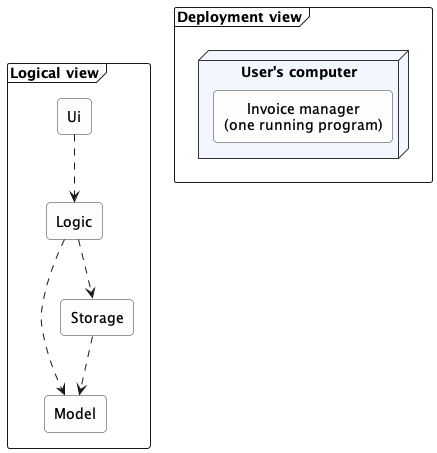
Each arrow in the logical view is a dependency. The deployment view has no arrows because all four parts run inside one program on one computer.
In this example, all the interesting structure is in the logical view. If a server is added to let several users share invoices, both views change. The deployment view changes dramatically; the logical view changes in a smaller but real way.
Keeping the views separate prevents a common confusion.
Example "This system has four components" and "this system runs on four computers" are entirely different statements, and one diagram that blurs them will mislead everyone who reads it.
The 4+1 view model extends the idea above by describing a system using five standard views. Four cover the system's functionality, runtime processes, code organization, and deployment. The "+1" uses scenarios to show how the system works in specific situations.

Switching to the aspect of how much details a diagram show, the design of a small system can be shown at a single level of detail. One diagram can cover the entire system.
Example This class diagram of se-edu/addressbook-level2 depicts the design of the entire software.
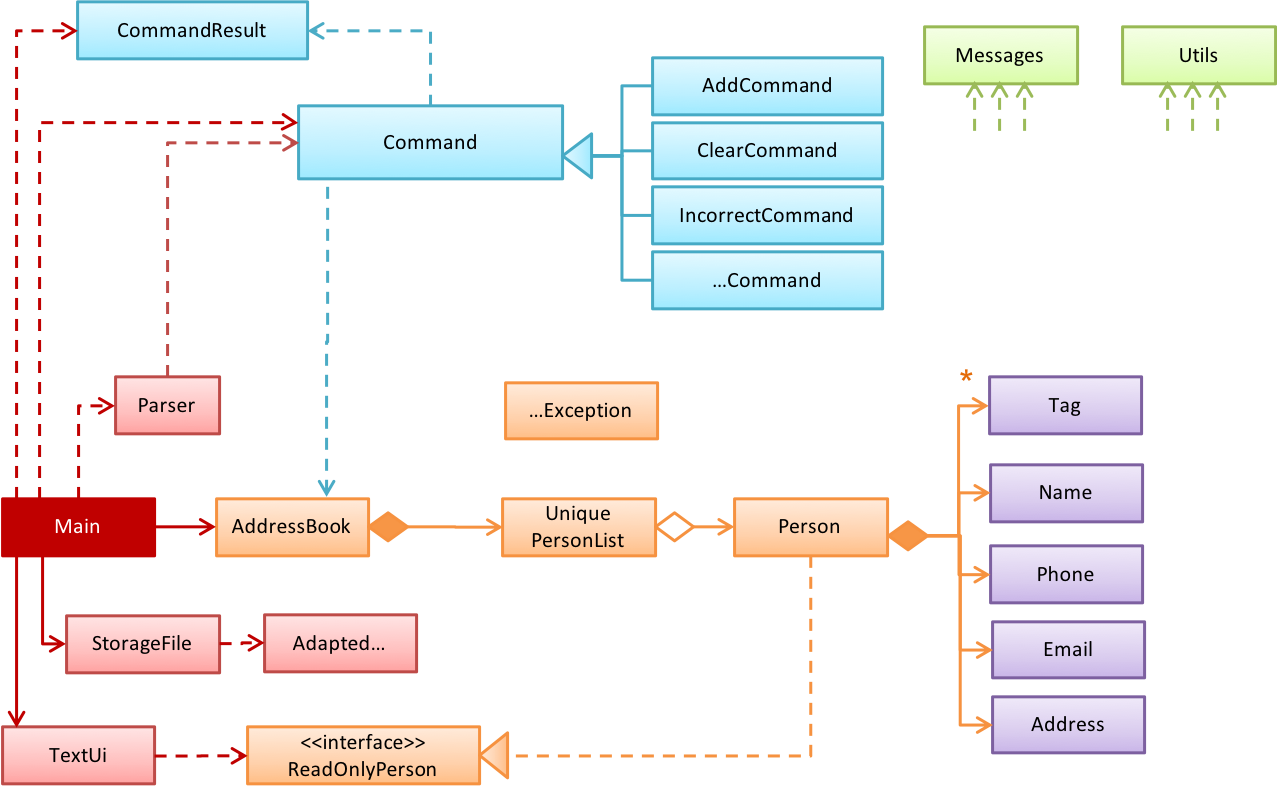
The design of a bigger system needs to be created and shown at multiple levels: higher-level diagram shows the major parts, and lower-level diagrams zoom into individual parts to show their internal design.
Example This architecture diagram of se-edu/addressbook-level3 depicts the high-level design of the software.
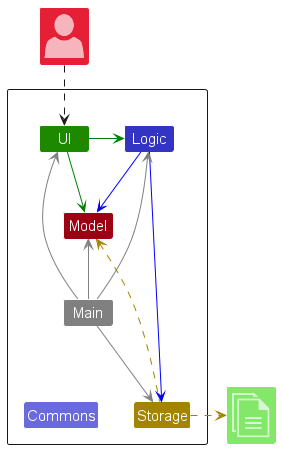
dashed arrows: dependencies
solid arrows: associations
Lower-level designs of some components of the same software:
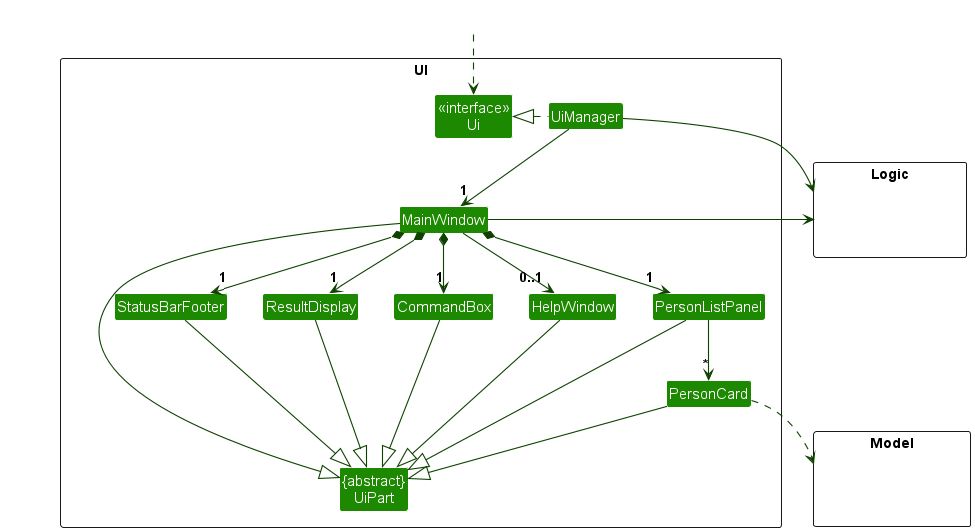
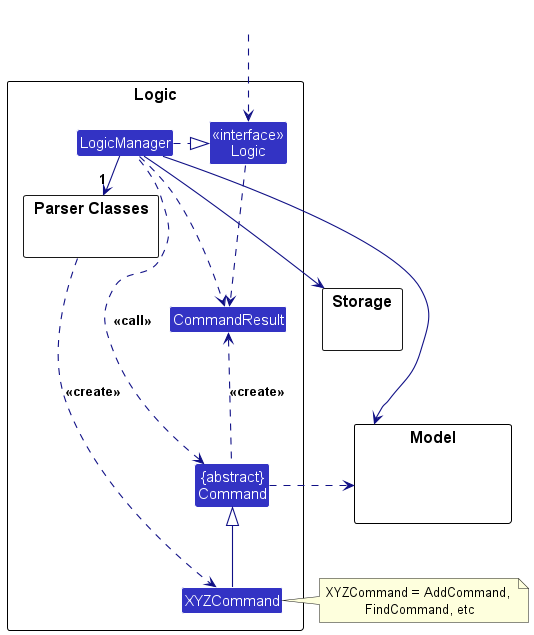
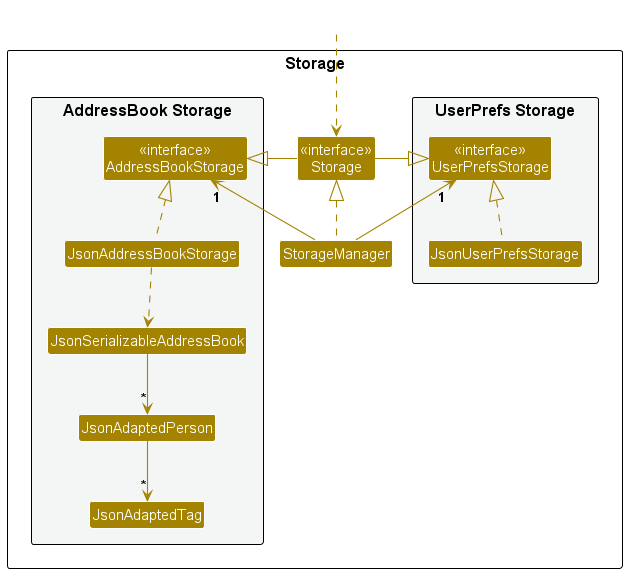
The C4 model is a specific form of multi-level design views. It organizes diagrams of a system's static structure into four core levels, which zoom in from the system's surroundings to its code:
- A system context diagram shows the system, its users, and the other systems it interacts with.
- A container diagram zooms in to show the system's applications and data stores. C4 calls each of these a container, which is not the same as a Docker container.
- A component diagram zooms into one container to show its main components and their relationships.
- A code diagram zooms into one component to show how it is implemented. A UML class diagram can be used at this optional level and is often generated by an IDE.

Example The addressbook-level3 diagrams above roughly match the two lowest C4 levels: the architecture diagram is a component diagram, and the class diagrams are code diagrams.
Neither 4+1 nor C4 is a new diagram notation. 4+1 organizes different kinds of architectural information, while C4 provides zoom levels for static structure. Their diagrams can use an established notation such as UML, or an ad hoc notation made up of boxes, arrows, and text labels.
Both models are meant for large systems, larger than our invoice manager example. They add value when a system has many parts running in several places, and its architecture must be explained to readers who each need a different slice of it.
Reading Architecture Diagrams
Architecture diagrams have no universally adopted notation. Unlike UML class diagrams, there is no rulebook: different teams use different shapes, colors, and arrows. A reader must first work out what the notation means.
Read an architecture diagram by asking four questions in order:
- What view is this? Code organization, deployment, communication, or something else — each shows different information.
- What are the major parts? Usually the boxes. Expect a handful, not thirty.
- What is each part responsible for? Names, labels, and nearby text should make this clear.
- What do the relationships mean? Follow each arrow's direction, and check the legend for what an arrow means.
Example Here are two real architecture diagrams, from actual projects, drawn by different teams in different notations.
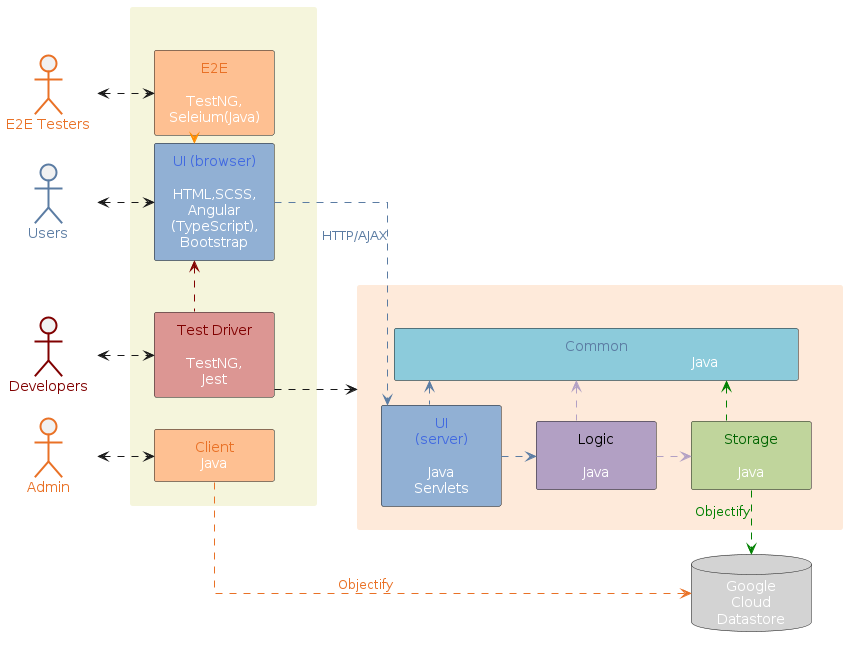
dashed arrows: dependencies
solid arrows: associations
Drawing Architecture Diagrams
While architecture diagrams have no standard notation, follow these guidelines when drawing them.
- Name each component by its responsibility, not its current implementation.
ExampleStoragestays accurate even if the implementation changes;JsonFileHandlerbecomes inaccurate if you switch to a database later. - Show only what is architecturally relevant. If the architecture has more than a handful of components, it is a sign that it has slipped to a lower level of abstraction than it should be.
- Use familiar symbols, and explain them in a legend. e.g., a drum shape is widely understood to represent a database. Explain any symbol whose meaning may not be obvious. If you need two kinds of arrow, make them visually different and label both in the legend.
- Avoid the indiscriminate use of double-headed arrows if arrow directions can be used more meaningfully.
Example Consider the two architecture diagrams of the same software given below. Because Diagram 2 uses double-headed arrows everywhere, the important fact that GUI has a genuinely bidirectional dependency with the Logic component is no longer visible.

What
An architectural style is a reusable way of organizing the major parts of a system (aka architectural pattern), just as building architectures follow recognized styles. Naming a style (e.g., "layered", "client-server") lets developers refer to a familiar arrangement without explaining it from scratch.
Different styles describe different aspects of a system, which is why one system can use several at once.
What
Aspect: This style focuses on how the code inside a program is organized.
In the layered style, the software is divided into layers whose dependencies all point downward. Higher layers use services provided by lower ones; lower layers know nothing about the layers above.

Layered designs differ in how strictly they enforce the separation. In strict (or closed) layering, a layer may use only the layer immediately below it. In the more common relaxed form, a layer may use any lower layer, skipping intermediate ones. In both, dependencies never point back up. Because a lower layer depends on nothing above it, you can understand, test, and replace it without being concerned about any layers above. In contrast, when a layer can depend on both higher and lower layers, more parts of the system needs to be considered when changing something in a given layer.
Example The invoice manager follows relaxed layering, as Logic depends on Storage as well as Model. Operating systems and network communication software are the classic examples of layering.

Layers are not tiers. A layer is a logical division inside the software; a tier is a part that is deployed separately. The two are often confused, partly because the term n-tier is frequently used to mean layered.
Example A desktop invoice manager has several layers but runs as a single tier — one program, one computer. Layering does not require distribution and does not imply it. Another style can split the program across a network, gaining a second tier while keeping much the same layering.
What
Aspect: This style focuses on how the system is packaged and deployed.
A monolith is a system deployed as a single unit. You build one artifact and release it as a whole. A typical desktop application is a monolith, as is a great deal of successful commercial software.
Being one deployable unit does not mean one running process. A monolith may be launched as several processes, or run as many identical copies behind a load balancer — but they are all copies of the same thing, released together.
A modular monolith is a single deployable unit organized internally into well-defined components. It is still one artifact, but inside it the parts have clear responsibilities, clear interfaces, and disciplined dependencies.
Example An invoice manager with Ui, Logic, Model, and Storage shipped as one program is a modular monolith.
"Monolith" is not a synonym for "badly structured." The word describes how the system is deployed, not how well it is organized. A monolith can have a tangled internal structure or a disciplined modular internal structure.
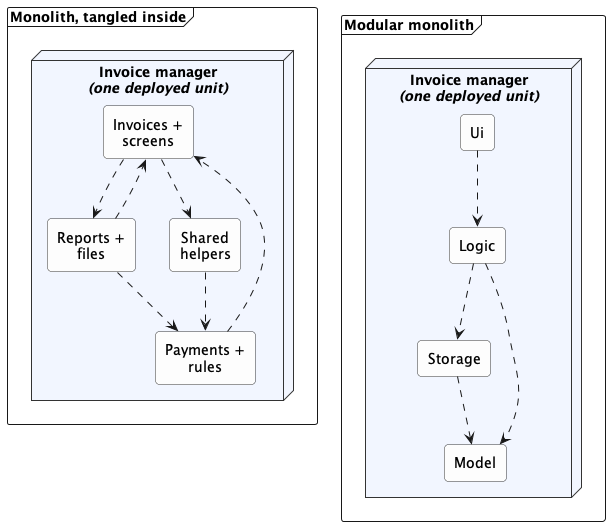
Each arrow is a dependency. Both are monoliths — one deployed unit each, identical from the outside. What differs is inside: on the left, responsibilities are mixed and dependencies point both ways; on the right, each component has one job and the dependencies run one way.
The modular monolith is usually the sensible starting point for one team building one product. It keeps building, testing, and debugging simple while still encouraging clear responsibilities.
What
Aspect: This style focuses on what triggers work, and how notifications flow.
In the event-driven style, work is triggered by rather than by direct calls. The component that raises an event is the emitter; the components that react to it are consumers. An event dispatcher mechanism routes each event to its matching consumers.

Notation used in this diagram and the next: a dashed arrow is the path along which events travel, each oval is one event, and the small red arrows show their direction of travel.
If you have written a graphical user interface, you have written event-driven code. A button does not contain the logic that runs after a click; the UI framework delivers the click event to whatever handler registered for it.
Example When the 'button clicked' event occurs in a GUI, that event can be transmitted to components interested in reacting to it. Similarly, events detected at a printer port can be transmitted to components related to operating the printer. The same event can be sent to multiple consumers too.

Same notation as the previous diagram; the two kinds of event are keyed at the bottom of this one.
Event delivery has two separate dimensions:
- Local or distributed. Events may be delivered inside one program, or across a network between separate programs.
- Synchronous or asynchronous. The emitter may wait for consumers to finish, or carry on emitting more events that will be sent to consumers in due course.
Example A GUI button click is local, and it is not strictly synchronous either: the click is usually placed on a local event queue and handled shortly afterward by the interface thread.
Distributed event-driven systems often use the publish-subscribe pattern for event dispatching. An emitter publishes an event to a message broker, which delivers it to whichever components have subscribed. The emitter need not know which consumers exist, and one event can reach any number of them.
Event-driven architecture reduces coupling but at the cost of reduced traceability. A new consumer can subscribe without the emitter changing at all -- but the list of consumers still exists (the framework or broker holds it), it is just no longer visible where the event is raised.
Example To answer "what happens when an invoice is deleted?" you may have to find several handlers, and no single place in the code tells you.
What
Aspect: This style focuses on which parts request capabilities and which parts provide them.
In the client-server style, a server provides a capability or data, and one or more clients use it. Sharing data or processing among several installations is the most common reason to use the client-server architecture.

Example Suppose several users need to edit the same set of invoices from their own desktop applications. Local files no longer suffice, because each installation would hold a different copy, and no installation can reach another's hard disk.
Adding a server changes both views of the invoice manager. In the logical view, RemoteStorage now depends on a request handler that owns the shared data; in the deployment view, client and server become separately deployed parts that exchange messages over a network.
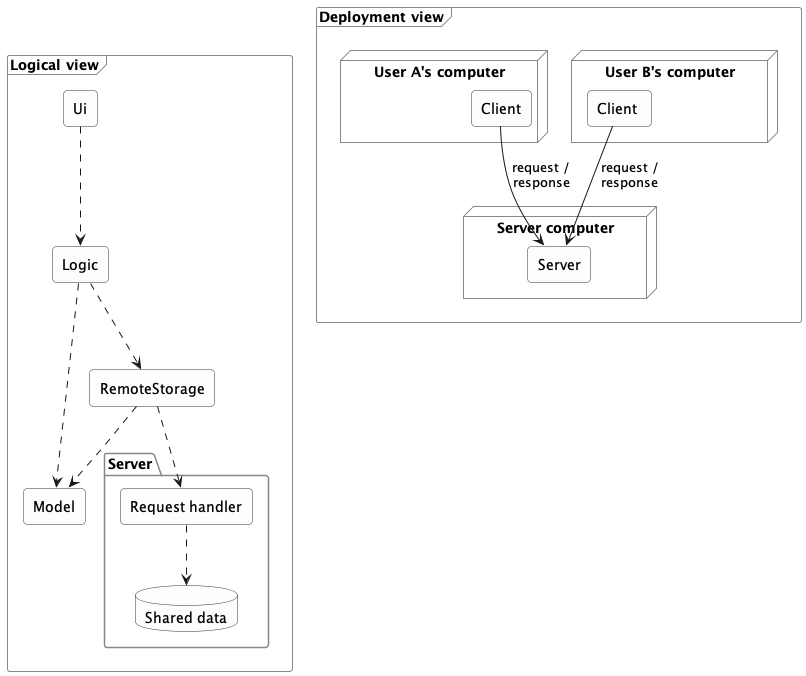
In the logical view, each arrow is a dependency. In the deployment view, each arrow is a message sent between separately deployed parts.
Adding a server changes more than the location of data storage (or whatever else the clients need to share). A real split adds architectural elements and concerns:
- a client-side component that sends requests;
- a server-side component that receives and handles them;
- an agreed request and response format, so both sides read messages the same way; and
- handling for timeouts, failures, and version mismatches — concerns that the purely local design did not have.
A good interface limits the impact of moving to a client-server architecture but does not avoid it entirely.
Example Because Logic depended on what Storage promised rather than on a specific implementation, a RemoteStorage that honors the same interface may spare Logic any change at all. But the system as a whole now bears the additional burden of client-server communication.
This is also where tiers appear. The client program is one tier and the server another — a tier being a separately deployed part, not necessarily one physical machine.
A network boundary adds costs that local calls never had:
- Requests take far longer, and less predictably. A method call inside a program is orders of magnitude faster than a request that crosses a network, and unlike a local call, a network request takes a different amount of time on each attempt.
- Failures can be partial. A timeout does not reveal whether the server failed before or after doing the work. Retrying carelessly can perform the operation twice.
- Versions must stay compatible. A new server may still receive requests from an old client.
- Security becomes prominent. The server must decide who may read or change the shared data.
Example Client-server is extremely common -- online games, email, collaborative applications, and web applications all use it, though it is in no way limited to browser-based software.

What
Aspect: This style focuses on exposing and composing capabilities through published network interfaces.
A service exposes a published interface that other software can use over a network. Callers depend on the agreement, not on the service's programming language or internal implementation, so a service written in one language can be used by a program written in another.
The service-oriented architecture (SOA) style organizes a system around such network-accessible services, often to connect capabilities owned by different applications or organizations.
Example Suppose one company provides a service for browsing and buying merchandise, and a bank provides a service for charging its credit cards. A third party can build an online bookshop that combines them -- letting customers buy books and pay by card -- even though all three systems are built on different platforms.
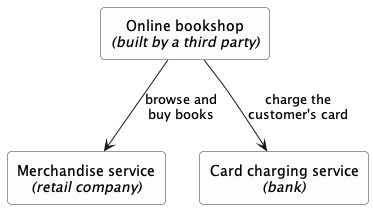
Each arrow is a call over a network, through a published interface. Three owners, three platforms: the bookshop depends on what each service promises, not on how that service is built.
Early SOA was strongly associated with XML web services and the SOAP standard; modern services usually exchange much simpler messages, most often JSON over ordinary HTTP. The architectural idea -- published, network-accessible, platform-independent interfaces -- does not depend on the message format.
The microservice style builds one product as a collection of independently deployable services, each focused on a capability and usually owning the data behind its interface. Micro does not necessarily mean small. Independent deployability around a focused responsibility matters far more than size. A payment service may be substantial and still be a microservice, if it can be released without redeploying anything else.
Microservices are best understood by contrast with the modular monolith. Both organize a system into components with clear responsibilities; the difference is where the boundaries are.
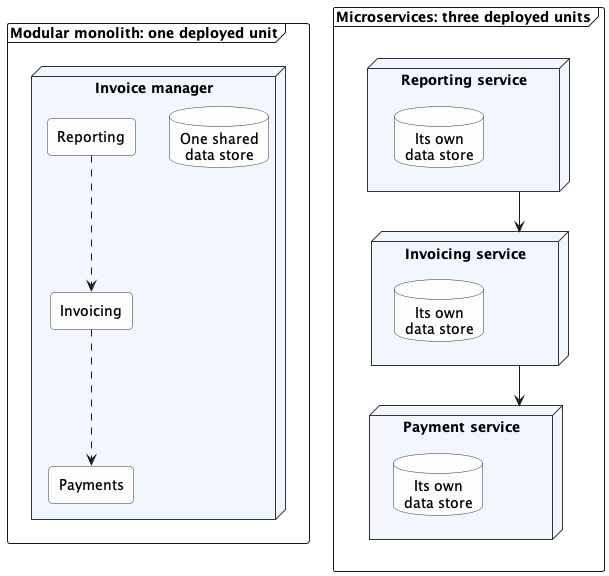
In this diagram, a dashed arrow is a direct call inside one program, and a solid arrow is a request that crosses a network. The same three responsibilities appear on both sides; only the boundaries move. Both sides divide the work by capability rather than by layer, and each service on the right is still layered inside.
| Concern | Modular monolith | Microservices |
|---|---|---|
| Deployment | One unit, released together | Many units, each released on its own |
| Communication | Mostly calls within one process | Requests or messages across a network |
| Data ownership | Enforced by discipline, often over one store | Enforced by separation; each service owns its data, reachable only through its interface |
| When a part fails | Usually affects the whole unit | Others can keep running, but only if built to tolerate the failure |
| Testing and debugging | Build and inspect one thing | Start and coordinate many |
| Best fit | One team releasing one product | Several teams needing independent releases |
Microservices trade operational simplicity for team and deployment independence. If several teams each own a service, each can release or scale its service without redeploying the others. In exchange, calls that were method calls become network requests that can time out, no single store can answer "is this data consistent?", and a failing service can drag down the ones that depend on it.
Related deployment terms:
- A container packages a program with the runtime, libraries, and configuration it needs, so that environment travels with it from a laptop to a server — which is what makes "independently deployable" practical.
Example A payment service needs a particular Python version and a set of libraries. Shipped as a container image, it carries all of that with it: the machine running it needs only a container runtime, and the service behaves the same on a developer's laptop as on the deployment server.
Docker is a well-known tool for building and running containers, and Kubernetes is widely used to run many containers across a cluster of machines. - Serverless computing lets you deploy code without provisioning or managing the servers that run it. In the most common model you deploy a single function, the provider runs it in response to an event, and you are billed for execution rather than for a server kept running.
Example A function that generates a thumbnail whenever a user uploads a photo. You deploy just that function, the provider runs a copy of it for each upload, and on a day with no uploads nothing is running and nothing is billed.
AWS Lambda, Azure Functions, and Google Cloud Functions are widely used services of this kind.
Both help deploy services, but they are deployment approaches, not architectural styles, and neither is required for microservices.
Using and Combining Styles
Most real applications combine several styles at once, because each style addresses a different aspect.
Example The invoice manager is a modular monolith, layered internally, with an event-driven user interface; once invoices are shared through a server, it is also a client in a client-server system. All of those are true at the same time.
Every style trades benefits for costs. Layering limits how far a change spreads but adds indirection. Distribution lets users share data but adds latency and partial failures. A style's value depends on the problem it solves.
For one team building one product, a modular monolith is a strong default. One deployable program, clear internal components, one-way dependencies. Add a network boundary only when a concrete requirement justifies its latency, failure modes, security work, and operational cost.
Example Each step below is a response to a requirement, not an upgrade. Moving down gains specific capabilities and adds specific costs.
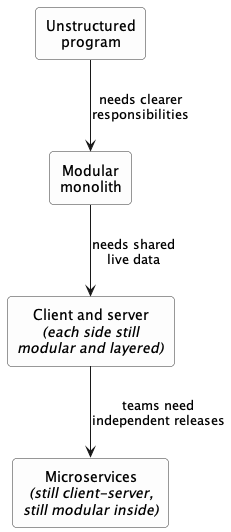
Each arrow is a step from one architecture to the next, labeled with the requirement that drives it. Some styles carry forward and others are replaced, at different scopes.
What
Design pattern: An elegant reusable solution to a commonly recurring problem within a given context in software design.
In software development, there are certain problems that recur in a certain context.
Example Two recurring design problems:
| Design Context | Recurring Problem |
|---|---|
| Assembling a system that makes use of other existing systems implemented using different technologies | How to connect components using different technologies? |
| UI needs to be updated when the data in the application backend changes | How to initiate an update to the UI when data changes without coupling the backend to the UI? |
After repeated attempts at solving such problems, better solutions are discovered and refined over time. These solutions are known as design patterns, a term popularized by the seminal book Design Patterns: Elements of Reusable Object-Oriented Software by the so-called "Gang of Four" (GoF) written by Erich Gamma, Richard Helm, Ralph Johnson, and John Vlissides.
Format
The common format to describe a pattern consists of the following components:
- Context: The situation or scenario where the design problem is encountered.
- Problem: The main difficulty to be resolved.
- Solution: The core of the solution. It is important to note that the solution presented only includes the most general details, which may need further refinement for a specific context.
- Anti-patterns (optional): Commonly used solutions, which are usually incorrect and/or inferior to the Design Pattern.
- Consequences (optional): Identifying the pros and cons of applying the pattern.
- Other useful information (optional): Code examples, known uses, other related patterns, etc.
What
Context
Certain classes should have no more than just one instance (e.g. the main controller class of the system). These single instances are commonly known as singletons.
Problem
A normal class can be instantiated multiple times by invoking the constructor.
Solution
Make the constructor of the singleton class private, because a public constructor will allow others to instantiate the class at will. Provide a public class-level method to access the single instance.
Example The Logic class below is a Singleton.
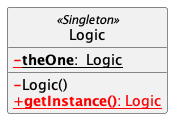
The <<Singleton>> in the class above uses the UML stereotype notation, which is used to (optionally) indicate the purpose or the role played by a UML element. In this example, the class Logic is playing the role of a Singleton class. The general format is <<role/purpose>>.
Implementation
Here is the typical implementation of how the Singleton pattern is applied to a class:
class Logic {
private static Logic theOne = null;
private Logic() {
...
}
public static Logic getInstance() {
if (theOne == null) {
theOne = new Logic();
}
return theOne;
}
}
Notes:
- The constructor is
private, which prevents instantiation from outside the class. - The single instance of the singleton class is maintained by a
privateclass-level variable. - Access to this object is provided by a
publicclass-level operationgetInstance()which instantiates a single copy of the singleton class when it is executed for the first time. Subsequent calls to this operation return the single instance of the class.
If Logic were not a Singleton class, a Logic object could be created as follows:
Logic m = new Logic();
But when it is a Singleton class, the single Logic object needs to be accessed as follows:
Logic m = Logic.getInstance();
Evaluation
Pros:
- Easy to apply.
- Effective in achieving its goal with minimal extra work.
- Provides an easy way to access the singleton object from anywhere in the codebase.
Cons:
- The singleton object acts like a global variable that increases coupling across the codebase.
- In testing, it is difficult to replace Singleton objects with stubs (static methods cannot be overridden).
- In testing, singleton objects carry data from one test to another even when you want each test to be independent of the others.
Given that there are some significant cons, it is recommended that you apply the Singleton pattern when, in addition to requiring only one instance of a class, there is a risk of creating multiple objects by mistake, and creating such multiple objects has real negative consequences.
What
Context
Components need to access functionality deep inside other components.
Example The UI component of a Library system might want to access functionality of the Book class contained inside the Logic component.
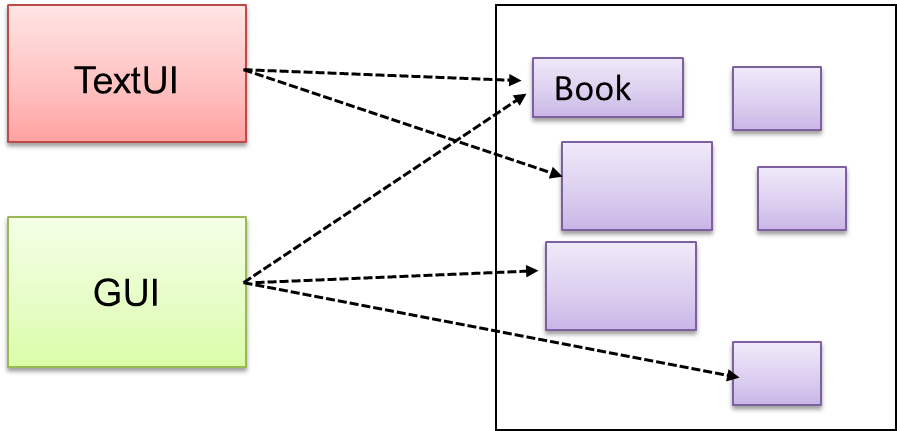
Problem
Access to the component should be allowed without exposing its internal details.
Example The UI component should access the functionality of the Logic component without knowing that it contains a Book class within it.
Solution
Include a class that sits between the component internals and users of the component such that all access to the component happens through the Facade class.
Example The following class diagram applies the Facade pattern to the Library System example. The LibraryLogic class is the Facade class.
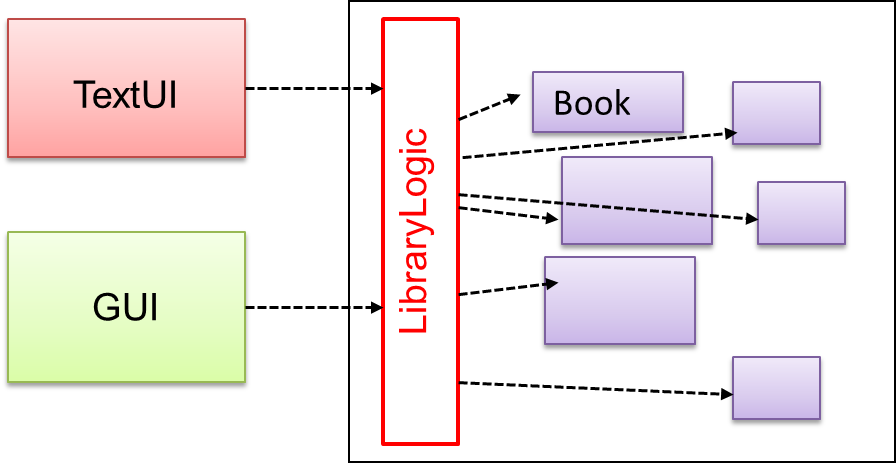
What
Context
A system is required to execute a number of commands, each doing a different task.
Example A system might have to support Sort, List, Reset commands.
Problem
It is preferable that some part of the code executes these commands without having to know each command type.
Example There can be a CommandQueue object that is responsible for queuing commands and executing them without knowledge of what each command does.
Solution
The essential element of this pattern is to have a general <<Command>> object that can be passed around, stored, executed, etc without knowing the type of command (i.e., via polymorphism).
Example In the solution below, the CommandCreator creates List, Sort, and Reset Command objects and adds them to the CommandQueue object. The CommandQueue object treats them all as Command objects and performs the execute/undo operation on each of them without knowledge of the specific Command type. When executed, each Command object will access the DataStore object to carry out its task. The Command class can also be an abstract class or an interface.
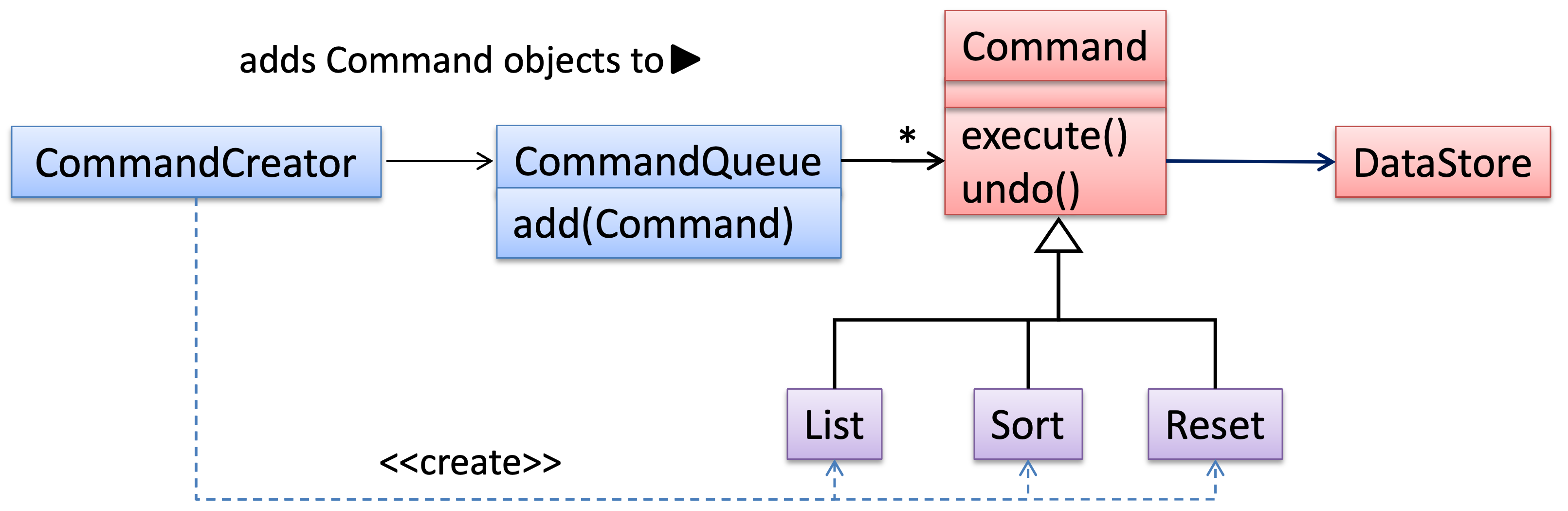
The general form of the solution is as follows.
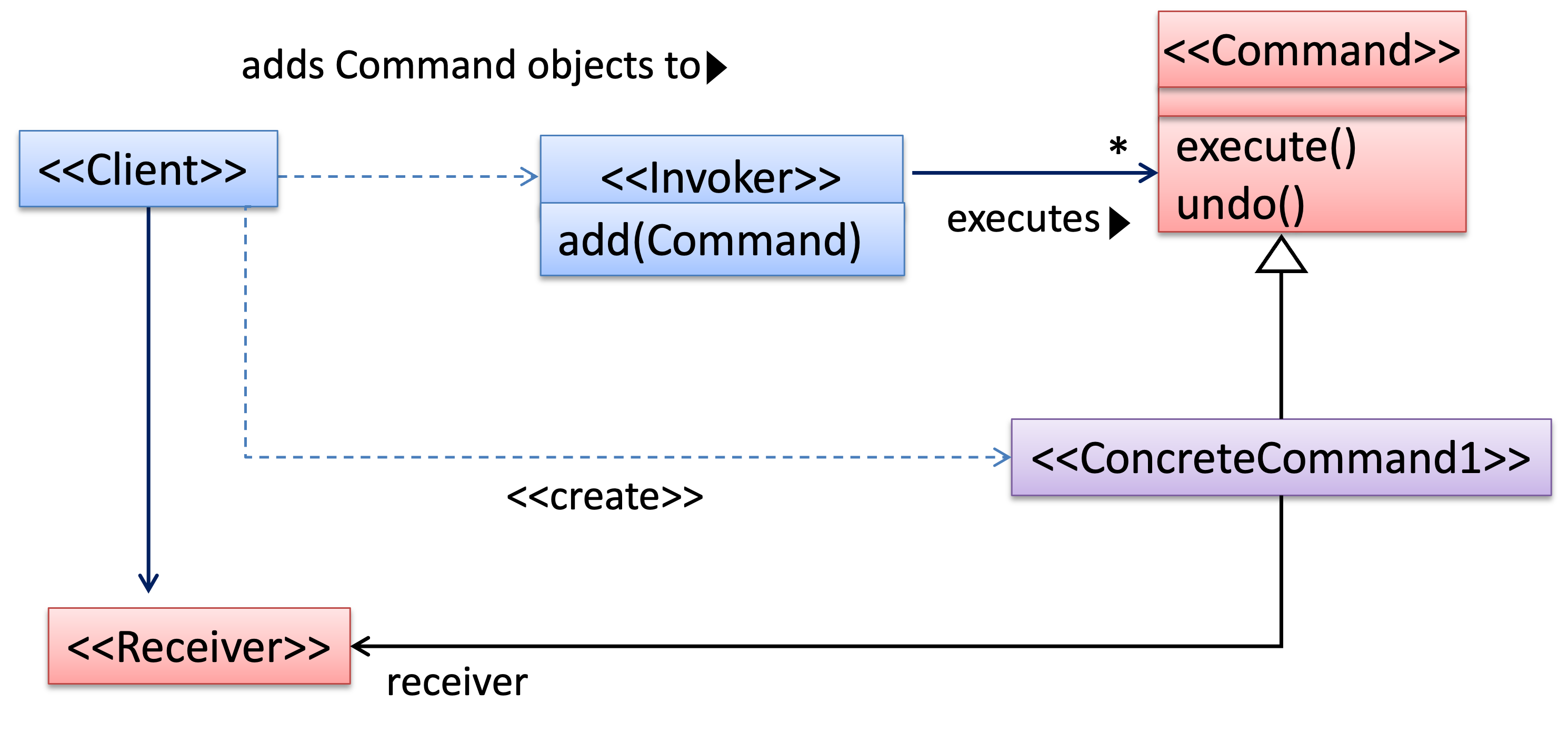
The <<Client>> creates a <<ConcreteCommand>> object and passes it to the <<Invoker>>. The <<Invoker>> object treats all commands as a general <<Command>> type. <<Invoker>> issues a request by calling execute() on the command. If a command is undoable, <<ConcreteCommand>> will store the state for undoing the command before invoking execute(). In addition, the <<ConcreteCommand>> object may have to be linked to any <<Receiver>> of the command () before it is passed to the <<Invoker>>. Note that an application of the command pattern does not have to follow the structure given above.
What
Context
Most applications support storage/retrieval of information, displaying of information to the user (often via multiple UIs having different formats), and changing stored information based on external inputs.
Problem
The high coupling that can result from the interlinked nature of the features described above.
Solution
Decouple data, presentation, and control logic of an application by separating them into three different components: Model, View and Controller.
- View: Displays data, interacts with the user, and pulls data from the model if necessary.
- Controller: Detects UI events such as mouse clicks and button pushes, and takes follow-up action. Updates/changes the model/view when necessary.
- Model: Stores and maintains data. Updates the view if necessary.
The relationship between the components can be observed in the diagram below. Typically, the UI is the combination of View and Controller.
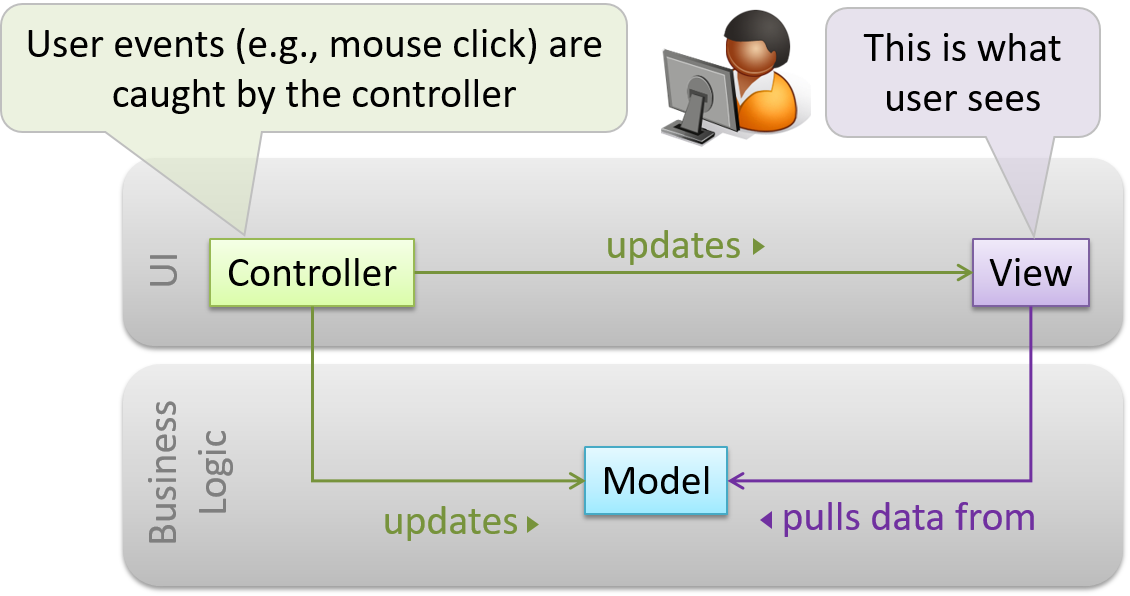
Example MVC applied to a student management system. In this scenario, the user is retrieving the data of a student.
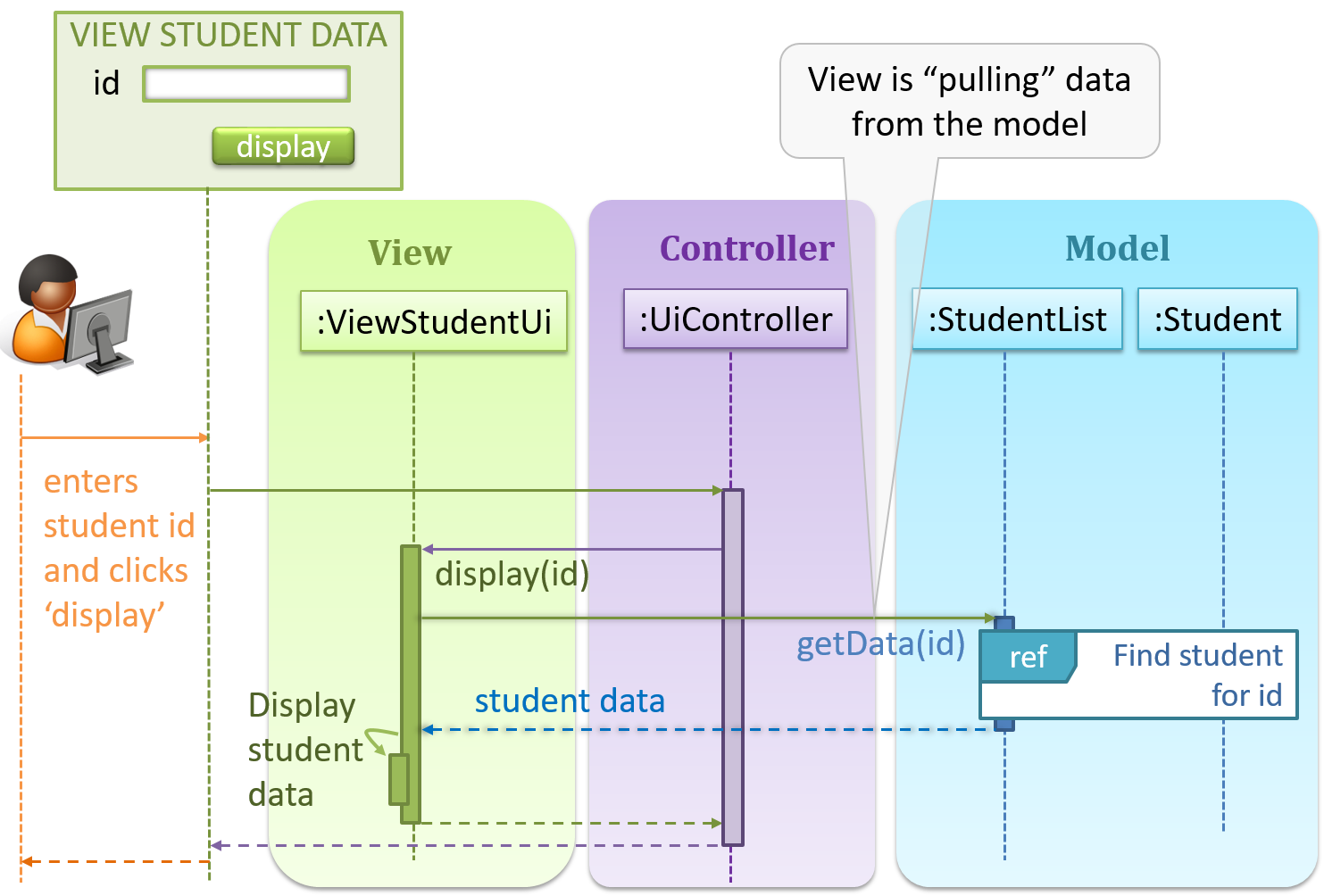
In the diagram above, when the user clicks on a button using the UI, the ‘click’ event is caught and handled by the UiController. The ref frame indicates that the interactions within that frame have been extracted out to another separate sequence diagram.
Note that in a simple UI where there’s only one view, Controller and View can be combined as one class.
There are many variations of the MVC model used in different domains. For example, the one used in a desktop GUI could be different from the one used in a web application.
What
Context
An object (possibly more than one) is interested in being notified when a change happens to another object. That is, some objects want to ‘observe’ another object.
Example Consider this scenario from a student management system where the user is adding a new student to the system.
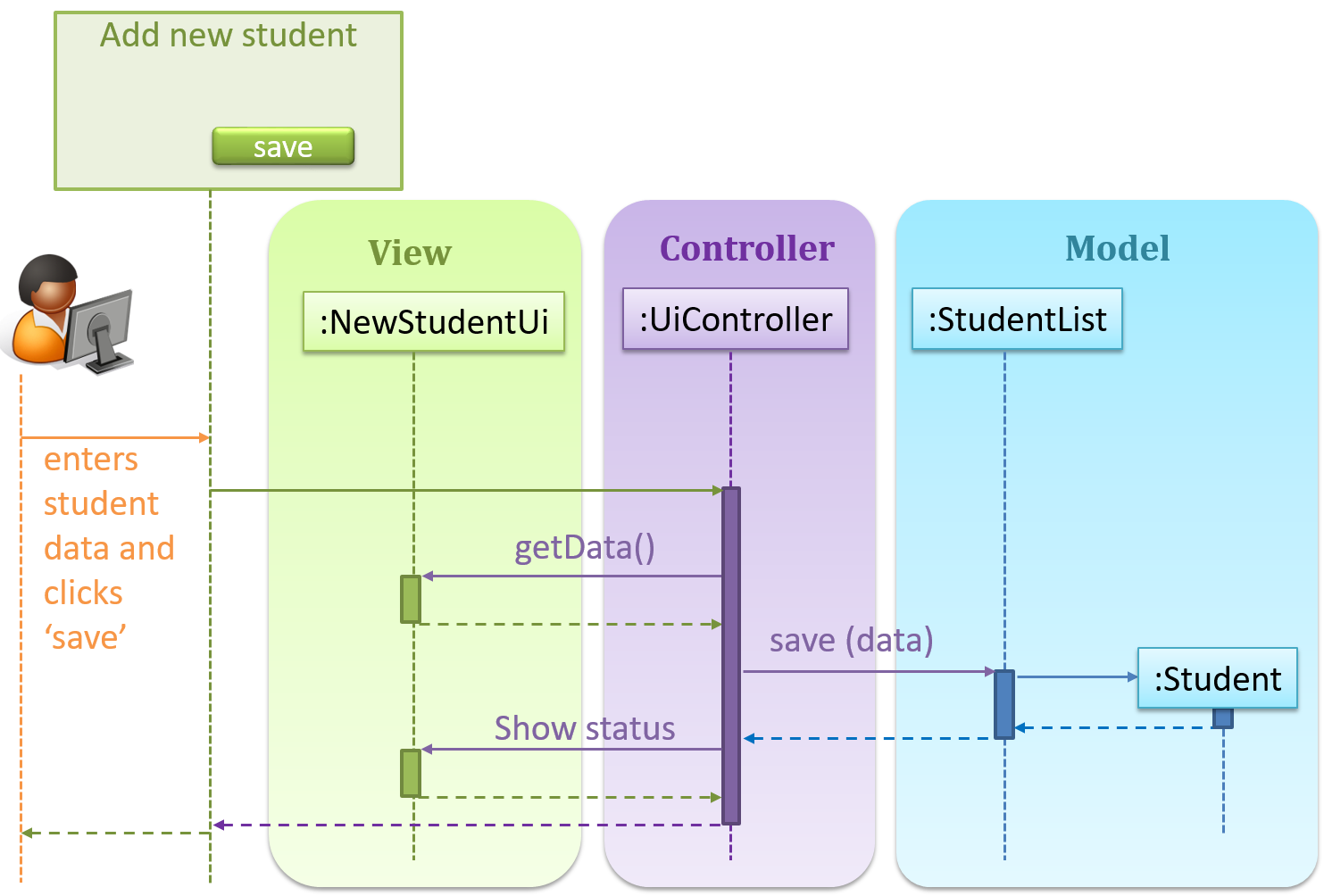
Now, assume the system has two additional views used in parallel by different users:
StudentListUi: that accesses a list of students andStudentStatsUi: that generates statistics of current students.
When a student is added to the database using NewStudentUi shown above, both StudentListUi and StudentStatsUi should get updated automatically, as shown below.
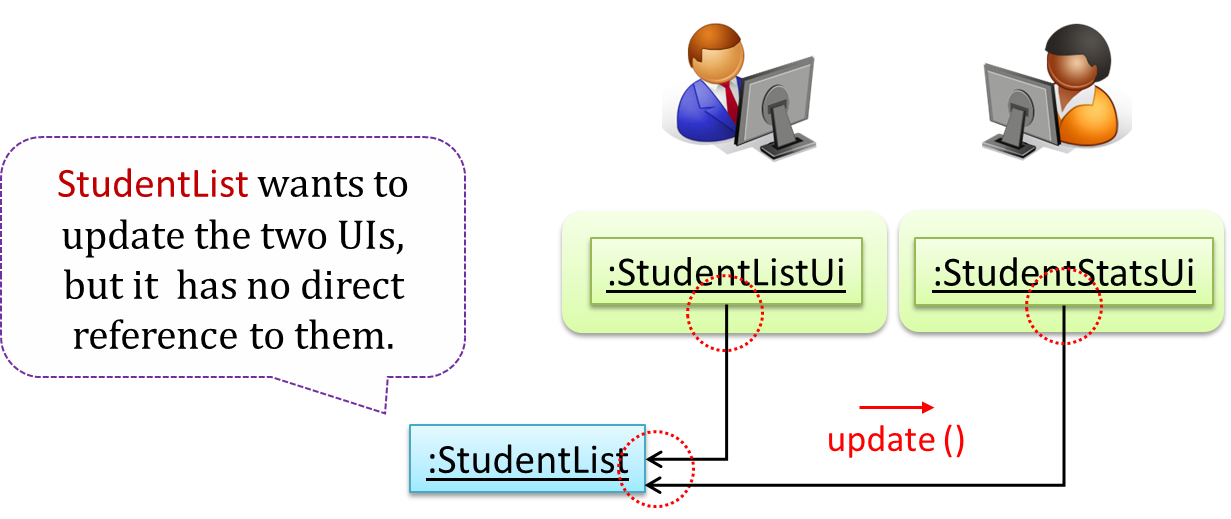
However, the StudentList object has no knowledge about StudentListUi and StudentStatsUi (note the direction of the navigability) and has no way to inform those objects. This is an example of the type of problem addressed by the Observer pattern.
Problem
The ‘observed’ object does not want to be coupled to objects that are ‘observing’ it.
Solution
Force the communication through an interface known to both parties.
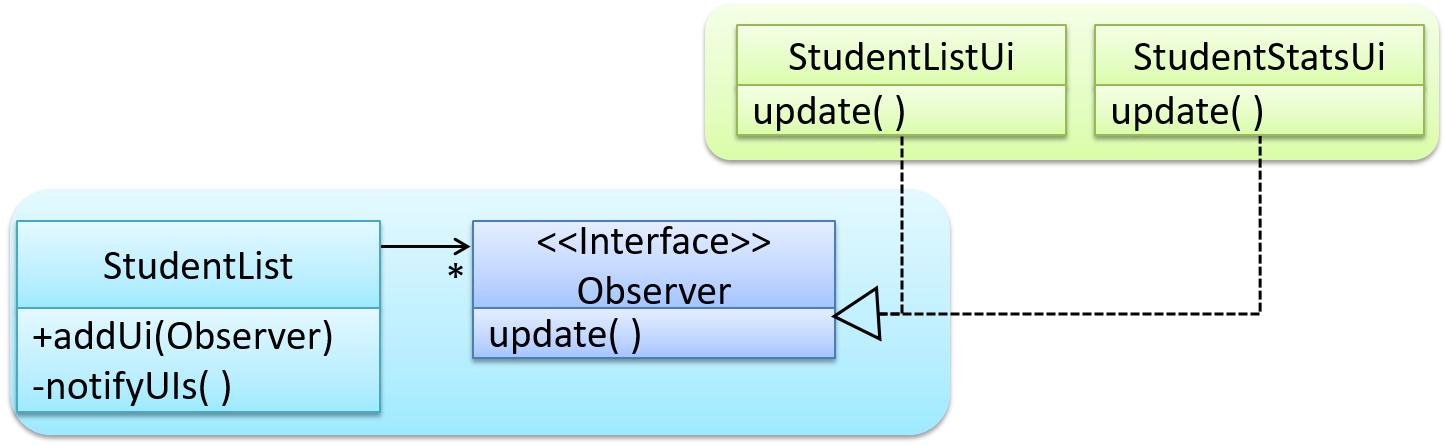
Example Here is the Observer pattern applied to the student management system.
During the initialization of the system,
First, create the relevant objects.
StudentList studentList = new StudentList(); StudentListUi listUi = new StudentListUi(); StudentStatsUi statsUi = new StudentStatsUi();Next, the two UIs indicate to the
StudentListthat they are interested in being updated wheneverStudentListchanges. This is also known as ‘subscribing for updates’.studentList.addUi(listUi); studentList.addUi(statsUi);Within the
addUioperation ofStudentList, all Observer object subscribers are added to an internal data structure calledobserverList.// StudentList class public void addUi(Observer o) { observerList.add(o); }
Now, whenever the data in StudentList changes (e.g. when a new student is added to the StudentList),
All interested observers are updated by calling the
notifyUIsoperation.// StudentList class private void notifyUIs() { // for each observer in the list for (Observer o: observerList) { o.update(); } }UIs can then pull data from the
StudentListwhenever theupdateoperation is called.// StudentListUI class public void update() { // refresh UI by pulling data from StudentList }Note that
StudentListis unaware of the exact nature of the two UIs but still manages to communicate with them via an intermediary.
Here is the generic description of the observer pattern:

<<Observer>>is an interface: any class that implements it can observe an<<Observable>>. Any number of<<Observer>>objects can observe (i.e., listen to changes of) the<<Observable>>object.- The
<<Observable>>maintains a list of<<Observer>>objects. TheaddObserver(Observer)operation adds a new<<Observer>>to the list of<<Observer>>s. - Whenever there is a change in the
<<Observable>>, thenotifyObservers()operation calls theupdate()operation of all<<Observer>>s in the list.
Example In a GUI application, how is the Controller notified when the “save” button is clicked? UI frameworks such as JavaFX have built-in support for the Observer pattern.
What
Multi-level design can be done in a top-down manner, bottom-up manner, or as a mix.
- Top-down: Design the high-level design first and flesh out the lower levels later. This is especially useful when designing big and novel systems where the high-level design needs to be stable before lower-level designs can be created.
- Bottom-up: Design lower-level components first and put them together to create the higher-level system later. This is not usually scalable for bigger systems. One instance where this approach might work is when designing a variation of an existing system or repurposing existing components to build a new system.
- Mix: Design the top levels using the top-down approach but switch to a bottom-up approach when designing the bottom levels.
What
Agile design can be contrasted with full upfront design as follows:
Agile designs are emergent; they are not defined up front. Your overall system design will emerge over time, evolving to fulfill new requirements and take advantage of new technologies as appropriate. Although you will often do some initial architectural modeling at the very beginning of a project, this will be just enough to get your team going. This approach does not produce a fully documented set of models before you can begin coding. -- adapted from agilemodeling.com
SECTION: IMPLEMENTATION
What
Professional software engineers often write code using Integrated Development Environments (IDEs). IDEs support most development-related work within the same tool (hence, the term integrated).
An IDE generally consists of:
- A source code editor that includes features such as syntax coloring, auto-completion, easy code navigation, error highlighting, and code-snippet generation.
- A compiler and/or an interpreter (together with other build automation support) that facilitates the compilation, linking, running, and deployment of a program.
- A debugger that allows the developer to execute the program one step at a time to observe the run-time behavior in order to locate bugs.
- Other tools that aid various aspects of coding, e.g., support for automated testing, drag-and-drop construction of UI components, version management support, simulation of the target runtime platform, modeling support, AI-assisted coding help, and collaborative coding with others.
Examples of popular IDEs:
- Java: Eclipse, IntelliJ IDEA, NetBeans
- C#, C++: Visual Studio
- Swift: Xcode
- Python: PyCharm
- Multiple languages: VS Code
Some experienced developers, in particular those with a UNIX background, prefer lightweight yet powerful text editors with scripting capabilities (e.g., Vim or NeoVim) over heavier IDEs.
What
The debugging topics of this textbook draw substantially on The Debugging Book by Andreas Zeller et al., in particular its terminology of defects, infections, and failures, and its treatment of debugging as an application of the scientific method. Further material was adapted from the debugging readings of MIT 6.102, UC Berkeley CS61B, Stanford CS107, UW CSE 332, and CMU 15-213.
Debugging is the process of finding the cause of a known problem in a program, and fixing it. The hard part is usually the diagnosis rather than the correction.
To debug well, we distinguish four things that we loosely refer to as 'the bug':
- A mistake is the human (or AI) act that started it all.
Example You misremembered that list indices start at1. - A defect is the resulting error in the software. This is what most people mean by 'a bug'. It is usually in the code, but it can also be in configuration, in data left by an earlier version, in a dependency, in the deployment, or in a requirement that was wrong to begin with.
Example A loop that starts counting from the wrong index. - An infection is the resulting error in the program state at run time. When the defective line executes, some variable now holds a wrong value. Infections can spread; for example, an 'infected' variable holding a wrong value can cause another variable to hold a wrong value in turn.
- A failure is the externally visible wrong behavior.
Example A total shown to the user that is too small, or a crash.
These four form a chain, and each link can be far from the next:

A big part of debugging is the backward search for the defect by starting from the observed failure.
This chain also explains why bugs hide: a defect infects the state only when that line executes, and an infection becomes a failure only if it propagates out to something observable. So, a defect can sit in daily-executed code for months unnoticed.
Example The shopping cart code given below prints the correct total, but then the cart appears empty.
class Cart {
private final List<Item> items = new ArrayList<>();
void add(Item item) {
items.add(item);
}
List<Item> getItems() {
return items;
}
int computeTotal() {
int total = 0;
List<Item> pending = getItems();
while (!pending.isEmpty()) {
total += pending.remove(0).price();
}
return total;
}
}
Cart's intended contracts: computing a total must not change the cart, and getItems() lets callers read the items without owning the list.
- Mistake: the programmer assumed
getItems()hands back a copy. - Defect:
getItems()hands out the live internal list, whichcomputeTotal()then empties — breaking both contracts at once. - Infection: after
computeTotal()returns, the cart's ownitemslist is empty. - Failure: the next attempt to display the cart shows nothing.
Why debugging is hard
Some factors that make debugging hard are:
- The distance between defect and failure: the crash site is not always the crime scene; so focusing on the code around the error message might not always lead you to the cause.
- You cannot inspect everything — a running program holds an enormous amount of state, changing at every step, and choosing which small part to look at is hard.
- Wrong assumptions that caused the bug can hamper debugging as well: if a wrong assumption caused you to create the defect, debugging while holding the same wrong assumption can reproduce the same blind spot. This is why debugging must be driven by evidence from the running program, not by reasoning alone.
How not to debug
- Bad Stare and hope — reading the code and waiting for the bug to reveal itself. This inspects the code but not the state. It is fine as a 30-second first try but a poor use of time for an extended attempt.
- Bad Shotgun debugging — changing whatever looks suspicious and re-running to see whether it helped. Most such changes neither confirm nor eliminate any explanation, and unrelated edits accumulate.
- Bad Fixing the symptom instead of the cause. The failure goes away and the defect stays.
Example Special-casing the input that fails, or wrapping the crash in an emptycatchblock. - Bad Keeping no record of what you tried. Without notes you will re-test explanations you already eliminated, lose your place when interrupted, and be unable to hand the problem over.
What these have in common is that they produce activity without producing useful information. A productive debugging step is one that rules something out.
Adding temporary print statements is not necessarily bad. A few prints chosen to answer a specific question are legitimate, and in production, embedded, or concurrent settings they are sometimes the only tool available. However, this technique alone is not enough to tackle most non-trivial bugs.
How
Systematic debugging involves following tasks, whose first letters make up the mnemonic TRAFFIC (credit: Andreas Zeller).
- rack — state what the correct behavior is, and record the problem somewhere durable.
- eproduce — make the failure happen on demand.
- utomate and simplify — turn the reproduction into a one-step test, and reduce it to the smallest case that still fails.
- ind origins — list the places where the state could first have gone wrong.
- ocus — pick the most likely candidate origin, and state what it predicts.
- solate — run the check that decides if the candidate origin is the actual origin, and conclude.
- orrect — fix the cause, confirm it, and guard against recurrence.
TRAFFIC is a map rather than a mandatory sequence. Some tasks can be done in a loop before it lands on the cause, and you can reorder the other tasks as you see fit.
The most common mistake is jumping straight to C. Starting at 'correct' and working backwards is how shotgun debugging happens. This text below covers the six tasks TRAFFIC except C, which is covered separately.
Know when to stop for the day: Debugging is unusually sensitive to fatigue, because the whole activity consists of holding a model of the program in your head.
Track
The first step of debugging should be stating what the correct behavior is, and why. Without that you have nothing to compare the program against, and you risk searching code that was right all along. State the expectation in a testable form: for this input, that exact result.
Sometimes the fault is in the test, not in the code under investigation. It is worth considering early, because it is easy to lose hours to a test that was wrong all along.
Reproduce
A reliable reproduction makes every experiment cheap and is a way to confirm afterwards that the fix worked. Reproducing means recreating everything the failure depends on, e.g., the input data, the program version, the environment and , the sequence of actions, and the starting state, such as leftovers from a previous run.
When you cannot reproduce a failure you can still investigate it. Instead of running experiments you mine the evidence left behind: stack traces, logs, , , and the differences between runs that failed and runs that did not. The immediate goal becomes making the failure more observable or more frequent. Moving a bug from 'once a week' to 'one run in five' is real progress.
Automate and simplify
Automate the reproduction as a test case as early as you can. Turning "launch the app and perform these six steps" into a one-second command is what makes the hypothesis loop cheap, and it can become the regression test once you have a fix.
Why simplify? The smaller the failing case, the smaller the search space -- every element you can remove while the failure persists eliminates a whole category of possible causes. Some directions you can try:
- Shrink the input space: Cut the input space in half, test each half, keep whichever still fails, repeat. When it works it is very cheap, and needs no insight into the code. But halving does not always work: sometimes neither half fails, because the failure needs two elements the halving separated.
- Simplify the code path: Strip away unrelated features, configuration, and calls until only the failing core remains. Now you have less code to search for the defect.
Example A 500-line configuration file makes the app crash at startup. Halving gets nowhere: neither half crashes, because the failure needs one setting from each. Removing settings one at a time from the full file isolates the pair — a theme entry and a locale entry, each harmless alone.
Find origins
An origin is a place where the state could first have gone wrong: before it the state is correct, after it the state is infected, and the cause sits at that boundary. This step often produces a list of candidate origins rather than a single answer. Some techniques you can follow:
- Reason backwards from the wrong value. Ask which statements could have produced it, then which produced their inputs. Following data and control dependencies backwards is called backward slicing — it narrows the candidates rather than pinpointing them, since a slice reliably contains every statement that could be responsible, usually along with some that could not.
- Explain the code to someone, line by line (aka rubber duck debugging): explaining the code to a patient friend, in a written explanation, to an AI, or even to an inanimate object like a rubber duck works for a real reason: articulating what each line does forces you to state assumptions you had taken for granted, and you often spot the wrong assumption mid-sentence ("...then, that object is passed to ... wait, that can't be right ... that object should not cross this boundary!").
- Read the evidence you already have before generating candidates from the code alone. An exception message names the expression that failed, a stack trace names the calls that led there, and a diff names what changed recently.
Focus
Candidate origins are not equally likely, and the order you check them in decides how long the search takes.
- Prefer recently changed code to long-stable code, your code to library code, and library code to the compiler or the operating system. This is a starting bias rather than a rule (i.e., it is possible for the bug to be in the library code or even the OS, although less likely).
- Turn the chosen origin into a prediction before you check it. State what you would observe if it is guilty and what you would observe if it is innocent. This makes your debugging more systematic and helps you narrow down the candidates faster.
Iisolate
Isolating means running one check, discarding the part of the search space it rules out, and repeating until you find what needs to be fixed.
- Binary search over the execution can be used to find when the state gets infected. Pick a point roughly halfway through the suspect region, pause, and ask one question: is the state already wrong? If yes, look earlier; if no, look later. Each check roughly halves the region still under suspicion.
- Binary search over versions can be used to find when the code used to work. If it passed last week, the cause is in one of the commits since -- bisect the history rather than the code.
git bisectautomates this, and works best with small, self-contained commits. Martin Fowler calls this Diff Debugging. - Swap a suspect component for one you trust. If the failure survives the swap, that component is very likely not responsible.
- Change one thing at a time, or the outcome will not tell you which change produced it.
- Record the conclusion, then start the next turn of the loop from the narrowed region until you find what needs to be fixed.
Example Binary search along the execution, on a run too long to watch: a 10,000-row import produces the right running total at the start and the wrong one at the end, and nothing in between is visible. Pause at row 5,000 and ask one question — is the total already wrong? If it is, the cause lies in the first half, so pause next at row 2,500; if it is not, pause at row 7,500. Fourteen such checks reduce 10,000 rows to one, and none of them requires understanding the code — only the ability to say whether the state is already wrong.
SIDEBAR: Making bugs easier to find
The cheapest bug to debug is the one that announces itself, and most of what makes code debuggable is decided long before the bug exists.
- Fail fast. Check preconditions and invariants on entry to a method, so an infection surfaces close to its origin instead of ten frames later. (related: defensive programming, assertions)
- Keep scopes small. A variable visible across three lines has only three lines that could have changed it; a field visible across a class has the whole class.
- Prefer immutability. A value that cannot change cannot be changed wrongly, which removes an entire category of "what modified this?" investigations — including the one in the cart example.
- Develop incrementally, testing as you go. When only twenty lines are new, the defect is almost certainly in those twenty lines. This is a high-value habit often abandoned under time pressure.
- Use the static checks you already have — compiler warnings, IDE inspections, linters,
@Override, generics,final. A defect caught here costs no debugging at all. - Log at component boundaries, so that logs can help you narrow the search to specific components.
Each of these shortens the distance between defect and failure, which is the root of the difficulty.
Correct
Covered in a separate section, titled Fixing.
Fixing
Do not settle on a fix until you can explain the whole failure. Temporary changes made as experiments are fine, but a change you intend to keep needs a causal account that explains every observed behavior. The strongest check is to predict, before making the change, exactly what will be different afterwards, then verify that prediction. A fix that works for reasons you cannot state can fail again.
Fix the cause, not the infection and not the failure. Special-casing the failing input or clamping a bad value removes the symptom and leaves the cause. Also consider whether you have a coding error or a design error: a coding error is code that does not do what you intended -- whereas a design error means the intention itself was wrong. The real remedy for the latter is a design change, not a code fix.
Which change counts as 'the fix' is sometimes a genuine choice. Making that choice consciously helps ensure that the fix does not degrade other aspects of the system (e.g., its design integrity).
Example In the cart example you could make getItems() return a copy, or make computeTotal() iterate without mutating. Both remove the failure; they differ in which contract you treat as authoritative.
Once you have a candidate fix, finish the job:
- Look for the defect's relatives — the same mistake was probably made in the sibling method, the other branch, or the block copy-pasted from this one.
- Verify against the reproduction, then run the full test suite. A fix that resolves your failure while breaking two other things is not a fix.
- Add a regression test that fails before the fix and passes after it. If you automated the reproduction earlier, you already have it.
- Remove your temporary probes — stray print statements, leftover , commented-out experiments. Assertions and logging you added deliberately to stay are not temporary probes; keep those.
- Commit the fix on its own, apart from unrelated cleanup, so that the history stays bisectable for the next bug.
Example The cart example, end to end:
- Track: computing a total must not change the cart's contents; filed as "cart empties itself after the total is shown".
- Reproduce: adding three items and then calling
computeTotal()empties the cart every time. - Automate and simplify: a test that adds items, calls
computeTotal(), then asserts ongetItems().size(). One item is enough to fail, so the test uses one. - Find origins, Focus, Isolate: the only statement that could empty
itemsis the loop incomputeTotal(), andsize()dropping from 3 to 0 across the call — withpendinganditemsconfirmed to be the same object — settles it. - Correct: both
getItems()returning a copy andcomputeTotal()iterating without mutating would remove the failure. Choose one and implement it.
Check the relatives: any other getter on the class that returns an internal collection has the same problem.
Wrap up: The test now passes, the rest of the suite still passes, the new test stays behind as the regression test, and the breakpoints used can come out.
Tools
Every way of looking inside a running program is a probe — a means of answering one specific question about its state. Here are some widely used probes:
- Print statements are the cheap to start with and expensive to iterate with. They are easy to insert, but each needs an edit-build-run cycle, each edit is a chance to introduce a fresh defect, and leftovers reach production if you forget them.
- Logging is the disciplined, permanent form of printing. and , log statements can stay in the code — so they are still there when the failure happens on a user's machine at 3 a.m., where no debugger can reach.
- Assertions are probes that check themselves. Rather than printing a value for you to examine, an assertion states what it should be and fails immediately when it is not, turning a silent infection into a loud, located failure. If you use Java's
assertstatement, enable assertions in your run configuration or it will do nothing; test-framework (e.g., JUnit) assertions are separate and always run during testing. - A debugger is a tool that can attach itself to an executing program and can ask questions interactively, without changing the code at all.
The useful question is never "print statements or debugger or ___?" but "what is the cheapest probe that answers this question?" Some probes come out once the bug is found (e.g., a temporary print statement); others are meant to stay (e.g., a permanent log statement).
As a rough guide:
- reproducible and local → debugger
- needs to survive into production → logging
- want to catch the problem at its origin → assertions
Using a debugger
A debugger is a tool that lets you pause a running program, then inspect and control it from the inside, without modifying its code. You choose the lines where the program should stop. When execution reaches one of them, the program freezes mid-run and waits for you. You can then look at the current values of its variables, see the chain of method calls that led there, and let it continue one line at a time. Most IDEs, such as IntelliJ IDEA, come with a debugger built in. There are also standalone debuggers that you control by typing commands, such as GDB for C and C++, and jdb for Java.
If you have not used a debugger tool before, watching a 'debugger in action' video such as the one below is recommended before reading the rest of this topic.
A debugger works from outside your program, which is what makes it different in kind from printing. The debugger runs as a separate process. It either launches your program under its control or attaches to one that is already running, then asks the operating system, or the JVM for a Java program, to pause the program at the chosen lines and report its state back. Your code stays untouched throughout. With print statements, every new question about the program means adding another print, rebuilding, and re-running. With a debugger, the paused program keeps all its state, so asking one more question costs seconds rather than another edit-build-run cycle.
Breakpoints determine where the program pauses. A breakpoint is a marker that tells the debugger to stop the program at a particular spot. In an IDE, you usually set one by clicking in the margin next to a line number, which puts a red dot there. In GDB, you type a command such as break main.c:42 instead. Either way, the debugger keeps track of the breakpoint, so your source file does not change. Breakpoints take effect only when you start the program through the debugger, e.g., with IntelliJ's Debug button rather than Run. Started the normal way, the program runs straight past them. Breakpoints come in several kinds:
- A line breakpoint pauses when execution reaches a given line.
- A conditional breakpoint pauses only when a condition holds. This makes debugging the 4137th iteration of a loop feasible at all, and it is the feature beginners most often do not know exists.
Example Pausing only wheni == 4137. - An exception breakpoint pauses at the moment an exception is thrown, before the stack unwinds and discards the state you need.
- A field watchpoint pauses when a field's value changes rather than at a location — the right tool for "what is setting this to
null?"
Stepping commands determine how execution advances. Once you have examined the paused program, a stepping command lets it run a little further and then pauses it again, so you can see what changed. In an IDE, each command has a toolbar button and a keyboard shortcut. The common ones are:
- Step over runs the current line as one step, including any methods it calls, and pauses at the next line.
- Step into moves into the method called on the current line and pauses at the first line of that method.
Example If the current line istotal += item.price();, step over pauses at the line after it, while step into pauses insideprice(). - Step out runs the rest of the current method and pauses back in the method that called it.
- Run to cursor keeps running until execution reaches the line your cursor is on, like a one-time breakpoint.
- Resume keeps running until the program reaches the next breakpoint or ends.
Inspection views let you examine details of the state the program is currently paused at. Some common inspection views:
- The call stack shows how execution reached this point, and selecting any frame reveals that method's variables. The cause is often several frames above where the program stopped.
- The variables view shows the values currently in scope, and watches track a chosen expression as you step.
- evaluate expression runs arbitrary code at the paused point, turning passive inspection into a live experiment: you can test a hypothesis without editing or restarting. One caution — evaluating really does run the code, so calling a method that mutates state, or setting a variable by hand, changes the program you are observing.
Example One session on the cart example, from the first breakpoint to the diagnosis:
- Set a line breakpoint on
total += pending.remove(0).price();, then run the code that adds three items and callscomputeTotal(). - At the first pause the variables view shows
pendingholding all three items, and nothing yet looks wrong. - evaluate expression on
pending == itemsanswerstrue. That single evaluation is the diagnosis — the list being emptied is the cart's own — and it cost no edit, no rebuild, and no re-run. - The call stack shows
computeTotal()called from the display code, so the frame the failure will surface in is not the frame the defect is in. - Resume, and watch
items.size()fall in the variables view as the loop runs.
A field watchpoint on items would not have helped here: items is assigned once, where it is declared, so the watchpoint fires at construction and never for remove(0). A watchpoint catches a field being reassigned, not the object it already points at being modified.
Set your first breakpoint before the suspected region rather than at the failure, so you can watch the state go wrong.
AI assistants are useful for some parts of debugging and unreliable for others. They are good at explaining unfamiliar error messages, proposing candidate hypotheses, and serving as an always-available rubber duck. They are unreliable at diagnosing a defect in code they cannot run, and will produce confident, fluent, incorrect explanations. A systematic method is what makes them safe: treat any suggestion as a hypothesis, insist it be falsifiable, and verify it against the running program yourself.
Reading stack traces
A stack trace is a precise report of where a program failed and the call path that led there. Read it in this order:
- The exception type and message, which frequently name the problem outright.
- The topmost frame in your code — not the topmost frame overall, which is usually library or platform code doing exactly what it was asked.
- The chain of callers below it, which shows how execution arrived there.
The top of the trace is where the failure surfaced, but the cause is often further down, in whichever frame passed the bad value along. In wrapped exceptions, read the Caused by: chain from the bottom up.
Some common Java exceptions and what they usually mean:
| Exception | Usually means |
|---|---|
NullPointerException | Something never initialized, or a method returning null unnoticed |
IndexOutOfBoundsException | An off-by-one, or an index computed from stale size information |
ClassCastException | An object that is not the type assumed, often after an unchecked cast |
ConcurrentModificationException | A collection modified while being iterated over, usually in a single thread Example removing from a list inside a for-each loop over that list |
StackOverflowError | Recursion with a missing or unreachable base case |
NumberFormatException | Unvalidated input being parsed as a number |
Basic
Always code as if the person who ends up maintaining your code will be a violent psychopath who knows where you live. -- Martin Golding
Production code needs to be of high quality. Given how the world is becoming increasingly dependent on software, poor quality code is something no one can afford to tolerate.
Introduction
Programs should be written and polished until they acquire publication quality. --Niklaus Wirth
Among various dimensions of code quality, such as run-time efficiency, security, and robustness, one of the most important is readability (aka understandability). This is because in any non-trivial software project, code needs to be read, understood, and modified by other developers later on. Even if you do not intend to pass the code to someone else, code quality is still important because you will become a 'stranger' to your own code someday.
Avoid Long Methods
Avoid long methods as they often contain more information than what the reader can process at a time. Consider if shortening is possible when a method goes beyond 30 . The bigger the haystack, the harder it is to find a needle.
Avoid Deep Nesting
If you need more than 3 levels of indentation, you're screwed anyway, and should fix your program. --Linux 1.3.53 Coding Style
Avoid deep nesting -- the deeper the nesting, the harder it is for the reader to keep track of the logic.
In particular, avoid arrowhead style code.
Example A real code example:
Bad | |
Good | |
Bad | | Good |
Avoid Complicated Expressions
Avoid complicated expressions, especially those having many negations and nested parentheses. If you must evaluate complicated expressions, have them done in steps (i.e., calculate some intermediate values first and use them to calculate the final value).
Example Evaluating a complicated expression in steps:
Bad
return ((length < MAX_LENGTH) || (previousSize != length))
&& (typeCode == URGENT);
Good
boolean isWithinSizeLimit = length < MAX_LENGTH;
boolean isSameSize = previousSize != length;
boolean isValidCode = isWithinSizeLimit || isSameSize;
boolean isUrgent = typeCode == URGENT;
return isValidCode && isUrgent;
Bad
return ((length < MAX_LENGTH) or (previous_size != length)) and (type_code == URGENT)
Good
is_within_size_limit = length < MAX_LENGTH
is_same_size = previous_size != length
is_valid_code = is_within_size_limit or is_same_size
is_urgent = type_code == URGENT
return is_valid_code and is_urgent
The competent programmer is fully aware of the strictly limited size of his own skull; therefore he approaches the programming task in full humility, and among other things he avoids clever tricks like the plague. -- Edsger Dijkstra
Avoid Magic Numbers
Avoid magic numbers in your code. When the code has a number that does not explain the meaning of the number, it is called a "magic number" (as in "the number appears as if by magic"). Using a makes the code easier to understand because the name tells us more about the meaning of the number.
Example Replacing magic numbers with named constants:
Bad | | Good |
Note: Python does not have a way to make a variable a constant. However, you can use a normal variable with an ALL_CAPS name to simulate a constant.
Bad | | Good |
Similarly, you can have ‘magic’ values of other data types.
Example A magic string:
Bad
return "Error 1432"; // A magic string!
return "Error 1432" # A magic string!
Avoid any magic literals in general, not just magic numbers.
Make the Code Obvious
Make the code as explicit as possible, even if the language syntax allows it to be implicit. Here are some examples:
- [
Java] Use explicit type conversion instead of implicit type conversion. - [
Java,Python] Use parentheses/braces to show groupings even when they can be skipped. - [
Java,Python] Use enumerations when a certain variable can take only a small number of finite values. For example, instead of declaring the variable 'state' as an integer and using values 0, 1, 2 to denote the states 'starting', 'enabled', and 'disabled' respectively, declare 'state' as typeSystemStateand define an enumerationSystemStatethat has values'STARTING','ENABLED', and'DISABLED'.
Structure Code Logically
Lay out the code so that it adheres to the logical structure. The code should read like a story. Just as you use section breaks, chapters, and paragraphs to organize a story, use classes, methods, indentation, and line spacing in your code to group related segments of the code. For example, you can use blank lines to separate groups of related statements.
Sometimes, the correctness of your code does not depend on the order in which you perform certain intermediary steps. Nevertheless, this order may affect the clarity of the story you are trying to tell. Choose the order that makes the story most readable.
Example Grouping related statements, in an order that tells the story:
Bad | | Good |
Do Not 'Trip Up' Reader
Avoid things that would make the reader go ‘huh?’, such as:
- unused parameters in the method signature
- similar things that look different
- different things that look similar
- multiple statements in the same line
- data flow anomalies, such as assigning values to variables and then modifying them before using the assigned values
Practice KISSing
Do not try to write ‘clever’ code. “Keep it simple, stupid” (KISS), as the old adage goes. For example, do not dismiss the brute-force yet simple solution in favor of a complicated one because of some ‘supposed benefits’ such as 'better reusability' unless you have a strong justification.
Debugging is twice as hard as writing the code in the first place. Therefore, if you write the code as cleverly as possible, you are, by definition, not smart enough to debug it. -- Brian W. Kernighan
Programs must be written for people to read, and only incidentally for machines to execute. -- Abelson and Sussman
Avoid Premature Optimizations
Optimizing code prematurely has several drawbacks:
- You may not know which parts are the real performance bottlenecks. This is especially the case when the code undergoes transformations (e.g., compiling, minifying, transpiling, etc.) before it becomes an executable. Ideally, you should use a profiler tool to identify the actual bottlenecks of the code first, and optimize only those parts.
- Optimizing can complicate the code, affecting correctness and readability.
- Hand-optimized code can be harder for the compiler to optimize (the simpler the code, the easier it is for the compiler to optimize). In many cases, a compiler can do a better job of optimizing the runtime code if you don't get in the way by trying to hand-optimize the source code.
Make it work, make it right, make it fast is a popular saying in the industry, which means in most cases, getting the code to perform correctly should take priority over optimizing it. If the code doesn't work correctly, it has no value no matter how fast/efficient it is.
Premature optimization is the root of all evil in programming. -- Donald Knuth
Of course, there are cases in which optimizing takes priority over other things e.g., when writing code for resource-constrained environments. This guideline is simply a caution that you should optimize only when needed.
SLAP Hard
Avoid having multiple levels of abstraction within a code fragment. Note: The book The Productive Programmer (by Neal Ford) calls this the Single Level of Abstraction Principle (SLAP) while the book Clean Code (by Robert C. Martin) calls this One Level of Abstraction per Function.
Example Two levels of abstraction mixed within one code fragment:
Bad (readData(); and salary = basic * rise + 1000; are at different levels of abstraction)
readData();
salary = basic * rise + 1000;
tax = (taxable ? salary * 0.07 : 0);
displayResult();
Good (all statements are at the same level of abstraction)
readData();
processData();
displayResult();
Also ensure that the code is written at the highest level of abstraction possible.
Example The same logic written at a low level of abstraction, and at a higher one:
Bad (all statements are at low levels of abstraction)
low-level statement A1
low-level statement A2
low-level statement A3
low-level statement B1
low-level statement B2
if condition X :
low-level statement C1
low-level statement C2
Good (all statements are at the same high level of abstraction)
high-level step A
high-level step B
if condition X:
high-level step C
That said, it is sometimes possible to pack two levels of abstraction into the code without affecting readability that much, provided each step in the higher-level logic is clearly marked using comments and separated (e.g., using a blank line) from adjacent steps.
Example The following pseudocode packs two levels of abstraction, with each higher-level step marked by a comment and separated by a blank line.
//high-level step A
low-level statement A1
low-level statement A2
low-level statement A3
//high-level step B
low-level statement B1
low-level statement B2
if condition X :
//high-level step C
low-level statement C1
low-level statement C2
Make the Happy Path Prominent
The happy path should be clear and prominent in your code. Restructure the code to make the happy path (i.e., the execution path taken when everything goes well) less-nested as much as possible. It is the ‘unusual’ cases that should be nested. Someone reading the code should not get distracted by alternative paths taken when error conditions happen. One technique that could help in this regard is the use of guard clauses.
Example Guard clauses can reduce the nesting of the happy path.
Bad
if (!isUnusualCase) { //detecting an unusual condition
if (!isErrorCase) {
start(); //main path
process();
cleanup();
exit();
} else {
handleError();
}
} else {
handleUnusualCase(); //handling that unusual condition
}
In the code above,
- unusual condition detections are separated from their handling.
- the main path is nested deeply.
Good
if (isUnusualCase) { //Guard Clause
handleUnusualCase();
return;
}
if (isErrorCase) { //Guard Clause
handleError();
return;
}
start();
process();
cleanup();
exit();
In contrast, the above code
- deals with unusual conditions as soon as they are detected so that the reader doesn't have to remember them for long.
- keeps the main path un-indented.
Example Reducing the nesting of the happy path inside a loop, using a continue statement:
Bad | | Good |
Introduction
One essential way to improve code quality is to follow a consistent style. That is why software engineers usually follow a strict coding standard (aka style guide).
The aim of a coding standard is to make the entire codebase look like it was written by one person. A coding standard is usually specific to a programming language and specifies guidelines such as the locations of opening and closing braces, indentation styles and naming styles (e.g., whether to use Hungarian style, Pascal casing, Camel casing, etc.). It is important that the whole team/company uses the same coding standard and that the standard is generally not inconsistent with typical industry practices. If a company's coding standard is very different from what is typically used in the industry, new recruits will take longer to get used to the company's coding style.
IDEs can help to enforce some parts of a coding standard e.g., indentation rules.
Basic
Go through the Java coding standard at @SE-EDU and learn the basic style rules.
Sample coding standard: PEP 8 Python Style Guide -- by Python.org
Intermediate
Go through the Java coding standard at @SE-EDU and learn the intermediate style rules.
Use Nouns for Things and Verbs for Actions
Every system is built from a domain-specific language designed by the programmers to describe that system. Functions are the verbs of that language, and classes are the nouns.
-- Robert C. Martin, Clean Code: A Handbook of Agile Software Craftsmanship
Use nouns for classes/variables and verbs for methods/functions.
Example Naming a class and a method:
| Name for a | Bad | Good |
|---|---|---|
| Class | CheckLimit | LimitChecker |
| Method | result() | calculate() |
Distinguish clearly between single-valued and multi-valued variables.
Example Naming single-valued and multi-valued variables:
Good
Person student;
ArrayList<Person> students;
Good
name = 'Jim'
names = ['Jim', 'Alice']
Use Name to Explain
A name is not just for differentiation; it should explain the named entity to the reader accurately and at a sufficient level of detail.
Example Names that explain, at a sufficient level of detail:
| Bad | Good |
|---|---|
processInput() (what 'process'?) | removeWhiteSpaceFromInput() |
flag | isValidInput |
temp |
If a name has multiple words, they should be in a sensible order.
Example Word order within a name:
| Bad | Good |
|---|---|
bySizeOrder() | orderBySize() |
Imagine going to the doctor's and saying "My eye1 is swollen"! Don’t use numbers or case to distinguish names.
Example Names distinguished only by a number or by case:
| Bad | Bad | Good |
|---|---|---|
value1, value2 | value, Value | originalValue, finalValue |
Not Too Long, Not Too Short
While it is preferable not to have lengthy names, names that are 'too short' are even worse. If you must abbreviate or use acronyms, do it consistently. Explain their full meaning at an obvious location.
Avoid Misleading Names
Related things should be named similarly, while unrelated things should NOT.
Example Consider these variables:
colorBlack: hex value for color blackcolorWhite: hex value for color whitecolorBlue: number of times blue is usedhexForRed: hex value for color red
This is misleading because colorBlue is named similarly to colorWhite and colorBlack but has a different purpose while hexForRed is named differently but has a very similar purpose to the first two variables. The following is better:
hexForBlackhexForWhitehexForRedblueColorCount
Avoid misleading or ambiguous names (e.g., those with multiple meanings), similar-sounding names, hard-to-pronounce ones (e.g., avoid ambiguities like "is that a lowercase L, capital I or number 1?", or "is that number 0 or letter O?"), almost similar names.
Example Names that are misleading, ambiguous, or hard to say:
| Bad | Good | Reason |
|---|---|---|
phase0 | phaseZero | Is that zero or letter O? |
rwrLgtDirn | rowerLegitDirection | Hard to pronounce |
right left wrong | rightDirection leftDirection wrongResponse | right is for 'correct' or 'opposite of 'left'? |
redBooks readBooks | redColorBooks booksRead | red and read (past tense) sound the same |
FiletMignon | egg | If the requirement is just a name of a food, egg is a much easier choice to type/say than FiletMignon |
Use the Default Branch
Always include a default branch in case statements. This ensures that all possible outcomes have been considered at the branching point.
Furthermore, use the default branch for the intended default action and not just to execute the last option. If there is no default action, you can use the default branch to detect errors (i.e., if execution reached the default branch, raise a suitable error). This also applies to the final else of an if-else construct. That is, the final else should mean 'everything else', and not the final option. Do not use else when an if condition can be explicitly specified, unless there is absolutely no other possibility.
Example A final else used as the last option, and used for 'everything else':
Bad | | Good |
Don't Recycle Variables or Parameters
- Use one variable for one purpose. Do not reuse a variable for a purpose other than its intended one, just because the data type is the same.
- Do not reuse formal parameters as local variables inside the method.
Example Reusing a parameter as a local variable, and the alternative:
Bad
double computeRectangleArea(double length, double width) {
length = length * width; // parameter reused as a variable
return length;
}
def compute_rectangle_area(length, width):
length = length * width
return length
Good
double computeRectangleArea(double length, double width) {
double area;
area = length * width;
return area;
}
def compute_rectangle_area(length, width):
area = length * width
return area
}
Avoid Empty Catch Blocks
Avoid empty catch statements, as they are a way to ignore errors silently (which is not a good thing). In cases when it is unavoidable, at least give a comment to explain why the catch block is left empty.
Delete Dead Code
Get rid of unused code the moment it becomes redundant. You might feel reluctant to delete code you have painstakingly written, even if you have no use for that code anymore ("I spent a lot of time writing that code; what if I need it again?"). Consider all code as baggage you have to carry. If you need that code again, simply recover it from the revision control tool you are using. Deleting code you wrote previously is a sign that you are improving.
Minimize Scope of Variables
Minimize global variables. Global variables may be the most convenient way to pass information around, but they create implicit links between code segments that use the global variable. Avoid them as much as possible.
Define variables in the least possible scope. For example, if the variable is used only within the if block of the conditional statement, it should be declared inside that if block.
The most powerful technique for minimizing the scope of a local variable is to declare it where it is first used. -- Effective Java, by Joshua Bloch
Minimize Code Duplication
Code duplication, especially when you copy-paste-modify code, often indicates a poor quality implementation. While it may not be possible to have zero duplication, always think twice before duplicating code; most often there is a better alternative.
This guideline is closely related to the DRY Principle.
Introduction
Good code is its own best documentation. As you’re about to add a comment, ask yourself, ‘How can I improve the code so that this comment isn’t needed?’ Improve the code and then document it to make it even clearer. -- Steve McConnell, Author of Code Complete
Some think commenting heavily increases the 'code quality'. That is not so. Avoid writing comments to explain bad code. Improve the code to make it self-explanatory.
Do Not Repeat the Obvious
Do not repeat in comments information that is already obvious from the code. If the code is self-explanatory, a comment may not be needed.
Example Comments that merely restate the code:
Bad
//increment x
x++;
//trim the input
trimInput();
Bad
# increment x
x = x + 1
# trim the input
trim_input()
Write to the Reader
Write comments targeting other programmers reading the code. Do not write comments as if they are private notes to yourself. One type of comment that is almost always useful is the header comment that you write for a class or an operation to explain its purpose.
Example A header comment written as a private note, and the same one written for the reader:
Bad Reason: this comment will only make sense to the person who wrote it
// a quick trim function used to fix bug I detected overnight
void trimInput() {
....
}
Good
/** Trims the input of leading and trailing spaces */
void trimInput() {
....
}
Bad Reason: this comment will only make sense to the person who wrote it
def trim_input():
"""a quick trim function used to fix bug I detected overnight"""
...
Good
def trim_input():
"""Trim the input of leading and trailing spaces"""
...
Explain WHAT and WHY, not HOW
Comments should explain the WHAT and WHY aspects of the code, rather than the HOW aspect.
WHAT: The specification of what the code is supposed to do. The reader can compare such comments to the implementation to verify if the implementation is correct.
Example This method is possibly buggy because the implementation does not seem to match the comment. In this case, the comment could help the reader to detect the bug.
/** Removes all spaces from the {@code input} */
void compact(String input) {
input.trim();
}
WHY: The rationale for the current implementation.
Example Without this comment, the reader will not know the reason for calling this method.
// Remove spaces to comply with IE23.5 formatting rules
compact(input);
HOW: The explanation for how the code works. This should already be apparent from the code, if the code is self-explanatory. Adding comments to explain the same thing is redundant.
Example A comment explaining HOW, and the self-explanatory code that makes it unnecessary:
Bad Reason: Comment explains how the code works.
// return true if both left end and right end are correct
// or the size has not incremented
return (left && right) || (input.size() == size);
Good Reason: The code is now self-explanatory -- the comment is no longer needed.
boolean isSameSize = (input.size() == size);
return (isLeftEndCorrect && isRightEndCorrect) || isSameSize;
What
The process of restructuring code in small steps without modifying its external behavior is called refactoring. Refactoring is needed because the first version of the code you write may not be of production quality. It is OK to first concentrate on making the code work, rather than worry over the quality of the code, as long as you improve the quality later.
- Refactoring is not rewriting: Discarding poorly written code entirely and rewriting it from scratch is not refactoring because refactoring needs to be done in small steps.
- Refactoring is not bug fixing: By definition, refactoring is different from bug fixing or any other modification that alters the external behavior (e.g., adding a feature) of the component concerned.
Refactoring code can have many secondary benefits, e.g.,
- hidden bugs become easier to spot
- performance can improve (sometimes, simpler code runs faster than complex code because it is easier for the compiler to optimize).
Given below are two common refactorings (more).
Refactoring Name: Consolidate Duplicate Conditional Fragments
Situation: The same fragment of code is in all branches of a conditional expression.
Method: Move it outside of the expression.
Example Consolidating a duplicated fragment found in every branch:
| → | |
| → | |
Refactoring Name: Extract Method
Situation: You have a code fragment that can be grouped together.
Method: Turn the fragment into a method whose name explains the purpose of the method.
Example Extracting a group of statements into a named method:
void printOwing() {
printBanner();
// print details
System.out.println("name: " + name);
System.out.println("amount " + getOutstanding());
}
void printOwing() {
printBanner();
printDetails(getOutstanding());
}
void printDetails(double outstanding) {
System.out.println("name: " + name);
System.out.println("amount " + outstanding);
}
def print_owing():
print_banner()
# print details
print("name: " + name)
print("amount " + get_outstanding())
def print_owing():
print_banner()
print_details(get_outstanding())
def print_details(amount):
print("name: " + name)
print("amount " + amount)
Some IDEs have built-in support for basic refactorings, such as automatically renaming a variable/method/class in all places it has been used.
Refactoring, even if done with the aid of an IDE, may still result in regressions. Therefore, each small refactoring should be followed by regression testing.
How
There are refactoring catalogs listing various refactorings. Given below are some commonly used refactorings.
When
One way to identify refactoring opportunities is by code smells.
A code smell is a surface indication that usually corresponds to a deeper problem in the system. First, a smell is by definition something that's quick to spot. Second, smells don't always indicate a problem.
--adapted from https://martinfowler.com/bliki/CodeSmell.html
An example (from the same source as above) is the code smell data class, i.e., a class with all data and no behavior. When you encounter such a class, you can explore whether moving the corresponding behavior into that class is appropriate. Some more examples:
Periodic refactoring is a good way to pay off the technical debt a codebase has accumulated.
Software systems are prone to the build up of cruft - deficiencies in internal quality that make it harder than it would ideally be to modify and extend the system further. Technical Debt is a metaphor, coined by Ward Cunningham, that frames how to think about dealing with this cruft, thinking of it like a financial debt. The extra effort that it takes to add new features is the interest paid on the debt.
--https://martinfowler.com/bliki/TechnicalDebt.html
While it is important to refactor frequently to avoid accumulating 'messy' code (aka technical debt), an important question is how much refactoring is too much refactoring. It is too much refactoring when the benefits no longer justify the cost. The costs and the benefits depend on the context. That is why some refactorings are 'opposites' of each other (e.g., extract method vs inline method).
What
Developer-to-developer documentation can be in one of two forms:
- Documentation for developer-as-user: Software components are written by developers and reused by other developers, which means there is a need to document how such components are to be used. Such documentation can take several forms:
- API documentation: APIs expose functionality in small, independent, easy-to-use chunks, each of which can be documented systematically.
- Tutorial-style instructional documentation: In addition to explaining functions/methods independently, some higher-level explanations of how to use an API can be useful.
Example API documentation: String API
Example Tutorial-style documentation: Java Internationalization Tutorial
Example API documentation: string API
Example Tutorial-style documentation: How to use Regular Expressions in Python
- Documentation for developer-as-maintainer: There is a need to document how a system or a component is designed, implemented and tested so that other developers can maintain and evolve the code. Writing documentation of this type is harder because of the need to explain complex internal details. However, given that readers of this type of documentation usually have access to the source code itself, only some information needs to be included in the documentation, as code (and code comments) can also serve as a complementary source of information.
Example se-edu/addressbook-level3 Developer Guide
Another view proposed by Daniele Procida in this article is as follows:
There is a secret that needs to be understood in order to write good software documentation: there isn’t one thing called documentation, there are four. They are: tutorials, how-to guides, explanation and technical reference. They represent four different purposes or functions, and require four different approaches to their creation. Understanding the implications of this will help improve most software documentation - often immensely. ...
TUTORIALS
A tutorial:
- is learning-oriented
- allows the newcomer to get started
- is a lesson
Analogy: teaching a small child how to cook
HOW-TO GUIDES
A how-to guide:
- is goal-oriented
- shows how to solve a specific problem
- is a series of steps
Analogy: a recipe in a cookery book
EXPLANATION
An explanation:
- is understanding-oriented
- explains
- provides background and context
Analogy: an article on culinary social history
REFERENCE
A reference guide:
- is information-oriented
- describes the machinery
- is accurate and complete
Analogy: a reference encyclopedia article
Software documentation (applies to both user-facing and developer-facing) is best kept in a text format for ease of version tracking. A writer-friendly source format is also desirable because non-programmers (e.g., technical writers) may need to author/edit such documents. As a result, software documentation often uses text formats such as Markdown, together with static site generators such as Jekyll and diagramming tools such as PlantUML and Mermaid.
What
When writing project documents, a top-down breadth-first explanation is easier to understand than a bottom-up one.
A top-down document is structured like an upside-down tree, with its root at the top, so readers can follow the path that interests them to the component they want to study in depth. They need not read the whole document or understand the whole system.
Example To explain a system called SystemFoo with two sub-systems, FrontEnd and BackEnd, start by describing the system at the highest level of abstraction, and progressively drill down to lower-level details. An outline for such a description is given below.
[First, explain what the system is, in a black-box fashion (no internal details, only the external view).]
SystemFoois a ....
[Next, explain the high-level architecture of SystemFoo, referring to its major components only.]
SystemFooconsists of two major components:FrontEndandBackEnd.
The job ofFrontEndis to ...; the job ofBackEndis to ...
And this is howFrontEndandBackEndwork together ...
[Now you can drill down to FrontEnd's details.]
FrontEndconsists of three major components:A,B,C
A's job is to ...B's job is to...C's job is to...
And this is how the three components work together ...
[At this point, drill down further into the internal workings of each component. A reader who is not interested in the nitty-gritty details can skip ahead to the section on BackEnd.]
In-depth description of
A
In-depth description ofB
...
[At this point, drill down to the details of the BackEnd.]
...
What
Technical documents exist to help others understand technical details. Therefore, it is not enough for the documentation to be accurate and comprehensive; it should also be comprehensible.
Here are some tips on writing effective documentation.
- Use plenty of diagrams: It is not enough to explain something in words; complement it with visual illustrations (e.g. a UML diagram).
- Use plenty of examples: When explaining algorithms, show a running example to illustrate each step of the algorithm alongside the written explanation.
- Use simple and direct explanations: Convoluted explanations and fancy words will annoy readers. Avoid long sentences.
- Get rid of statements that do not add value: For example, 'We made sure our system works perfectly' (who didn't?), 'Component X has its own responsibilities' (of course it has!).
- It is not a good idea to have separate sections for each type of artifact, such as 'use cases', 'sequence diagrams', 'activity diagrams', etc. Such a structure, coupled with the indiscriminate inclusion of diagrams without justifying their need, indicates a failure to understand the purpose of documentation. Include diagrams when they are needed to explain something. If you want to provide additional diagrams for completeness' sake, include them in the appendix as a reference.
What
Aim for 'just enough' developer documentation.
- Writing and maintaining developer documents involves overhead. You should try to minimize that overhead.
- If the readers are developers who will eventually read the code, the documentation should complement the code and should provide just enough guidance to get started.
Anything that is already clear in the code need not be described in words. Instead, focus on providing higher-level information that is not readily visible in the code or comments.
Refrain from duplicating chunks of text. When describing several similar algorithms, designs, or APIs, do not simply duplicate large chunks of text. Instead, describe the similarities in one place and emphasize only the differences in other places. Readers can find it annoying to see pages and pages of similar text without any indication of how they differ.
What
JavaDoc is a tool for generating API documentation in HTML format from comments in the source code. In addition, modern IDEs use JavaDoc comments to generate explanatory tooltips.
Example A method header comment in JavaDoc format:
/**
* Returns an Image object that can then be painted on the screen.
* The url argument must specify an absolute {@link URL}. The name
* argument is a specifier that is relative to the url argument.
* <p>
* This method always returns immediately, whether or not the
* image exists. When this applet attempts to draw the image on
* the screen, the data will be loaded. The graphics primitives
* that draw the image will incrementally paint on the screen.
*
* @param url An absolute URL giving the base location of the image.
* @param name The location of the image, relative to the url argument.
* @return The Image at the specified URL.
* @see Image
*/
public Image getImage(URL url, String name) {
try {
return getImage(new URL(url, name));
} catch (MalformedURLException e) {
return null;
}
}
Generated HTML documentation:
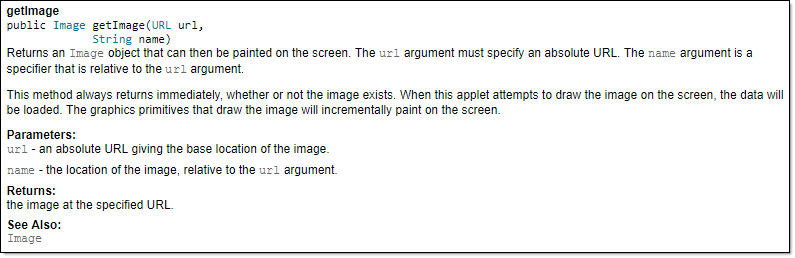
Tooltip generated by IntelliJ IDE:
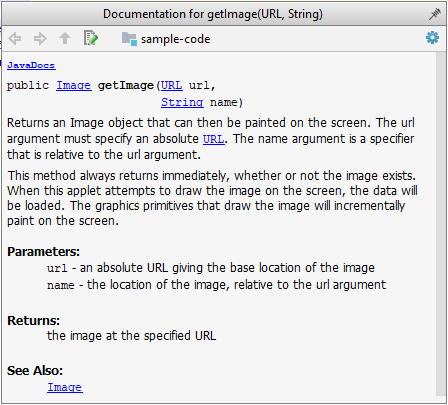
How
In the absence of more extensive guidelines (e.g., given in a coding standard adopted by your project), you can follow the two examples below in your code.
A minimal JavaDoc comment example for methods:
/**
* Returns lateral location of the specified position.
* If the position is unset, NaN is returned.
*
* @param x X coordinate of position.
* @param y Y coordinate of position.
* @param zone Zone of position.
* @return Lateral location.
* @throws IllegalArgumentException If zone is <= 0.
*/
public double computeLocation(double x, double y, int zone)
throws IllegalArgumentException {
// ...
}
A minimal JavaDoc comment example for classes:
package ...
import ...
/**
* Represents a location in a 2D space. A <code>Point</code> object corresponds to
* a coordinate represented by two integers e.g., <code>3,6</code>
*/
public class Point {
// ...
}
What :
Well-written applications include error-handling code that allows them to recover gracefully from unexpected errors. When an error occurs, the application may need to request user intervention, or it may be able to recover on its own. In extreme cases, the application may log the user off or shut down the system. -- Microsoft
What :
Exceptions are used to deal with 'unusual' but not entirely unexpected situations that the program might encounter at runtime.
Exception:
The term exception is shorthand for the phrase "exceptional event." An exception is an event, which occurs during the execution of a program, that disrupts the normal flow of the program's instructions. –- Java Tutorial (Oracle Inc.)
Example Situations in which a program might raise an exception:
- A network connection encounters a timeout due to a slow server.
- The code tries to read a file from the hard disk but the file is corrupted and cannot be read.
How :
Most languages allow code that encountered an "exceptional" situation to encapsulate details of the situation in an Exception object and throw or raise that object so that another piece of code can catch it and deal with it. This is especially useful when the code that encountered the unusual situation does not know how to deal with it.
The excerpt below from the -- Java Tutorial (with slight adaptations) explains how exceptions are typically handled.
When an error occurs at some point in the execution, the code being executed creates an exception object and hands it off to the runtime system. The exception object contains information about the error, including its type and the state of the program when the error occurred. Creating an exception object and handing it to the runtime system is called throwing an exception.
After a method throws an exception, the runtime system attempts to find something to handle it in the . The runtime system searches the call stack for a method that contains a block of code that can handle the exception. This block of code is called an exception handler. The search begins with the method in which the error occurred and proceeds through the call stack in the reverse order in which the methods were called. When an appropriate handler is found, the runtime system passes the exception to the handler. An exception handler is considered appropriate if the type of the exception object thrown matches the type that can be handled by the handler.
The exception handler chosen is said to catch the exception. If the runtime system exhaustively searches all the methods on the call stack without finding an appropriate exception handler, the program terminates.
Advantages of handling exceptions this way:
- The ability to propagate error information through the call stack.
- The separation of code that deals with 'unusual' situations from the code that does the 'usual' work.
What :
Assertions are used to define assumptions about the program state so that the runtime can verify them. An assertion failure indicates a possible bug in the code because the code has resulted in a program state that violates an assumption about how the code should behave.
Example An assertion can be used to express something like: when execution reaches this point, the variable v cannot be null.
If the runtime detects an assertion failure, it typically takes some drastic action such as terminating the execution with an error message. This is because an assertion failure indicates a possible bug and the sooner the execution stops, the safer it is.
Example In the Java code below, suppose you set an assertion that timeout returned by Config.getTimeout() is greater than 0. Now, if Config.getTimeout() returns -1 in a specific execution of this line, the runtime can detect it as an assertion failure -- i.e., an assumption about the expected behavior of the code turned out to be wrong which could potentially be the result of a bug -- and take some drastic action such as terminating the execution.
int timeout = Config.getTimeout();
// set assertion here ...
How :
Use the assert keyword to define assertions.
Example This assertion will fail with the message x should be 0 if x is not 0 at this point.
x = getX();
assert x == 0 : "x should be 0";
...
Assertions can be disabled without modifying the code.
Example java -enableassertions HelloWorld (or java -ea HelloWorld) will run HelloWorld with assertions enabled while java -disableassertions HelloWorld will run it without verifying assertions.
Java disables assertions by default. This could create a situation where you think all assertions are being verified as true while in fact they are not being verified at all. Therefore, remember to enable assertions when you run the program if you want them to be in effect.
Enable assertions in IntelliJ (how?) and get an assertion to fail temporarily (e.g. insert an assert false into the code temporarily) to confirm assertions are being verified.
Java assert vs JUnit assertions: Both check for a given condition but JUnit assertions are more powerful and customized for testing. In addition, JUnit assertions are not disabled by default. Use JUnit assertions in test code and Java assert in functional code.
When :
It is recommended that assertions be used liberally in the code. Their impact on performance is low and worth the additional safety they provide.
Do not use assertions to do work because assertions can be disabled. If assertions are disabled, your program will stop working when assertions are not enabled.
Example The code below will not invoke the writeFile() method when assertions are disabled. If that method is performing some work that is necessary for your program, your program will not work correctly when assertions are disabled.
...
assert writeFile() : "File writing is supposed to return true";
Assertions are suitable for verifying assumptions about Internal Invariants, Control-Flow Invariants, Preconditions, Postconditions, and Class Invariants. Refer to Programming with Assertions (second half) to learn more.
Exceptions and assertions are two complementary ways of handling errors in software but they serve different purposes. Therefore, both assertions and exceptions should be used in code.
- The raising of an exception indicates an unusual condition created by the user (e.g., the user inputs an unacceptable input) or the environment (e.g., a file needed for the program is missing).
- An assertion failure indicates the programmer made a mistake in the code (e.g., a null value is returned from a method that is not supposed to return null under any circumstances).
What
Logging is the deliberate recording of certain information during a program execution for future reference. Logs are typically written to a log file, but it is also possible to log information in other ways e.g., into a database or a remote server.
Logging can be useful for troubleshooting problems. A good logging system records some system information regularly. When problems occur in a system e.g., an unanticipated failure, the associated log files may indicate what went wrong, and actions can then be taken to prevent it from happening again.
A log file is like the of an airplane; it does not prevent problems, but it can be helpful in understanding what went wrong after the fact.

source: https://commons.wikimedia.org
How
Most programming environments come with logging systems that allow sophisticated forms of logging. They have features such as the ability to enable and disable logging easily or to change the logging .
Example This sample Java code uses Java’s default logging mechanism.
First, import the relevant Java package:
import java.util.logging.Level;
import java.util.logging.Logger;
Next, create a Logger:
private static Logger logger = Logger.getLogger("Foo");
Now, you can use the Logger object to log information. Note the use of a for each message. When running the code, the logging level can be set to WARNING so that log messages specified as having INFO level (which is a lower level than WARNING) will not be written to the log file at all.
// log a message at INFO level
logger.log(Level.INFO, "going to start processing");
// ...
processInput();
if (error) {
// log a message at WARNING level
logger.log(Level.WARNING, "processing error", ex);
}
// ...
logger.log(Level.INFO, "end of processing");
What
A defensive programmer codes under the assumption "if you leave room for things to go wrong, they will go wrong". Therefore, a defensive programmer proactively tries to eliminate any room for things to go wrong.
Example Consider a method MainApp#getConfig() that returns a Config object containing configuration data. A typical implementation is given below:
class MainApp {
Config config;
/** Returns the config object */
Config getConfig() {
return config;
}
}
If the returned Config object is not meant to be modified, a defensive programmer might use a more defensive implementation given below. This is more defensive because even if the returned Config object is modified (although it is not meant to be), it will not affect the config object inside the MainApp object.
/** Returns a copy of the config object */
Config getConfig() {
return config.copy(); // return a defensive copy
}
Enforcing Compulsory Associations
When an association has a multiplicity of 1 (i.e., it is compulsory for the variable to hold an object), a defensive programmer can enforce that requirement in the code.
Example Consider two classes, Account and Guarantor, with an association as shown in the following diagram:
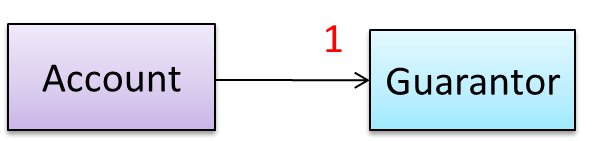
Here, the association is compulsory, i.e., an Account object should always be linked to a Guarantor. One way to implement this is to simply use a reference variable, like this:
class Account {
Guarantor guarantor;
void setGuarantor(Guarantor g) {
guarantor = g;
}
}
However, what if someone else used the Account class like this?
Account a = new Account();
a.setGuarantor(null);
This results in an Account without a Guarantor! In a real banking system, this could have serious consequences! The code here did not try to prevent such a thing from happening. You can make the code more defensive by proactively enforcing the multiplicity constraint, like this:
class Account {
private Guarantor guarantor;
public Account(Guarantor g) {
if (g == null) {
stopSystemWithMessage(
"multiplicity violated. Null Guarantor");
}
guarantor = g;
}
public void setGuarantor(Guarantor g) {
if (g == null) {
stopSystemWithMessage(
"multiplicity violated. Null Guarantor");
}
guarantor = g;
}
// ...
}
When
It is not necessary to be 100% defensive all the time. While defensive code may be less prone to be misused or abused, such code can also be more complicated and slower to run.
The suitable degree of defensiveness depends on many factors such as:
- How critical is the system?
- Will the code be used by programmers other than the author?
- The level of programming language support for defensive programming.
- The overhead of being defensive.
'Late and One-Time' vs 'Early and Frequent'
In terms of timing and frequency, there are two general approaches to integration: late and one-time, and early and frequent.
Late and one-time: wait until all components are completed and integrate all finished components near the end of the project.
This approach is not recommended because integration often causes many component incompatibilities (due to previous miscommunications and misunderstandings) to surface, which can lead to delivery delays i.e., late integration → incompatibilities found → major rework required → cannot meet the delivery date.
Early and frequent: integrate early and evolve each part in parallel, in small steps, re-integrating frequently.
Example A can be written first. This can be done by one developer, possibly the one in charge of integration. After that, all developers can flesh out the skeleton in parallel, adding one feature at a time. After each feature is done, simply integrate the new code into the main system.
Big-Bang vs Incremental Integration
Big-bang integration: integrate all (or too many) components at the same time. More generally, it means integrating too many changes at the same time.
Big-bang integration is not recommended because it can uncover too many problems at the same time, which can make debugging and bug-fixing more complex than when problems are uncovered incrementally.
Incremental integration: integrate a few components at a time. More generally, integrating changes gradually. This approach is better than big-bang integration because it surfaces integration problems in a more manageable way.
What
Build automation tools automate the steps of the build process, usually by means of build scripts.
In a non-trivial project, building a product from its source code can be a complex multistep process. For example, it can include steps such as: pull code from the revision control system, compile, link, run automated tests, automatically update release documents (e.g., build number), package into a distributable, push to a repository, deploy to a server, delete temporary files created during building/testing, email developers of the new build, and so on. Furthermore, this build process can be done ‘on demand’, scheduled (e.g., every day at midnight), or triggered by various events (e.g., triggered by a code push to the revision control system).
Some of these build steps, such as compiling, linking, and packaging, are already automated in most modern IDEs. For example, several steps happen automatically when the ‘build’ button of the IDE is clicked. Some IDEs even allow customization of this build process to some extent.
However, most big projects use specialized build tools to automate complex build processes.
Example Some popular build tools relevant to Java developers: Gradle, Maven, Apache Ant, GNU Make
Example Some other build tools: Grunt (JavaScript), Rake (Ruby)
Some build tools also serve as dependency management tools. Modern software projects often depend on third-party libraries that evolve constantly. That means developers need to download the correct version of the required libraries and update them regularly. Therefore, dependency management is an important part of build automation. Dependency management tools can automate that aspect of a project.
Example Maven and Gradle, in addition to managing the build process, can also serve as dependency management tools.
Continuous Integration and Continuous Deployment
An extreme application of build automation is called continuous integration (CI) in which integration, building, and testing happen automatically after each code change.
A natural extension of CI is continuous deployment (CD), where the changes are not only integrated continuously but also deployed to end users at the same time.
Example Some CI/CD tools: Travis, Jenkins, Appveyor, CircleCI, GitHub Actions
What
Reuse is a major theme in software engineering practices. By reusing tried-and-tested components, the robustness of a new software system can be enhanced while reducing the manpower and time required. Reusable components come in many forms; a reused component can be a piece of code, a subsystem, or a whole software system.
When
While you may be tempted to use many libraries/frameworks/platforms that appear regularly and promise to bring great benefits, note that there are costs associated with reuse. Here are some:
- The reused code may be overkill (think using a sledgehammer to crack a nut), increasing the size of, and/or degrading the performance of, your software.
- The reused software may not be mature/stable enough to be used in an important product. That means the software can change drastically and rapidly, possibly in ways that break your software.
- Immature software has the risk of dying off as fast as it emerged, leaving you with a dependency that is no longer maintained.
- The license of the reused software (or its dependencies) restricts how you can use or develop your software.
- The reused software might have bugs, missing features, or security vulnerabilities that are important to your product, but not so important to the maintainers of that software, which means those flaws will not get fixed as fast as you need them to.
- Malicious code can sneak into your product via compromised dependencies.
What
An Application Programming Interface (API) specifies the interface through which other programs can interact with a software component. It is a contract between the component and its clients.
Example A class has an API (API of the Java String class, API of the Python str class), which is a collection of public methods that you can invoke to make use of the class.
Example The GitHub API is a collection of web request formats that the GitHub server accepts and their corresponding responses. You can write a program that interacts with GitHub through that API.
When developing large systems, if you define the API of each component early, the development team can develop the components in parallel because the future behavior of the other components is now more predictable.
What
A library is a collection of modular code that is general and can be used by other programs.
Example Java classes you get with the JDK (such as String, ArrayList, HashMap, etc.) are library classes that are provided in the default Java distribution.
Example Natty is a Java library that can be used for parsing strings that represent dates, e.g., The 31st of April in the year 2008
Example Built-in modules you get with Python (such as csv, random, sys, etc.) are libraries that are provided in the default Python distribution. Classes such as list, str, and dict are built-in library classes that you get with Python.
Example Colorama is a Python library that can be used for colorizing text in a CLI.
How
These are the typical steps required to use a library:
- Read the documentation to confirm that its functionality fits your needs.
- Check the license to confirm that it allows reuse in the way you plan to reuse it. For example, some libraries might allow non-commercial use only.
- Download the library and make it accessible to your project. Alternatively, you can configure your to do it for you.
- Call the library API from your code where you need to use the library's functionality.
What
The overall structure and execution flow of a specific category of software systems can be very similar. This similarity is an opportunity for large-scale reuse.
Example Running example: IDEs for different programming languages are similar in how they support editing code, organizing project files, debugging, etc.
A software framework is a reusable implementation of software (or part thereof) that provides generic functionality that can be selectively customized to produce a specific application.
Example Running example: Eclipse is an IDE framework that can be used to create IDEs for different programming languages.
Some frameworks provide a complete implementation of a default behavior, which makes them immediately usable.
Example Running example: Eclipse is a fully functional Java IDE out-of-the-box.
A framework facilitates the adaptation and customization of some desired functionality.
Example Running example: The Eclipse plugin system can be used to create an IDE for different programming languages while reusing most of the existing IDE features of Eclipse, e.g., https://marketplace.eclipse.org/content/pydev-python-ide-eclipse
Some frameworks cover only a specific component or an aspect.
Example JavaFX is a framework for creating Java GUIs. Tkinter is a GUI framework for Python.
Example Frameworks that cover a specific area:
- Frameworks for web-based applications: Drupal (PHP), Django (Python), Ruby on Rails (Ruby), Spring (Java)
- Frameworks for testing: JUnit (Java), unittest (Python), Jest (JavaScript)
Frameworks vs Libraries
Although both frameworks and libraries are reuse mechanisms, there are notable differences:
Libraries are meant to be used ‘as is’, while frameworks are meant to be customized/extended. e.g., writing plugins for Eclipse so that it can be used as an IDE for different languages (C++, PHP, etc.), adding modules and themes to Drupal, and adding test cases to JUnit.
Your code calls the library code while the framework code calls your code. Frameworks use a technique called inversion of control, also known as the “Hollywood principle” (i.e., don’t call us, we’ll call you!). That is, you write code that will be called by the framework, e.g., writing test methods that will be called by the JUnit framework. In the case of libraries, your code calls library code.
What
A platform provides a runtime environment for applications. A platform is often bundled with various libraries, tools, frameworks, and technologies in addition to a runtime environment, but the defining characteristic of a software platform is the presence of a runtime environment.
Example Technically, an operating system can be called a platform. A Windows PC is a platform for desktop applications, while iOS is a platform for mobile applications.
Example Two well-known examples of platforms are JavaEE and .NET, both of which sit above the operating systems layer and are used to develop enterprise applications. Infrastructure services such as connection pooling, load balancing, remote code execution, transaction management, authentication, security, messaging, etc. are provided similarly in most enterprise applications. Both JavaEE and .NET provide these services to applications in a customizable way without developers having to implement them from scratch every time.
- JavaEE (Java Enterprise Edition) is both a framework and a platform for writing enterprise applications. The runtime used by JavaEE applications is the JVM (Java Virtual Machine) that can run on different operating systems.
- .NET is a similar platform and framework. Its runtime is called CLR (Common Language Runtime) and it is usually used on Windows machines.
SECTION: QUALITY ASSURANCE
What
Software Quality Assurance (QA) is the process of ensuring that the software being built has the required levels of quality.
While testing is the most common activity used in QA, there are other complementary techniques such as static analysis, code reviews, and formal verification.
Validation vs Verification
Quality Assurance = Validation + Verification
QA involves checking two aspects:
- Validation: are you building the right system, i.e., are the requirements correct?
- Verification: are you building the system right, i.e., are the requirements implemented correctly?
Whether something belongs under validation or verification is not that important. What is more important is that both are done, instead of limiting QA to verification only (i.e., remember that the requirements can be wrong too).
What
Code review is the systematic examination of code with the intention of finding where the code can be improved.
Reviews can be done in various forms. Some examples are:
Pull Request reviews
- Project management platforms such as GitHub and BitBucket allow new code to be proposed as Pull Requests and provide the ability for others to review the code in the PR.
In pair programming
- Because pair programming involves two programmers working on the same code at the same time, there is an implicit review of the code by the other member of the pair.
Formal inspections
Inspections involve a group of people systematically examining project artifacts to discover defects. Members of the inspection team play various roles during the process, such as:
- the author - the creator of the artifact
- the moderator - the planner and executor of the inspection meeting
- the secretary - the recorder of the findings of the inspection
- the inspector/reviewer - the one who inspects/reviews the artifact
Advantages of code review over testing:
- It can detect functionality defects as well as other problems such as coding standard violations.
- It can verify non-code artifacts and incomplete code.
- It does not require test drivers or stubs.
Disadvantages:
- It is a manual process and is therefore error-prone.
What
Static analysis: Static analysis is the analysis of code without actually executing the code.
Static analysis of code can find useful information such as unused variables, unhandled exceptions, style errors, and statistics. Most modern IDEs come with some inbuilt static analysis capabilities. For example, an IDE can highlight unused variables as you type the code into the editor.
The term static in static analysis refers to the fact that the code is analyzed without executing the code. In contrast, dynamic analysis requires the code to be executed to gather additional information about the code, e.g., performance characteristics.
Higher-end static analysis tools (static analyzers) can perform more complex analysis such as locating potential bugs, memory leaks, and inefficient code structures.
Example Some static analyzers for Java: CheckStyle, PMD, FindBugs
Linters are a subset of static analyzers that specifically aim to locate areas where the code can be made 'cleaner'.
What
Formal verification uses mathematical techniques to prove the correctness of a program.
Advantages:
- Formal verification can be used to prove the absence of errors. In contrast, testing can only prove the presence of errors, not their absence.
Disadvantages:
- It proves only compliance with the specification, but not the actual utility of the software.
- It requires highly specialized notations and knowledge, which makes it an expensive technique to administer. Therefore, formal verification is more commonly used in safety-critical software such as flight control systems.
What
Testing: Operating a system or component under specified conditions, observing or recording the results, and making an evaluation of some aspect of the system or component. -- source: IEEE
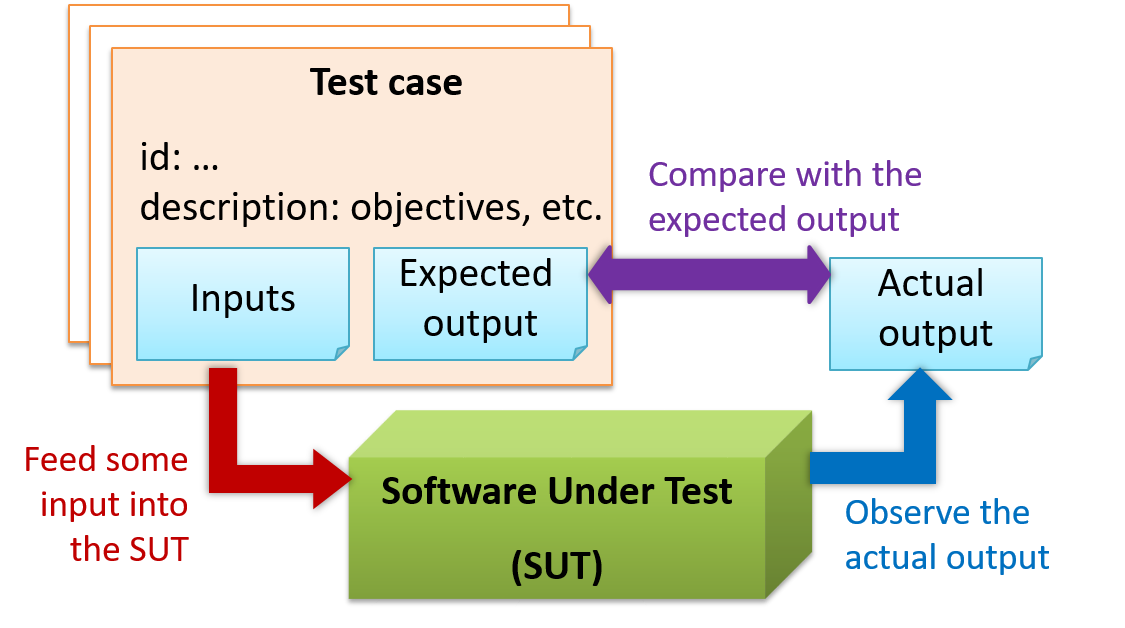
When testing, you execute a set of test cases. A test case specifies how to perform a test. At a minimum, it specifies the input to the software under test (SUT) and the expected behavior.
Example A minimal test case for testing a browser:
- Input – Start the browser using a blank page (vertical scrollbar disabled). Then, load
longfile.htmllocated in thetest datafolder. - Expected behavior – The scrollbar should be automatically enabled upon loading
longfile.html.
Test cases can be determined based on the specification, reviewing similar existing systems, or comparing to the past behavior of the SUT.
For each test case you should do the following:
- Feed the input to the SUT
- Observe the actual output
- Compare actual output with the expected output
A test case failure is a mismatch between the expected behavior and the actual behavior. A failure indicates a potential defect (or a bug) -- we say 'potential' because the error could be in the test case itself.
Example In the browser example above, a test case failure is implied if the scrollbar remains disabled after loading longfile.html. The defect/bug causing that failure could be an uninitialized variable.
Testability
Testability is an indication of how easy it is to test an SUT. As testability depends a lot on the design and implementation, you should try to increase the testability when you design and implement software. The higher the testability, the easier it is to achieve better quality software.
Example A method getGreeting() returns "Good morning" before noon and "Good afternoon" otherwise.
- Less testable: the method reads the current time from the system clock by itself. To test the afternoon case, you would have to run the test in the afternoon (or tamper with the computer's clock).
- More testable: the method takes the hour as a parameter instead, i.e.,
getGreeting(int hour). Now a test can simply check thatgetGreeting(9)returns"Good morning"andgetGreeting(15)returns"Good afternoon", at any time of the day.
What
When you modify a system, the modification may result in some unintended and undesirable effects on the system. Such an effect is called a regression.
Regression testing is the re-testing of the software to detect regressions. The typical way to detect regressions is retesting all related components, even if they had been tested before.
Regression testing is more effective when it is done frequently, after each small change. However, doing so can be prohibitively expensive if testing is done manually. Hence, regression testing is more practical when it is automated.
What
Developer testing is the testing done by the developers themselves as opposed to dedicated testers or end-users.
Why
Delaying testing until the full product is complete has a number of disadvantages:
- Locating the cause of a test case failure is difficult due to the larger search space; in a large system, the search space could be millions of lines of code, written by hundreds of developers! The failure may also be due to multiple inter-related bugs.
- Fixing a bug found during such testing could result in major rework, especially if the bug originated from the design or during requirements specification i.e., a faulty design or faulty requirements.
- One bug might 'hide' other bugs, which could emerge only after the first bug is fixed.
- The delivery may have to be delayed if too many bugs are found during testing.
Therefore, it is better to do early testing, as hinted by the popular rule of thumb given below, also illustrated by the graph below it.
The earlier a bug is found, the easier and cheaper it is to fix.
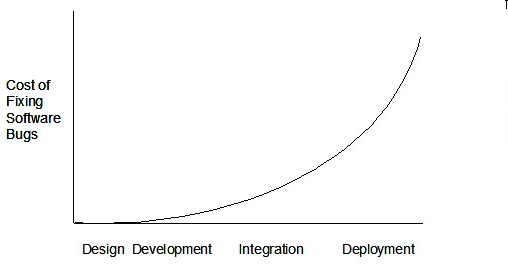
Such early testing of software is usually, and often by necessity, done by the developers themselves i.e., developer testing.
What
Unit testing: testing individual units (methods, classes, subsystems, ...) to ensure each piece works correctly.
In OOP code, it is common to write one or more unit tests for each public method of a class.
Example Code skeletons for a Foo class containing two methods and a FooTest class that contains unit tests for those two methods:
class Foo {
String read() {
// ...
}
void write(String input) {
// ...
}
}
class FooTest {
@Test
void read() {
// a unit test for Foo#read() method
}
@Test
void write_emptyInput_exceptionThrown() {
// a unit test for Foo#write(String) method
}
@Test
void write_normalInput_writtenCorrectly() {
// another unit test for Foo#write(String) method
}
}
import unittest
class Foo:
def read(self):
# ...
def write(self, input):
# ...
class FooTest(unittest.TestCase):
def test_read(self):
# a unit test for read() method
def test_write_emptyInput_ignored(self):
# a unit test for write(string) method
def test_write_normalInput_writtenCorrectly(self):
# another unit test for write(string) method
Stubs
A proper unit test requires the unit to be tested in isolation so that bugs in the cannot influence the test i.e., bugs outside of the unit should not affect the unit tests.
Example If a Logic class depends on a Storage class, unit testing the Logic class requires isolating the Logic class from the Storage class.
Stubs can isolate the from its dependencies.
Stub: A stub has the same interface as the component it replaces, but its implementation is so simple that it is unlikely to have any bugs. It mimics the responses of the component, but only for a limited set of predetermined inputs. That is, it does not know how to respond to any other inputs. Typically, these mimicked responses are hard-coded in the stub rather than computed or retrieved from elsewhere, e.g., from a database.
Example Consider the code below:
class Logic {
Storage s;
Logic(Storage s) {
this.s = s;
}
String getName(int index) {
return "Name: " + s.getName(index);
}
}
interface Storage {
String getName(int index);
}
class DatabaseStorage implements Storage {
@Override
public String getName(int index) {
return readValueFromDatabase(index);
}
private String readValueFromDatabase(int index) {
// retrieve name from the database
}
}
Normally, you would use the Logic class as follows (note how the Logic object depends on a DatabaseStorage object to perform the getName() operation):
Logic logic = new Logic(new DatabaseStorage());
String name = logic.getName(23);
You can test it like this:
@Test
void getName() {
Logic logic = new Logic(new DatabaseStorage());
assertEquals("Name: John", logic.getName(5));
}
However, this logic object being tested is making use of a DatabaseStorage object which means a bug in the DatabaseStorage class can affect the test. Therefore, this test is not testing Logic in isolation from its dependencies and hence it is not a pure unit test.
Here is a stub class you can use in place of DatabaseStorage:
class StorageStub implements Storage {
@Override
public String getName(int index) {
if (index == 5) {
return "Adam";
} else {
throw new UnsupportedOperationException();
}
}
}
Note how the StorageStub has the same interface as DatabaseStorage, but is so simple that it is unlikely to contain bugs, and is pre-configured to respond with a hard-coded response, presumably, the correct response DatabaseStorage is expected to return for the given test input.
Here is how you can use the stub to write a unit test. This test is not affected by any bugs in the DatabaseStorage class and hence is a pure unit test.
@Test
void getName() {
Logic logic = new Logic(new StorageStub());
assertEquals("Name: Adam", logic.getName(5));
}
In addition to Stubs, there are other types of replacements you can use during testing, e.g., Mocks, Fakes, Dummies, Spies.
What
Integration testing: testing whether different parts of the software work together (i.e., integrate) as expected. Integration tests aim to discover bugs in the 'glue code' related to how components interact with each other. These bugs are often the result of misunderstanding what the parts are supposed to do vs what the parts are actually doing.
Example Suppose a class Car uses classes Engine and Wheel. If the Car class assumed a Wheel can support a speed of up to 200 mph but the actual Wheel can only support a speed of up to 150 mph, it is the integration test that is supposed to uncover this discrepancy.
How
Integration testing is not simply a case of repeating the unit test cases using the actual dependencies (instead of the stubs used in unit testing). Instead, integration tests are additional test cases that focus on the interactions between the parts.
Example Suppose a class Car uses classes Engine and Wheel. Here is how you would go about doing pure integration tests:
a) First, unit test Engine and Wheel.
b) Next, unit test Car in isolation of Engine and Wheel, using stubs for Engine and Wheel.
c) After that, do an integration test for Car by using it together with the Engine and Wheel classes to ensure that Car integrates properly with the Engine and the Wheel.
In practice, developers often use a hybrid of unit+integration tests to minimize the need for stubs.
Example Here's how a hybrid unit+integration approach could be applied to the same example used above:
(a) First, unit test Engine and Wheel.
(b) Next, unit test Car in isolation of Engine and Wheel, using stubs for Engine and Wheel.
(c) After that, do an integration test for Car by using it together with the Engine and Wheel classes to ensure that Car integrates properly with the Engine and the Wheel. This step should include test cases for unit testing Car (i.e., test cases used in the step (b) of the example above) as well as test cases testing the integration among Car, Wheel, and Engine (i.e., pure integration test cases used in the step (c) in the example above).
Note that you no longer need stubs for Engine and Wheel. The downside is that Car is never tested in isolation of its dependencies. Given that its dependencies are already unit tested, the risk of bugs in Engine and Wheel affecting the testing of Car can be considered minimal.
What
System testing: take the whole system and test it against the system specification.
System testing is typically done by a testing team (also called a QA team).
System test cases are based on the specified external behavior of the system. Sometimes, system tests go beyond the bounds defined in the specification. This is useful when testing that the system fails 'gracefully' when pushed beyond its limits.
Example Suppose the SUT is a browser that is supposedly capable of handling web pages containing up to 5000 characters. Given below is a test case to test if the SUT fails gracefully if pushed beyond its limits.
Test case: load a web page that is too big
* Input: loads a web page containing more than 5000 characters.
* Expected behavior: aborts the loading of the page
and shows a meaningful error message.
This test case would fail if the browser attempted to load the large file anyway and crashed.
System testing includes testing against non-functional requirements too. Here are some examples:
- Performance testing – to ensure the system responds quickly.
- Load testing (also called stress testing or scalability testing) – to ensure the system can work under heavy load.
- Security testing – to test how secure the system is.
- Compatibility testing, interoperability testing – to check whether the system can work with other systems.
- Usability testing – to test how easy it is to use the system.
- Portability testing – to test whether the system works on different platforms.
What
Alpha testing is performed by the users, under controlled conditions set by the software development team.
Beta testing is performed by a selected subset of target users of the system in their natural work setting.
An open beta release is the release of not-yet-production-quality-but-almost-there software to the general population. For example, Google’s Gmail was in 'beta' for many years before the label was finally removed.
What
Dogfooding is when creators use their own product in order to experience how end users experience the product. The term is supposedly derived from the phrase "eating our own dogfood". Dogfooding is different from regular testing in that you become an end user, rather than pretend to be an end user.
For example, suppose a company produces an email client software. Then, getting some of the employees to use that software for their day-to-day emailing would be dogfooding. Such longer-term, consistent, and authentic use of the software can point to areas of improvement that regular testing (which is often short-term and 'simulated') might not encounter.
Note that for dogfooding to be useful, observations need to be deliberately collected and processed i.e., just using the product itself is not enough.
What
Here are two alternative approaches to testing software: Scripted testing and Exploratory testing.
Scripted testing: First write a set of test cases based on the expected behavior of the SUT, and then perform testing based on that set of test cases.
Exploratory testing: Devise test cases on-the-fly, creating new test cases based on the results of the past test cases.
Exploratory testing is ‘the simultaneous learning, test design, and test execution’ [source] whereby the nature of the follow-up test case is decided based on the behavior of the previous test cases. In other words, running the system and trying out various operations. It is called exploratory testing because testing is driven by observations during testing. Exploratory testing usually starts with areas identified as error-prone, based on the tester’s past experience with similar systems. One tends to conduct more tests for those operations where more faults are found.
Example The thought process behind a segment of an exploratory testing session:
"Hmm... looks like feature x doesn't work for this specific input. But I didn't encounter such an error when I was testing feature y and z -- that strange because they are basically the same operation performed in a different context. Let me go back and try this same input in those feature to make sure.
Other names for exploratory testing: reactive testing, error guessing technique, attack-based testing, bug hunting.
When
Which approach is better – scripted or exploratory? A mix is better.
The success of exploratory testing depends on the tester’s prior experience and intuition. When done by experienced testers, using a clear strategy/plan/framework, exploratory testing can to detect some problems in a relatively short time. But it is not prudent to use exploratory testing as the sole means of testing a critical system.
Scripted testing is more systematic, and hence, likely to discover more bugs given sufficient time. However, it can be costlier to set up and slower than exploratory testing to reach some type of bugs.
In some contexts, you will achieve your testing mission better through a more scripted approach; in other contexts, your mission will benefit more from the ability to create and improve tests as you execute them. I find that most situations benefit from a mix of scripted and exploratory approaches.
--James Bach [source]
What
Acceptance testing (aka User Acceptance Testing (UAT)): test the system to ensure it meets the user requirements.
Acceptance tests give an assurance to the customer that the system does what it is intended to do. Acceptance test cases are often defined at the beginning of the project, usually based on the use case specification. Successful completion of UAT is often a prerequisite to the project sign-off.
Acceptance vs System Testing
Acceptance testing comes after system testing. Similar to system testing, acceptance testing involves testing the whole system.
Some differences between system testing and acceptance testing:
| System Testing | Acceptance Testing |
|---|---|
| Done against the system specification | Done against the requirements specification |
| Done by testers of the project team | Done by a team that represents the customer (can be real users or testers representing real users) |
| Done on the development environment or a test bed | Done on the deployment site or on a close simulation of the deployment site |
| Both negative and positive test cases | More focus on positive test cases |
Negative test cases: cases where the SUT is not expected to work normally, e.g., incorrect inputs; Positive test cases: cases where the SUT is expected to work normally.
SIDEBAR: Requirement specification versus system specification
As mentioned elsewhere, the requirement specification need not be the same as the system specification. Some example differences especially relevant to testing:
| Requirements specification | System specification |
|---|---|
| limited to how the system behaves in normal working conditions | can also include details on how it will fail gracefully when pushed beyond limits, how to recover, etc. |
| written in terms of problems that need to be solved (e.g., provide a method to locate an email quickly) | written in terms of how the system solves those problems (e.g., explain the email search feature) |
| specifies the interface available for intended end-users | could contain additional APIs not available for end-users (for the use of developers/testers) |
However, in many cases one document serves as both a requirement specification and a system specification.
Passing system tests does not necessarily mean passing acceptance testing. Some examples:
- The system might work on the testbed environments but might not work the same way in the deployment environment, due to subtle differences between the two environments.
- The system might conform to the system specification but could fail to solve the problem it was supposed to solve for the user, due to flaws in the system design.
What
An automated test case can be run programmatically and the result of the test case (pass or fail) is determined programmatically. Compared to manual testing, automated testing reduces the effort required to run tests repeatedly and increases precision of testing (because manual testing is susceptible to human errors).
Test Automation Using Test Drivers
A test driver is the code that ‘drives’ the for the purpose of testing i.e., invoking the SUT with test inputs and verifying if the behavior is as expected.
Example PayrollTest ‘drives’ the Payroll class by sending it test inputs and verifies if the output is as expected.
public class PayrollTest {
public static void main(String[] args) throws Exception {
// test setup
Payroll p = new Payroll();
// test case 1
p.setEmployees(new String[]{"E001", "E002"});
// automatically verify the response
if (p.totalSalary() != 6400) {
throw new Error("case 1 failed ");
}
// test case 2
p.setEmployees(new String[]{"E001"});
if (p.totalSalary() != 2300) {
throw new Error("case 2 failed ");
}
// more tests...
System.out.println("All tests passed");
}
}
Test Automation Tools
JUnit is a tool for automated testing of Java programs. Similar tools are available for other languages and for automating different types of testing.
Example An automated test for a Payroll class, written using JUnit libraries:
// other test methods
@Test
public void testTotalSalary() {
Payroll p = new Payroll();
// test case 1
p.setEmployees(new String[]{"E001", "E002"});
assertEquals(6400, p.totalSalary());
// test case 2
p.setEmployees(new String[]{"E001"});
assertEquals(2300, p.totalSalary());
// more tests...
}
Most modern IDEs have integrated support for testing tools. The figure below shows the JUnit output when running some JUnit tests using the Eclipse IDE.
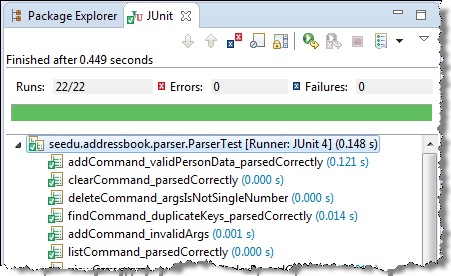
Automated Testing of GUIs
If a software product has a component, all product-level testing (i.e., the types of testing mentioned above) needs to be done using the GUI. However, testing a GUI is harder than testing a or an , for the following reasons:
- Most GUIs can support a large number of different operations, many of which can be performed in any arbitrary order.
- GUI operations are more difficult to automate than API testing. Reliably automating GUI operations and automatically verifying whether the GUI behaves as expected is harder than calling an operation and comparing its return value with an expected value. Therefore, automated regression testing of GUIs is rather difficult.
- The appearance of a GUI (and sometimes even behavior) can be different across platforms and even environments. For example, a GUI can behave differently based on whether it is minimized or maximized, in focus or out of focus, and on a high-resolution display or a low-resolution display.
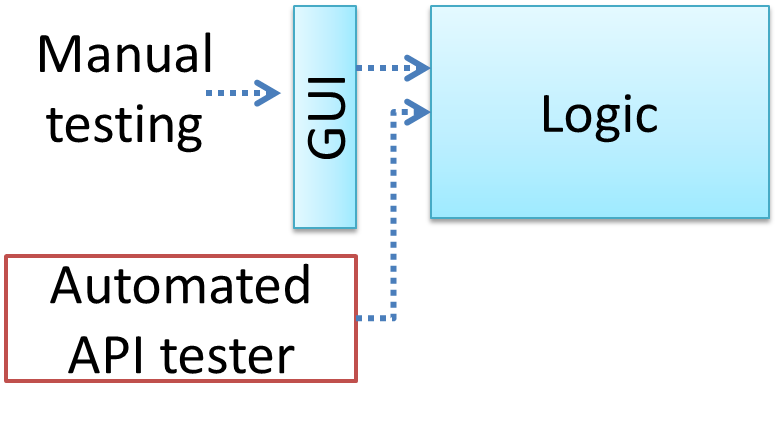
Moving as much logic as possible out of the GUI can make GUI testing easier. That way, you can bypass the GUI to test the rest of the system using automated API testing. While this still requires the GUI to be tested, the number of such test cases can be reduced as most of the system can be tested through the API.
There are testing tools that can automate GUI testing.
Example Some tools used for automated GUI testing:
- TestFX can do automated testing of JavaFX GUIs
- Visual Studio supports the ‘record replay’ type of GUI test automation.
- Selenium, Playwright, Cypress, Puppeteer are among tools that can automate testing of web application UIs
What
Test coverage is a metric used to measure the extent to which testing exercises the code i.e., how much of the code is 'covered' by the tests.
Here are some examples of different coverage criteria:
- Function/method coverage: based on functions executed e.g., testing executed 90 out of 100 functions.
- Statement coverage: based on the number of lines of code executed e.g., testing executed 23k out of 25k LOC.
- Decision/branch coverage: based on the decision points exercised e.g., an
ifstatement evaluated to bothtrueandfalsewith separate test cases during testing is considered 'covered'. - Condition coverage: each boolean sub-expression of a decision point is evaluated to both true and false at least once. Condition coverage is not the same as the decision coverage.
Example if(x > 2 && x < 44) is considered one decision point but two conditions.
For 100% branch or decision coverage, two test cases are required:
(x > 2 && x < 44) == true: [e.g.,x == 4](x > 2 && x < 44) == false: [e.g.,x == 100]
For 100% condition coverage, three test cases are required:
(x > 2) == true,(x < 44) == true: [e.g.,x == 4] [see note 1](x < 44) == false: [e.g.,x == 100](x > 2) == false: [e.g.,x == 0]
Note 1: A case where both conditions are true is needed because most execution environments use a short-circuiting behavior for compound boolean expressions e.g., given an expression c1 && c2, c2 will not be evaluated if c1 is false (as the final result is going to be false anyway).
- Path coverage measures coverage in terms of possible paths through a given part of the code executed. 100% path coverage means all possible paths have been executed. A commonly used notation for path analysis is called the Control Flow Graph (CFG).
Example Consider the following Java method.
void findRate(int input) {
if (input == 0) {
return 0;
}
cap = 100/input;
if (cap < 0) {
return -1;
} else {
return cap;
}
}
It has 3 paths, as follows:
- enter →
2→3→ exit (can be triggered by input0) - enter →
2→5→6→7→ exit (can be triggered by input-5) - enter →
2→5→6→9→ exit (can be triggered by input8)
So, to achieve 100% path coverage, we need at least 3 test cases (e.g., 0, -5, 8).
Example A loop can increase the path count greatly.
void sayHello(List<String> names) {
for (String n : names) {
System.out.println(n);
}
}
The number of paths through this method is very large, as each possible length of names produces a unique path.
- enter →
2→ exit (ifnamesis empty) - enter →
2→3→ exit (ifnameshas one entry) - enter →
2→3→2→3→ exit (ifnameshas two entries) - ...
So, achieving 100% path coverage of this method will be extremely difficult.
- Entry/exit coverage measures coverage in terms of possible calls to and exits from the operations in the SUT.
Entry points refer to all places from which the method is called by the rest of the code i.e., all places where control is handed over to the method in question.
Exit points refer to points at which the control is returned to the caller e.g., return statements, throwing of exceptions.
How
Measuring coverage is often done using coverage analysis tools. Most IDEs have inbuilt support for measuring test coverage, or at least have plugins that can measure test coverage.
Coverage analysis can be useful in improving the quality of testing e.g., if a set of test cases does not achieve 100% branch coverage, more test cases can be added to cover missed branches.
Measuring code coverage in IntelliJ IDEA (watch from 4 minutes 50 seconds mark)
What
Dependency injection is the process of 'injecting' objects to replace current dependencies with a different object. This is often used to inject stubs to isolate the from its so that it can be tested in isolation.
Example A Foo object normally depends on a Bar object, but you can inject a BarStub object so that the Foo object no longer depends on a Bar object. Now you can test the Foo object in isolation from the Bar object.
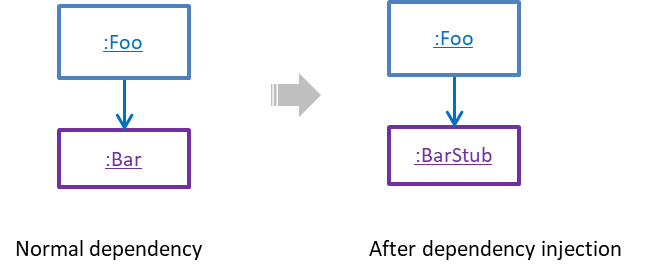
What
Test-Driven Development (TDD) advocates writing the tests before writing the SUT, while evolving functionality and tests in small increments. In TDD you first define the precise behavior of the SUT using test code, and then update the SUT to match the specified behavior. While TDD has its fair share of detractors, there are many who consider it a good way to reduce defects. One big advantage of TDD is that it guarantees the code is testable.
What
Except for trivial , is not practical because such testing often requires a massive/infinite number of test cases.
Example Consider the test cases for adding a string object to a :
- Add an item to an empty collection.
- Add an item when there is one item in the collection.
- Add an item when there are 2, 3, ..., n items in the collection.
- Add an item that has an English, a French, a Spanish, ... word.
- Add an item that is the same as an existing item.
- Add an item immediately after adding another item.
- Add an item immediately after system startup.
- ...
Exhaustive testing of this operation can take many more test cases.
Program testing can be used to show the presence of bugs, but never to show their absence! --Edsger Dijkstra
Every test case adds to the cost of testing. In some systems, a single test case can cost thousands of dollars e.g. on-field testing of flight-control software. Therefore, test cases need to be designed to make the best use of testing resources. In particular:
Testing should be effective i.e., it finds a high percentage of existing bugs e.g., a set of test cases that finds 60 defects is more effective than a set that finds only 30 defects in the same system.
Testing should be efficient i.e., it has a high rate of success (bugs found/test cases) a set of 20 test cases that finds 8 defects is more efficient than another set of 40 test cases that finds the same 8 defects.
For testing to be , each new test you add should be targeting a potential fault that is not already targeted by existing test cases. There are test case design techniques that can help us improve the E&E of testing.
Positive vs Negative Test Cases
A positive test case is when the test is designed to produce an expected/valid behavior. On the other hand, a negative test case is designed to produce a behavior that indicates an invalid/unexpected situation, such as an error message.
Example Consider the testing of the method print(Integer i) which prints the value of i.
- A positive test case:
i == new Integer(50); - A negative test case:
i == null;
Black Box vs Glass Box
Test case design can be of three types, based on how much of the SUT’s internal details are considered when designing test cases:
Black-box (aka specification-based or responsibility-based) approach: test cases are designed exclusively based on the SUT’s specified external behavior.
White-box (aka glass-box or structured or implementation-based) approach: test cases are designed based on what is known about the SUT’s implementation, i.e., the code.
Gray-box approach: test case design uses some important information about the implementation. For example, if the implementation of a sort operation uses different algorithms to sort lists shorter than 1000 items and lists longer than 1000 items, more meaningful test cases can then be added to verify the correctness of both algorithms.
What
Consider the testing of the following operation.
isValidMonth(m) : returns true if m (an int) is in the range [1..12]
It is inefficient and impractical to test this method for all integer values [-MIN_INT to MAX_INT]. Fortunately, there is no need to test all possible input values. For example, if the input value 233 fails to produce the correct result, the input 234 is likely to fail too; there is no need to test both.
In general, most SUTs do not treat each input in a unique way. Instead, they process all possible inputs in a small number of distinct ways. That means a range of inputs is treated the same way inside the SUT. Equivalence partitioning (EP) is a test case design technique that uses the above observation to improve the E&E of testing.
Equivalence partition (aka equivalence class): A group of test inputs that are likely to be processed by the SUT in the same way.
By dividing possible inputs into equivalence partitions you can,
- avoid testing too many inputs from one partition. Testing too many inputs from the same partition is unlikely to find new bugs. This increases the efficiency of testing by reducing redundant test cases.
- ensure all partitions are tested. Missing partitions can result in bugs going unnoticed. This increases the effectiveness of testing by increasing the chance of finding bugs.
Basic
Equivalence partitions (EPs) are usually derived from the specifications of the SUT.
Example These could be EPs for the isValidMonth example:
- [MIN_INT ... 0]: below the range that produces
true(producesfalse) - [1 … 12]: the range that produces
true - [13 … MAX_INT]: above the range that produces
true(producesfalse)
When the SUT has multiple inputs, you should identify EPs for each input.
Example Consider the method duplicate(String s, int n): String which returns a String that contains s repeated n times.
Example EPs for s:
- zero-length strings
- string containing whitespaces
- ...
Example EPs for n:
0- negative values
- ...
An EP may not have adjacent values.
Example Consider the method isPrime(int i): boolean that returns true if i is a prime number.
EPs for i:
- prime numbers
- non-prime numbers
Some inputs have only a small number of possible values and a potentially unique behavior for each value. In those cases, you have to consider each value as a partition by itself.
Example Consider the method showStatusMessage(GameStatus s): String that returns a unique String for each of the possible values of s (GameStatus is an enum). In this case, each possible value of s will have to be considered as a partition.
Note that the EP technique is merely a heuristic and not an exact science, especially when applied manually (as opposed to using an automated program analysis tool to derive EPs). The partitions derived depend on how one ‘speculates’ the SUT to behave internally. Applying EP under a glass-box or gray-box approach can yield more precise partitions.
Example Consider the EPs given above for the method isValidMonth. A different tester might use these EPs instead:
- [1 … 12]: the range that produces
true - [all other integers]: the range that produces
false
Example Some more specifications and the equivalence partitions derived from them:
| Specification | Equivalence partitions |
|---|---|
| [ |
| [ |
Intermediate
When deciding EPs of OOP methods, you need to identify the EPs of all data participants that can potentially influence the behavior of the method, such as,
- the target object of the method call
- input parameters of the method call
- other data/objects accessed by the method such as global variables. This category may not be applicable if using the black box approach (because the test case designer using the black box approach will not know how the method is implemented).
Example Consider this method in the DataStack class:
push(Object o): boolean
- Adds
oto the top of the stack if the stack is not full. - Returns
trueif the push operation was a success. - Throws
MutabilityExceptionif the global flagFREEZE==true.InvalidValueExceptionifoisnull.
EPs:
DataStackobject: [full] [not full]o: [null] [not null]FREEZE: [true][false]
Example Consider a simple Minesweeper app. What are the EPs for the newGame() method of the Logic component?
As newGame() does not have any parameters, the only obvious participant is the Logic object itself.
Note that if the glass-box or the gray-box approach is used, other associated objects that are involved in the method might also be included as participants. For example, the Minefield object can be considered as another participant of the newGame() method. Here, the black-box approach is assumed.
Next, let us identify equivalence partitions for each participant. Will the newGame() method behave differently for different Logic objects? If yes, how will it differ? In this case, yes, it might behave differently based on the game state. Therefore, the equivalence partitions are:
PRE_GAME: before the game starts, minefield does not exist yetREADY: a new minefield has been created and the app is waiting for the player’s first moveIN_PLAY: the current minefield is already in useWON,LOST: let us assume thatnewGame()behaves the same way for these two values
Example Consider the Logic component of the Minesweeper application. What are the EPs for the markCellAt(int x, int y) method? The partitions in bold represent valid inputs.
Logic: PRE_GAME, READY, IN_PLAY, WON, LOSTx: [MIN_INT..-1] [0..(W-1)] [W..MAX_INT] (assuming a minefield size of WxH)y: [MIN_INT..-1] [0..(H-1)] [H..MAX_INT]Cellat(x,y): HIDDEN, MARKED, CLEARED
What
Boundary Value Analysis (BVA) is a test case design heuristic that is based on the observation that bugs often result from incorrect handling of boundaries of equivalence partitions. This is not surprising, as the end points of boundaries are often used in branching instructions, etc., where the programmer can make mistakes.
Example The markCellAt(int x, int y) operation could contain code such as if (x > 0 && x <= (W-1)) which involves the boundaries of x’s equivalence partitions.
BVA suggests that when picking test inputs from an equivalence partition, values near boundaries (i.e., boundary values) are more likely to find bugs.
Boundary values are sometimes called corner cases.
How
You should try to test both boundary values and non-boundary values. Give priority to boundary values over non-boundary values. For example, pick one non-boundary value from each partition, or if you can afford more test cases, pick two non-boundary values (e.g., one just below the boundary, and one just above the boundary).
Example Some possible test values for various equivalence partitions:
| Equivalence partition | Some possible test values (boundaries are in bold) |
|---|---|
[1-12] | 0,1,2, 11,12,13 |
[MIN_INT, 0] | MIN_INT, MIN_INT+1, -1, 0 , 1 |
[any non-null String] | Empty String, a String of maximum possible length |
[prime numbers] | No specific boundary |
[non-empty Stack] | Stack with: no elements, one element, two elements, no empty spaces, only one empty space |
Why
An SUT can take multiple inputs. You can select values for each input (using equivalence partitioning, boundary value analysis, or some other technique).
Example An SUT that takes multiple inputs and some values chosen for each input:
- Method to test:
calculateGrade(participation, projectGrade, isAbsent, examScore) - Values to test:
Input Valid values to test Invalid values to test participation 0, 1, 19, 20 21, 22 projectGrade A, B, C, D, F isAbsent true, false examScore 0, 1, 69, 70, 71, 72
Testing all possible combinations is effective but not efficient. If you test all possible combinations for the above example, you need to test 6x5x2x6=360 cases. Doing so has a higher chance of discovering bugs (i.e., effective) but the number of test cases will be too high (i.e., not efficient). Therefore, you need smarter ways to combine test inputs that are both effective and efficient.
Test Input Combination Strategies
Given below are some basic strategies for generating a set of test cases by combining multiple test inputs.
Example Let's assume the SUT has the following three inputs and you have selected the given values for testing:
SUT: foo(char p1, int p2, boolean p3)
Values to test:
| Input | Values |
|---|---|
| p1 | a, b, c |
| p2 | 1, 2, 3 |
| p3 | T, F |
The all combinations strategy generates test cases for each unique combination of test inputs.
Example This strategy generates 3x3x2=18 test cases.
| Test Case | p1 | p2 | p3 |
|---|---|---|---|
| 1 | a | 1 | T |
| 2 | a | 1 | F |
| 3 | a | 2 | T |
| ... | ... | ... | ... |
| 18 | c | 3 | F |
The at least once strategy includes each test input at least once.
Example This strategy generates 3 test cases.
| Test Case | p1 | p2 | p3 |
|---|---|---|---|
| 1 | a | 1 | T |
| 2 | b | 2 | F |
| 3 | c | 3 | VV/IV |
VV/IV = Any Valid Value / Any Invalid Value
The all pairs strategy creates test cases so that for any given pair of inputs, all combinations between them are tested. It is based on the observation that a bug is rarely the result of more than two interacting factors. The resulting number of test cases is lower than the all combinations strategy, but higher than the at least once approach.
Example This strategy generates 9 test cases:
| Test Case | p1 | p2 | p3 |
|---|---|---|---|
| 1 | a | 1 | T |
| 2 | a | 2 | T |
| 3 | a | 3 | F |
| 4 | b | 1 | F |
| 5 | b | 2 | T |
| 6 | b | 3 | F |
| 7 | c | 1 | T |
| 8 | c | 2 | F |
| 9 | c | 3 | T |
A variation of this strategy is to test all pairs of inputs but only for inputs that could influence each other.
Example Testing all pairs between p1 and p3 only while ensuring all p2 values are tested at least once:
| Test Case | p1 | p2 | p3 |
|---|---|---|---|
| 1 | a | 1 | T |
| 2 | a | 2 | F |
| 3 | b | 3 | T |
| 4 | b | VV/IV | F |
| 5 | c | VV/IV | T |
| 6 | c | VV/IV | F |
The random strategy generates test cases using one of the other strategies and then picks a subset randomly (presumably because the original set of test cases is too big).
There are other strategies that can be used too.
Heuristic: Each Valid Input at Least Once in a Positive Test Case
Consider the following scenario.
SUT: printLabel(String fruitName, int unitPrice)
Selected values for fruitName (invalid values are underlined):
| Values | Explanation |
|---|---|
| Apple | Label format is round |
| Banana | Label format is oval |
| Cherry | Label format is square |
| Dog | Not a valid fruit |
Selected values for unitPrice:
| Values | Explanation |
|---|---|
| 1 | Only one digit |
| 20 | Two digits |
| 0 | Invalid because 0 is not a valid price |
| -1 | Invalid because negative prices are not allowed |
Suppose these are the test cases being considered.
| Case | fruitName | unitPrice | Expected |
|---|---|---|---|
| 1 | Apple | 1 | Print round label |
| 2 | Banana | 20 | Print oval label |
| 3 | Cherry | 0 | Error message “invalid price” |
| 4 | Dog | -1 | Error message “invalid fruit” |
It looks like the test cases were created using the at least once strategy. After running these tests, can you confirm that the square-format label printing is done correctly?
- Answer: No.
- Reason:
Cherry-- the only input that can produce a square-format label -- is in a negative test case which produces an error message instead of a label. If there is a bug in the code that prints labels in square-format, these test cases will not trigger that bug.
In this case, a useful heuristic to apply is each valid input must appear at least once in a positive test case. Cherry is a valid test input and you must ensure that it appears at least once in a positive test case. Here are the updated test cases after applying that heuristic.
| Case | fruitName | unitPrice | Expected |
|---|---|---|---|
| 1 | Apple | 1 | Print round label |
| 2 | Banana | 20 | Print oval label |
| 2.1 | Cherry | VV | Print square label |
| 3 | VV | 0 | Error message “invalid price” |
| 4 | Dog | -1 | Error message “invalid fruit” |
VV/IV = Any Invalid or Valid Value VV = Any Valid Value
Heuristic: Test Invalid Inputs Individually Before Combining Them
To verify the SUT is handling a certain invalid input correctly, it is better to test that invalid input without combining it with other invalid inputs. For example, consider the test case 4 of test cases designed in [Heuristic: each valid input at least once in a positive test case]. After running that test case, can you be sure that the error message “invalid fruit” is caused by the invalid fruitName Dog?
- Answer: No
- Reason: Because it could have been (incorrectly) triggered by the other invalid unitPrice of
-1in that test case, due to a bug in the code.
Therefore, if that test case was intended to verify that the invalid fruitName Dog triggers the “invalid fruit” error message, it is better not to include the invalid unitPrice -1 in that test case at the same time. If the invalid value -1 needs to be tested, we should test it in a separate test case.
After applying the above insight to our running example, you get the following test cases.
| Case | fruitName | unitPrice | Expected |
|---|---|---|---|
| 1 | Apple | 1 | Print round label |
| 2 | Banana | 20 | Print oval label |
| 2.1 | Cherry | VV | Print square label |
| 3 | VV | 0 | Error message “invalid price” |
| 4 | VV | -1 | Error message “invalid price” |
| 4.1 | Dog | VV | Error message “invalid fruit” |
VV/IV = Any Invalid or Valid Value VV = Any Valid Value
This is not to say never have more than one invalid input in a test case. In fact, an SUT might work correctly when only one invalid input is given but not when a certain combination of multiple invalid inputs is given. Hence, it is still useful to have test cases with multiple invalid inputs, after you already have confirmed that the SUT works when only one invalid input is given.
Test invalid inputs individually before combining them is the heuristic we learned here. As a test case with multiple invalid inputs by itself does not confirm that the SUT works for each of those invalid inputs, you are better off testing the SUT with one-invalid-input-at-a-time first, and if you can afford more test cases, also testing with combinations of invalid inputs.
Mix
Consider the calculateGrade scenario given below:
- SUT:
calculateGrade(participation, projectGrade, isAbsent, examScore) - Values to test: invalid values are underlined
- participation: 0, 1, 19, 20, 21, 22
- projectGrade: A, B, C, D, F
- isAbsent: true, false
- examScore: 0, 1, 69, 70, 71, 72
To get the first cut of test cases, let’s apply the at least once strategy.
Test cases for calculateGrade V1
| Case No. | participation | projectGrade | isAbsent | examScore | Expected |
|---|---|---|---|---|---|
| 1 | 0 | A | true | 0 | ... |
| 2 | 1 | B | false | 1 | ... |
| 3 | 19 | C | VV/IV | 69 | ... |
| 4 | 20 | D | VV/IV | 70 | ... |
| 5 | 21 | F | VV/IV | 71 | Err Msg |
| 6 | 22 | VV/IV | VV/IV | 72 | Err Msg |
VV/IV = Any Valid or Invalid Value, Err Msg = Error Message
Next, let’s apply the each valid input at least once in a positive test case heuristic. Test case 5 has a valid value for projectGrade=F that doesn't appear in any other positive test case. Let's replace test case 5 with 5.1 and 5.2 to rectify that.
Test cases for calculateGrade V2
| Case No. | participation | projectGrade | isAbsent | examScore | Expected |
|---|---|---|---|---|---|
| 1 | 0 | A | true | 0 | ... |
| 2 | 1 | B | false | 1 | ... |
| 3 | 19 | C | VV | 69 | ... |
| 4 | 20 | D | VV | 70 | ... |
| 5.1 | VV | F | VV | VV | ... |
| 5.2 | 21 | VV/IV | VV/IV | 71 | Err Msg |
| 6 | 22 | VV/IV | VV/IV | 72 | Err Msg |
VV = Any Valid Value VV/IV = Any Valid or Invalid Value
Next, you have to apply the no more than one invalid input in a test case heuristic. Test cases 5.2 and 6 don't follow that heuristic. Let's rectify the situation as follows:
Test cases for calculateGrade V3
| Case No. | participation | projectGrade | isAbsent | examScore | Expected |
|---|---|---|---|---|---|
| 1 | 0 | A | true | 0 | ... |
| 2 | 1 | B | false | 1 | ... |
| 3 | 19 | C | VV | 69 | ... |
| 4 | 20 | D | VV | 70 | ... |
| 5.1 | VV | F | VV | VV | ... |
| 5.2 | 21 | VV | VV | VV | Err Msg |
| 5.3 | 22 | VV | VV | VV | Err Msg |
| 6.1 | VV | VV | VV | 71 | Err Msg |
| 6.2 | VV | VV | VV | 72 | Err Msg |
Next, you can assume that there is a dependency between the inputs examScore and isAbsent such that an absent student can only have examScore=0. To cater for the hidden invalid case arising from this, you can add a new test case where isAbsent=true and examScore!=0. In addition, test cases 3-6.2 should have isAbsent=false so that the input remains valid.
Test cases for calculateGrade V4
| Case No. | participation | projectGrade | isAbsent | examScore | Expected |
|---|---|---|---|---|---|
| 1 | 0 | A | true | 0 | ... |
| 2 | 1 | B | false | 1 | ... |
| 3 | 19 | C | false | 69 | ... |
| 4 | 20 | D | false | 70 | ... |
| 5.1 | VV | F | false | VV | ... |
| 5.2 | 21 | VV | false | VV | Err Msg |
| 5.3 | 22 | VV | false | VV | Err Msg |
| 6.1 | VV | VV | false | 71 | Err Msg |
| 6.2 | VV | VV | false | 72 | Err Msg |
| 7 | VV | VV | true | !=0 | Err Msg |
Testing Based on Use Cases
Use cases can be used for system testing and acceptance testing. For example, the main success scenario can be one test case while each variation (due to extensions) can form another test case. However, note that use cases do not specify the exact data entered into the system. Instead, it might say something like user enters his personal data into the system. Therefore, the tester has to choose data by considering equivalence partitions and boundary values. The combinations of these could result in one use case producing many test cases.
To increase the E&E of testing, high-priority use cases are given more attention. For example, a scripted approach can be used to test high-priority test cases, while an exploratory approach is used to test other areas of concern that could emerge during testing.
What
Software now handles personal information, money, communication, transportation, education, health, and many other parts of daily life. A defect in such software can do more than inconvenience a user: it can expose information, allow unauthorized actions, or make an important service unavailable.
Security is therefore part of software engineering, not a specialist activity added after the software is finished; this approach is called secure by design. Every software engineer needs enough security knowledge to recognize common risks, make safer design and implementation decisions, and know when expert help is needed.
Software security is the protection of a system and its stakeholders from misuse and harm, whether deliberate or accidental. A conventional defect might be triggered accidentally. In contrast, a security weakness may be deliberately searched for and exploited by someone who can choose the inputs, actions, timing, and sequence most favorable to an attack. Security analysis assumes that deliberate case, because an attacker exercises a feature far harder than an accident usually does. Accidental causes still need attention of their own, because a misconfiguration, an operator mistake, or a corrupted record need not resemble an attack.
Example We will use a university event-registration system as the running example throughout the related topics of this textbook. Students can view events and register themselves. Organizers can create events and view attendee lists. The system stores names, email addresses, registrations, and organizer privileges.
Testing whether an ordinary user can register for an event is necessary, but it is not enough. We must also ask whether one student can view another student's registration, whether a non-organizer can obtain an attendee list, and whether an attacker can submit enough costly requests to make registration unavailable to everyone else.
The security mindset
The security mindset means questioning assumptions and considering how a feature could be deliberately misused. When implementing a feature, ask both:
- Does the intended workflow work?
- What are we trusting, and what could someone do if that trust is misplaced?
Example Suppose a browser sends the following data when a user requests an attendee list:
eventId = 42
isOrganizer = true
The value eventId identifies the requested event. However, isOrganizer is merely a claim made by software under the user's control. Hiding the attendee-list button from ordinary users does not stop them from constructing the request themselves. A security-minded engineer treats the flag as untrusted and asks where the user's authority is established.
The security mindset is not the belief that every user is malicious. It is the recognition that software must remain safe when inputs are mistaken, unusual, corrupted, or deliberately hostile. The same controls often protect against both accidents and attacks.
Three basic security goals
Security is broader than secrecy. Protecting information from disclosure matters, but so do preventing unauthorized changes, preserving service availability, and ensuring that actions are performed by the right people.
Three of these are security properties, together called the CIA triad. The triad gives three useful questions to ask:
Confidentiality asks whether information has been disclosed only to those permitted to see it.
Example An attendee's email address should not be disclosed to another student without a valid reason and permission.Integrity asks whether information and behavior have remained correct, complete, and free from improper change or destruction.
Example A student should not be able to cancel another student's registration or grant themselves organizer privileges.Availability asks whether authorized users can obtain the service when they need it.
Example The registration service should remain usable during a popular event's sign-up period.
A single incident can affect more than one goal.
Example A compromised organizer account might expose attendee details, alter registrations, and delete events.
Establishing that actions are performed by the right people is not a fourth property; it is a mechanism used to protect all three.
A small vocabulary
The following terms let a team discuss security precisely:
- Asset: something worth protecting.
Example Assets include data, account privileges, service availability, money, physical resources, and reputation. - Stakeholder: a person or group that can benefit or suffer from the system's security decisions.
Example Students, organizers, system operators, and the university are stakeholders in the event system. - Threat: a possible way an asset could be harmed.
Example A student reading another student's registration is a threat to confidentiality. - Vulnerability: a weakness that allows a threat to be realized.
Example Failing to check which student owns a registration is a vulnerability. - Attack: an attempt to exploit a vulnerability.
Example Changing a registration identifier in a request to retrieve someone else's record is an attack. - Control or Mitigation: something that reduces the likelihood or impact of a threat.
Example Checking ownership before returning a registration is a control. - Authentication: establishing which identity is making a request.
Example Signing in as a particular student. - Authorization: deciding whether that identity may perform a specific action on a specific resource. Authentication establishes who is making a request, and authorization decides whether that identity may perform this particular action on this particular resource. A user can be correctly authenticated and still be unauthorized. In most systems, authorization must be checked for every protected action, not just when the user first signs in.
Example Checking that this student owns the registration they asked to see. - Risk: the likelihood of a threat combined with the seriousness of its impact.
Example A student reading another student's registration is a high risk: it is easy to attempt and it exposes personal data.
These terms describe different parts of one situation. A valuable database is not a vulnerability. A possible theft is not an attack until someone attempts it. A control can reduce risk without eliminating it.
Security and privacy
Privacy is related to, but distinct from, security. Security asks whether information and capabilities are protected from unauthorized use. Privacy also asks whether collecting, using, retaining, and sharing personal information is appropriate in the first place.
Data that is never collected cannot later be leaked by that system. Strong access control cannot justify collecting data the system does not need.
Example The event system might need an attendee's name and contact address, but probably not their date of birth.
Security is risk management
Perfect security is not achievable; secure engineering is risk management. A useful security claim must say what is being protected, from whom, under what assumptions, and to what degree.
Example Encrypting database backups, with keys held separately, can reduce the harm caused by someone stealing a backup. It cannot protect attendee data from an organizer who is legitimately permitted to view it. A rate limit can make an automated denial-of-service attack more expensive, but a sufficiently large attack may still overwhelm the system.
Security also has costs. A control can consume development time, reduce performance, make a system harder to use, or create new failure modes. The goal is not to add every possible control. It is to identify important risks and choose controls whose benefits justify their costs.
Some names you will encounter
Given below are some common vulnerabilities:
- Broken access control allows someone to perform an action or access data they are not authorized to use.
- Injection occurs when a system interprets untrusted data as code or commands.
- Cross-site scripting (XSS) occurs when a web application causes untrusted content to execute as a script in another user's browser.
- Vulnerable or outdated components expose a system to known weaknesses in reused software.
The OWASP Top 10 is a widely used awareness list for web-application risks.
SECTION: PROJECT MANAGEMENT
What
The simplest way to build software is to start coding and keep fixing what breaks, with no explicit stages at all. That approach, sometimes called code-and-fix, has no overhead and works well enough for a small program written by one person over a short period. It stops working as the software and the team grow. There is no way to tell how far along the work is, and no way to divide it among several people without them colliding. There is also no record of the decisions already made, so changes become harder and more expensive.
Software development goes through different stages such as requirements, analysis, design, implementation, and testing. These stages are collectively known as the software development lifecycle (SDLC). There are several approaches, known as software development lifecycle models (also called software process models), that describe different ways to go through the SDLC. Each process model prescribes a 'roadmap' for the development effort: the aims of the development stages, the outcome of each stage, and how the stages relate to one another.
Reaching users is not the end of the lifecycle. Deployment, operation, and maintenance are commonly counted as lifecycle activities too, and process models differ in how they partition and name them. Once the software is released, it has to be operated, kept working as its environment changes, and improved. What happens during that time feeds back into development: defects reported by users, the way the software is actually used, and requests for things it cannot yet do all become inputs to later work. Most software spends far longer in this state than it spent being built for the first time.
Sequential Models
The sequential model, also called the waterfall model, views software development as a linear process, with the project progressing through the development stages in order. The name waterfall stems from how the model is drawn to look like a waterfall (see below).
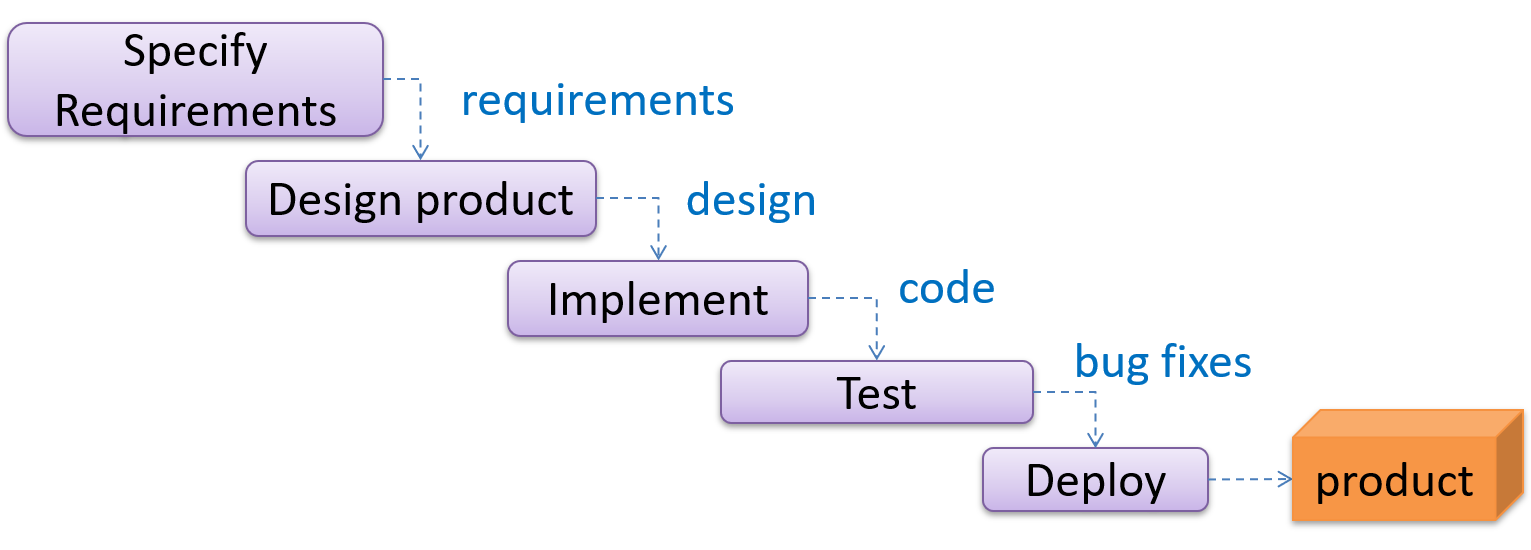
When one stage of the process is completed, it produces some to be used in the next stage. For example, the requirements stage produces a comprehensive list of requirements to be used in the design stage.
A strict sequential model project moves only in the forward direction i.e., each stage is completed before starting the next. For example, once the requirements stage is over, there is no provision for revising the requirements later. In practice the model is often relaxed to let a stage send work back to the one before it, although doing so means redoing work that was already treated as finished.
This model can work well for a project that solves a well-understood problem, in which case the requirements can remain stable and the effort can be estimated accurately. Furthermore, as each stage has a well-defined outcome, progress is easy to track: it is visible from which stage the project is in. Progress within a long stage, which is where an overrun usually builds up, stays much harder to see.
However, real-world projects often tackle problems that are not well-understood at the beginning, which makes those projects unsuitable for this model. For example, target users of a software product may not be able to state their requirements accurately at the start of the project if they have not used a similar product before.
A second weakness is that feedback arrives late. Each stage's output is checked mainly by the stage that follows it, so integration and contact with real users come near the end. A mistake made while gathering requirements or designing therefore tends to surface at the point where going back to completed work costs the most.
Iterative Models
The iterative model advocates producing the software by going through several iterations. Each iteration could go through all the stages of the SDLC, from requirements gathering to deployment.
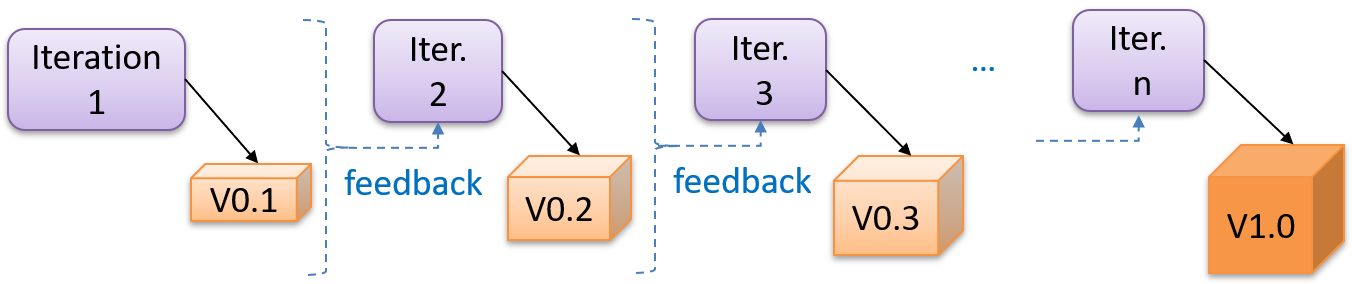
Each iteration produces a new version of the product, building upon the previous version. Feedback from each iteration is factored into the subsequent iterations. For example, if an implementation task took longer than expected, the effort estimate for similar tasks in future iterations can be adjusted. Similarly, if a feature introduced in the current iteration was not well-received by target users, it can be removed or tweaked in the next iteration.
The two models divide a project along different lines.
- A sequential project is divided by activity: a stage is 'requirements' or 'testing', and it ends when that activity is finished for the whole product.
- An iterative project is divided into bounded cycles instead: an iteration runs through several activities and ends in a result the team can learn from.
The iterative model can use a breadth-first or depth-first approach.
- In the breadth-first approach, an iteration evolves all major components and all functionality areas in parallel, producing a working product at the end of each iteration i.e., most features and most are updated in every iteration.
- In the depth-first approach, an iteration focuses on fleshing out only some components or some functionality area. Accordingly, early depth-first iterations might not produce a working product.
Iterating and incrementing are two different things, and most projects do both. To iterate is to rework something that already exists, in the light of feedback; to increment is to add to it. That is why the two are usually named together, as an iterative and incremental approach.
What an iteration delivers is called an increment: a usable improvement or addition to the product, not merely a new version of the code.
Ideally, an iteration should produce not only progress but also new knowledge. Before starting one, decide what would show it succeeded -- a condition the result must satisfy, a test that must pass, or a demonstration to a target user -- and what decision the answer will drive.
Example An iteration can add a new feature while helping the team estimate the effort for similar future features or assess the advantages and disadvantages of the approach used to implement it.
Example Taking a Minesweeper game as an example:
- breadth-first iterations will deliver a fully playable version early. These early versions may have primitive functionality, e.g. a rudimentary text-based UI, fixed board size, limited minefield layouts. This functionality (and the corresponding components) will then be improved in later iterations.
- an early depth-first iteration could deliver the full user interface (UI) but with no game logic at all. Alternatively, an early iteration could focus on just the logic for generating initial layouts of the minefield. Neither is a playable version of the game, but both can collect early feedback -- on the UI in the first case, on the minefield layouts in the second. That feedback then guides later iterations.
A project can be done as a mixture of breadth-first and depth-first iterations i.e., an iteration can contain some breadth-first work as well as some depth-first work, or some iterations can be breadth-first while others are depth-first.
Whichever shape the iterations take, an early one is a chance to find out you were wrong while changing course is still cheap. That makes the assumptions whose failure would cost the most -- an unproven technology, an unfamiliar user need, a performance target nobody has hit yet -- worth putting into an early iteration rather than a late one.
Agile Models
The agile approaches grew out of lightweight methods that were already in use. In 2001, a group of prominent software engineering practitioners -- among them the authors of several such methods -- met to articulate the values their approaches had in common. They were reacting against the documentation-driven, heavyweight processes used in most large projects at the time. The result was the agile manifesto.
We are uncovering better ways of developing software by doing it and helping others do it.
Through this work we have come to value:
- Individuals and interactions over processes and tools
- Working software over comprehensive documentation
- Customer collaboration over contract negotiation
- Responding to change over following a plan
That is, while there is value in the items on the right, we value the items on the left more.
-- Extract from the Agile Manifesto
The methods represented at that meeting, and later approaches built on the same values, are collectively called agile processes. Some of the key features of agile approaches are:
- Requirements are prioritized by user need, clarified with the whole team regularly (sometimes daily), and folded into the development schedule as they change.
- Planning and design stay light and keep evolving. Instead of a detailed design and a full project plan up front, the team works from a rough plan and a high-level design that evolves as the work goes on.
- The team shares responsibility for delivering the product, and reports progress openly to each other and to the user.
Several agile processes are in use today. Extreme Programming (XP) and Scrum are two well-known ones.
Agile approaches depend on conditions that are not always present: a customer available to give feedback continuously, and the ability to ship a change cheaply. An agile approach is not a good fit when those conditions are absent—for example, in a fixed-price contract with a signed-off scope or when software must be certified before release.
XP
The following description was adapted from the XP home page, emphasis added:
Extreme Programming (XP) stresses customer satisfaction. Instead of delivering everything you could possibly want on some date far in the future, this process delivers the software you need as you need it.
XP aims to empower developers to confidently respond to changing customer requirements, even late in the lifecycle.
XP emphasizes teamwork. Managers, customers, and developers are all equal partners in a collaborative team. The team self-organizes around the problem to solve it as efficiently as possible.
XP aims to improve a software project in five essential ways: communication, simplicity, feedback, respect, and courage. Extreme Programmers constantly communicate with their customers and fellow programmers. They keep their design simple and clean. They get feedback by testing their software starting on day one. With this foundation, Extreme Programmers are able to courageously respond to changing requirements and technology.
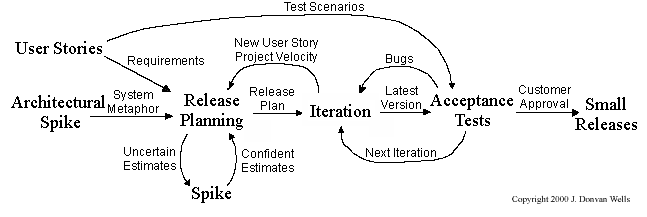
What makes XP 'extreme' is not the practices it uses but how often it uses them. Each one was already considered good; XP pushes each to the point where it happens continuously rather than in a scheduled phase:
- releases are small and frequent, rather than saved up for a milestone;
- code is integrated continuously, rather than merged near the end (continuous integration);
- tests are written before the code they test, rather than after (test-driven development);
- the design is refactored constantly, rather than in a cleanup phase;
- two programmers write the code together at one keyboard, so it is reviewed as it is written rather than in a scheduled review (pair programming).
Scrum
Scrum is a lightweight agile framework rather than a complete process. It fixes a small set of roles, events, and artifacts, and leaves the team to fill in the rest with practices of its own choosing. The description below follows the Scrum Guide.
A Scrum team has three accountabilities:
- The Product Owner, who represents the stakeholders and decides what the product needs next
- The Scrum Master, who is accountable for the team using Scrum well
- The Developers, a cross-functional group who do the analysis, design, implementation, and testing
A Scrum project is divided into short iterations called Sprints. Sprints are time-boxed (i.e., restricted to a fixed duration) at one month or less, and every Sprint in a project has the same length. One to four weeks is the common choice.
A Sprint contains all the work done in it, together with all its events. It opens with Sprint Planning, where the team selects the work and agrees on a Sprint Goal, and the Developers coordinate daily as the work proceeds. It ends with two distinct meetings: a Sprint Review, where the team and stakeholders inspect the Increment and decide what the product needs next, and a Sprint Retrospective, where the team inspects how it worked and chooses improvements. The next Sprint begins immediately after.
During each Sprint, the team creates a potentially deliverable Increment (for example, working and tested software). The work comes from the Product Backlog, a prioritized set of high-level requirements for the product as a whole. The items selected for the current Sprint form the Sprint Backlog.
Within a Sprint the Sprint Goal stays fixed, but the plan for reaching it does not. The team updates the Sprint Backlog as it learns more, and can renegotiate the scope with the Product Owner as long as the Sprint Goal survives. The Sprint must end on time; work that is not completed returns to the Product Backlog.
Scrum enables self-organizing teams, which rely on frequent and direct communication among all team members and disciplines rather than on documents handed from one to the next.
Scrum assumes that customers will change their minds about what they want (often called requirements churn) and that unforeseen problems cannot be planned for in advance. It therefore takes an empirical approach: instead of trying to define the problem fully up front, it maximizes the team's ability to deliver quickly and respond to requirements as they emerge.
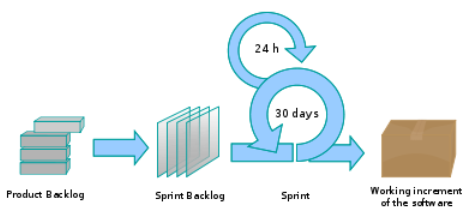
The Daily Scrum is a short daily meeting in which the Developers synchronize their plans, surface whatever is blocking them, and decide what needs to be taken up separately. It is not a problem-solving meeting.
Example A common way to run it is for each member to say what they did since the previous Daily Scrum, what they plan to do next, and what is in their way.
Choosing a model
No approach is best for every project; the choice depends on the project. These questions usually decide whether a project leans sequential or iterative:
- How well is the problem understood at the start? The less certain you are about what to build, the more you gain from delivering something early and learning from the response to it.
- How stable are the requirements likely to be? Requirements that will keep moving are expensive to freeze into an early document.
- How costly is a late change? Changing a web page after release is cheap; changing software already embedded in shipped hardware is not.
- Are users available to give feedback during development? Frequent feedback is what makes short iterations worth their overhead. Without it, the iterations still cost the overhead.
- Does anything outside the project demand signed-off documents? Contractual, regulatory, and safety-certification requirements can dictate stage-by-stage evidence regardless of what the team would prefer.
- How large and how experienced is the team? Coordinating many people, or people new to each other, needs more explicit structure than a small experienced team does.
These questions guide a choice; they do not compute one. Two reasonable teams can weigh them differently and both be right, and a project can combine approaches rather than adopt one wholesale.
Example Two projects, two defensible answers:
- Software controlling a car's braking system: the requirements are prescribed by safety regulations, changes after release are extremely expensive, and evidence for each stage has to be produced anyway. A largely sequential approach fits -- though a regulated project can equally run iteratively, producing the required evidence at each iteration.
- A new feature for a social media app: nobody knows yet which version users will prefer, and shipping a change costs little. Short iterations with real users fit.
Work Breakdown Structure
A Work Breakdown Structure (WBS) is a hierarchical decomposition of the project’s total scope into smaller, manageable pieces of work. When managing projects, it is useful to divide the total work into smaller, well-defined units. Relatively complex tasks can be further split into subtasks. In complex projects, a WBS can also include prerequisite tasks and effort estimates for each task.
Example The high-level tasks for a single iteration of a small project could look like the following:
| Task ID | Task | Estimated Effort | Prerequisite Task |
|---|---|---|---|
| A | Analysis | 1 person day | - |
| B | Design | 2 person day | A |
| C | Implementation | 4.5 person day | B |
| D | Testing | 1 person day | C |
| E | Planning for next version | 1 person day | D |
The effort is traditionally measured in person hour/day/month i.e., work that can be done by one person in one hour/day/month. The Task ID is a label for easy reference to a task. Simple labeling is suitable for a small project, while a more informative labeling system can be adopted for bigger projects.
Example A WBS for a game development project:
| Task ID | Task | Estimated Effort | Prerequisite Task |
|---|---|---|---|
| A | High level design | 1 man day | - |
| B |
Detail design
|
2 man day
| A |
| C |
Implementation
|
4.5 man day
|
|
| D | System Testing | 1 man day | C |
| E | Planning for next version | 1 man day | D |
All tasks should be well-defined. In particular, it should be clear as to when the task will be considered done.
Example Ill-defined tasks and their better-defined counterparts:
| Bad | Better |
|---|---|
| more coding | implement component X |
| do research on UI testing | find a suitable tool for testing the UI |
Milestones
A milestone marks significant progress, often at the end of a stage. You should take into account dependencies and priorities when deciding on the features to be delivered at a certain milestone.
Example Each intermediate product release is a milestone.
In some projects, it is not practical to have a very detailed plan for the whole project due to the uncertainty and unavailability of required information. In such cases, you can use a high-level plan for the whole project and a detailed plan for the next few milestones.
Example Milestones for the Minesweeper project, iteration 1:
| Day | Milestones |
|---|---|
| Day 1 | Architecture skeleton completed |
| Day 3 | ‘new game’ feature implemented |
| Day 4 | ‘new game’ feature tested |
Buffers
A buffer is time set aside to absorb any unforeseen delays. It is very important to include buffers in a software project schedule because effort/time estimations for software development are notoriously hard. However, do not inflate task estimates to create hidden buffers; have explicit buffers instead. Reason: With explicit buffers, it is easier to detect incorrect effort estimates which can serve as feedback to improve future effort estimates.
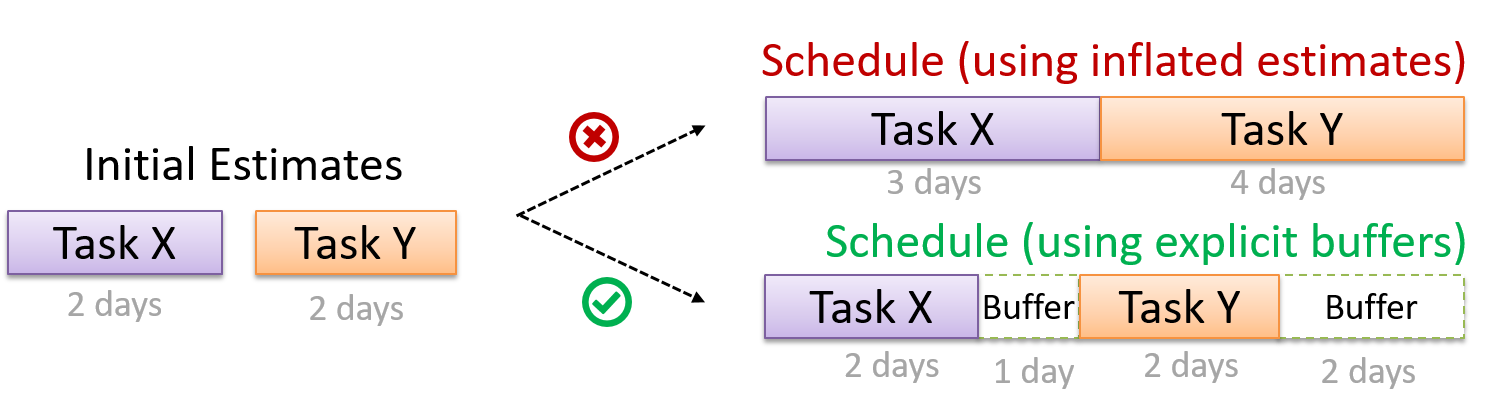
Issue Trackers
Keeping track of project tasks (who is doing what, which tasks are ongoing, which tasks are done, etc.) is an essential part of project management. In small projects, it may be possible to keep track of tasks using simple tools such as online spreadsheets or general-purpose/light-weight task tracking tools such as Trello.
Kanban boards provide a simple visual way to track task status. Teams move task cards across columns such as To do, In progress, and Done. This helps the team see the overall flow of work at a glance. A column with many cards can reveal a buildup of work that needs attention. Larger projects may need more sophisticated task tracking tools.
Example A mockup of a Kanban board:

The arrow shows a card moving from To do to In progress when a team member starts working on that task. The initials on a card show who is assigned to that task.
Issue trackers (sometimes called bug trackers) are commonly used to track task assignment and progress. Most online project management software such as GitHub, GitLab, and BitBucket come with an integrated issue tracker. Tools like Jira and Linear are dedicated issue trackers.
Example A screenshot from the Jira Issue tracker software (credit: Atlassian, retrieved on 2026/08):
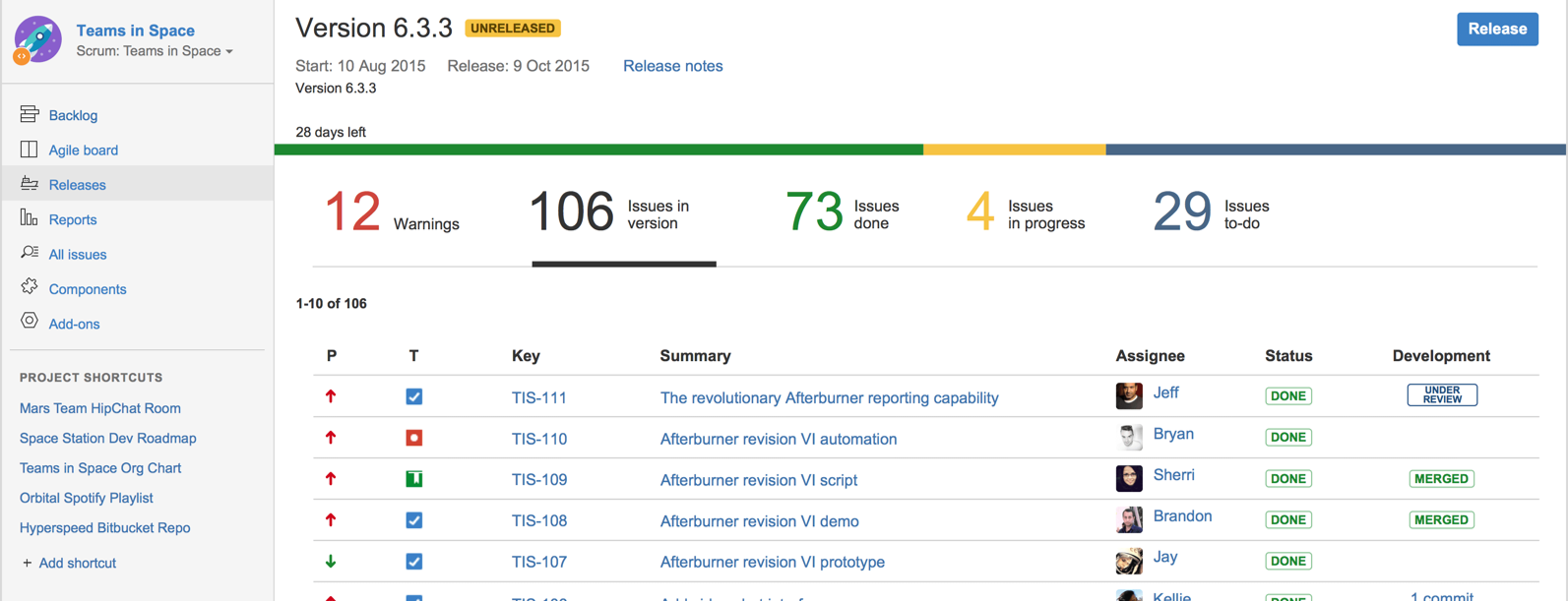
GANTT Charts
A Gantt chart is a 2-D bar-chart, drawn as time vs tasks (represented by horizontal bars).
Example A sample Gantt chart:
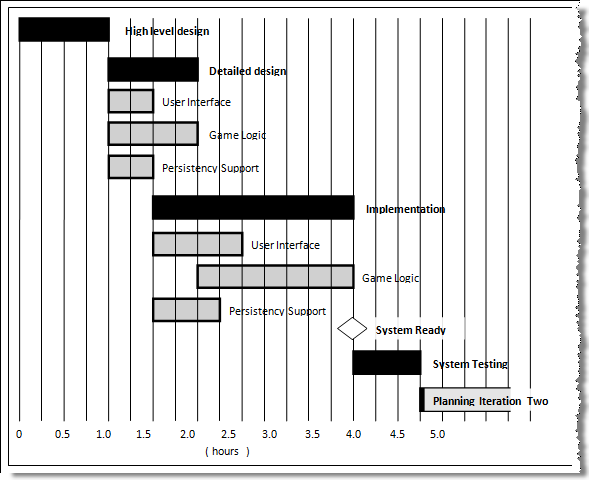
In a Gantt chart, a solid bar represents the main task, which is generally composed of a number of subtasks, shown as gray bars. The diamond shape indicates an important deadline/deliverable/milestone.
Team Structures
Given below are three commonly used team structures in software development. Irrespective of the team structure, it is a good practice to assign roles and responsibilities to different team members so that someone is clearly in charge of each aspect of the project. In contrast, the ‘everybody is responsible for everything’ approach can result in more chaos and hence slower progress.
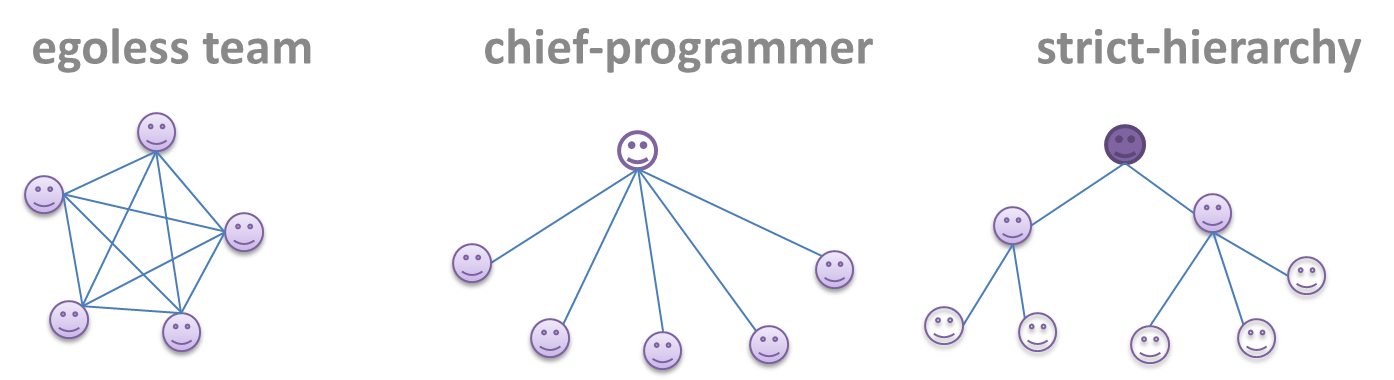
Egoless team
In this structure, every team member is equal in terms of responsibility and accountability. When any decision is required, consensus must be reached. This team structure is also known as a democratic team structure. It usually finds a good solution to a relatively hard problem as all team members contribute ideas.
However, the democratic nature of the team structure means it is at a higher risk of falling apart because there is no authority figure to manage the team and resolve conflicts.
Chief programmer team
Frederick Brooks proposed that software engineers learn from the surgical team in an operating room. In such a team, there is always a chief surgeon, assisted by experts in other areas. Similarly, in a chief programmer team structure, there is a single authoritative figure, the chief programmer. Major decisions, e.g., system architecture, are made solely by him/her and obeyed by all other team members. The chief programmer directs and coordinates the effort of other team members. When necessary, the chief will be assisted by domain specialists, e.g., business specialists, database experts, network technology experts, etc. This allows individual group members to concentrate solely on the areas in which they have sound knowledge and expertise.
The success of such a team structure relies heavily on the chief programmer. Not only must he/she be a superb technical hand, he/she also needs good managerial skills. Under a suitably qualified leader, such a team structure is known to produce successful work.
Strict hierarchy team
At the opposite extreme of an egoless team, a strict hierarchy team has a strictly defined organization among the team members, reminiscent of the military or a bureaucratic government. Each team member only works on his/her assigned tasks and reports to a single “boss”.
In a large, resource-intensive, complex project, this could be a good team structure to reduce communication overhead.
SECTION: PRINCIPLES
Single Responsibility Principle :
Single responsibility principle (SRP): A class should have one, and only one, reason to change. -- Robert C. Martin
If a class has only one responsibility, it needs to change only when there is a change to that responsibility.
Example Consider a TextUi class that parses user commands as well as interacts with the user. That class needs to change when the formatting of the UI changes as well as when the syntax of the user command changes. Hence, such a class does not follow the SRP.
Gather together the things that change for the same reasons. Separate those things that change for different reasons. -- Agile Software Development, Principles, Patterns, and Practices by Robert C. Martin
Open-Closed Principle :
The Open-Closed Principle aims to make a code entity easy to adapt and reuse without needing to modify the code entity itself.
Open-closed principle (OCP): A module should be open for extension but closed for modification. That is, modules should be written so that they can be extended, without requiring them to be modified. -- proposed by Bertrand Meyer
In object-oriented programming, OCP can be achieved in various ways. This often requires separating the specification (i.e., interface) of a module from its implementation.
Example In the design given below, the behavior of the CommandQueue class can be altered by adding more concrete Command subclasses. For example, by including a Delete class alongside List, Sort, and Reset, the CommandQueue can now perform delete commands without modifying its code at all. That is, its behavior was extended without having to modify its code. Hence, it is open to extensions, but closed to modification.
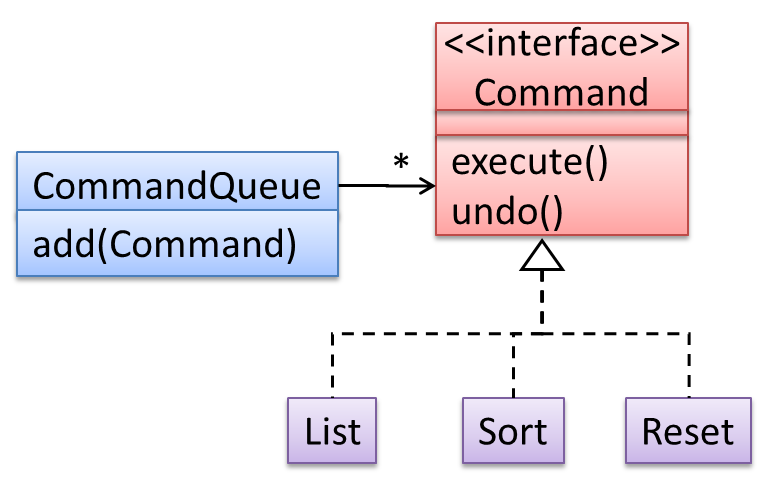
Example The behavior of a Java generic class can be altered by passing it a different class as a parameter. In the code below, the ArrayList class behaves as a container of Students in one instance and as a container of Admin objects in the other instance, without having to change its code. That is, the behavior of the ArrayList class is extended without modifying its code.
ArrayList students = new ArrayList<Student>();
ArrayList admins = new ArrayList<Admin>();
Liskov Substitution Principle :
Liskov substitution principle (LSP): Derived classes must be substitutable for their base classes. -- proposed by Barbara Liskov
LSP sounds the same as substitutability but it goes beyond substitutability; LSP implies that a subclass should not be more restrictive than the behavior specified by the superclass. As you know, However, if LSP is not followed, substituting a subclass object for a superclass object can break the functionality of the code.
Example Suppose the Payroll class depends on the adjustMySalary(int percent) method of the Staff class. Furthermore, the Staff class states that the adjustMySalary method will work for all positive percent values. Both the Admin and Academic classes override the adjustMySalary method.
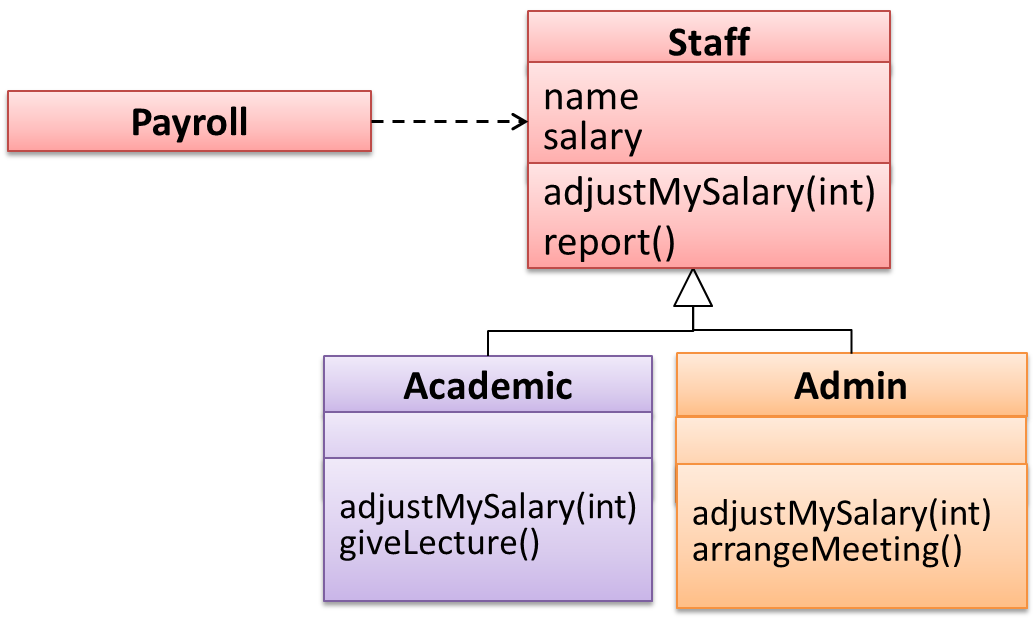
Now consider the following:
- The
Admin#adjustMySalarymethod works for both negative and positive percent values. - The
Academic#adjustMySalarymethod works for percent values1..100only.
In the above scenario,
- The
Adminclass follows LSP because it fulfillsPayroll’s expectation ofStaffobjects (i.e., it works for all positive values). SubstitutingAdminobjects forStaffobjects will not break thePayrollclass functionality. - The
Academicclass violates LSP because it will not work for percent values over100as expected by thePayrollclass. SubstitutingAcademicobjects forStaffobjects can potentially break thePayrollclass functionality.
SOLID Principles
The five OOP principles given below are known as SOLID Principles (an acronym made up of the first letter of each principle):
Separation of Concerns Principle
Separation of concerns principle (SoC): To achieve better modularity, separate the code into distinct sections, such that each section addresses a separate concern. -- Proposed by Edsger W. Dijkstra
A concern in this context is a set of information that affects the code of a computer program.
Example Some concerns in a payroll application:
- A specific feature, such as the code related to the
add employeefeature - A specific aspect, such as the code related to
persistenceorsecurity - A specific entity, such as the code related to the
Employeeentity
Applying reduces functional overlaps among code sections and also limits the ripple effect when changes are introduced to a specific part of the system.
Example If the code related to persistence is separated from the code related to security, a change to how the data are persisted will not need changes to how the security is implemented.
This principle can be applied at the class level, as well as at higher levels.
Example An application can be divided into layers, each with a well-defined responsibility that does not overlap with the others.
This principle should lead to higher cohesion and lower coupling.
Law of Demeter
Law of Demeter (LoD):
- An object should have limited knowledge of another object.
- An object should only interact with objects that are closely related to it.
Also known as
- Don’t talk to strangers.
- Principle of least knowledge
More concretely, a method m of an object O should invoke only the methods of the following kinds of objects:
- The object
Oitself - Objects passed as parameters of
m - Objects created/instantiated in
m(directly or indirectly) - Objects from the
Example The following code fragment violates LoD because, while b is a ‘friend’ of foo (because it receives it as a parameter), g is a ‘friend of a friend’ (which should be considered a ‘stranger’), and g.doSomething() is analogous to ‘talking to a stranger’.
void foo(Bar b) {
Goo g = b.getGoo();
g.doSomething();
}
LoD aims to prevent objects from navigating the internal structures of other objects.
Example An analogy for LoD can be drawn from Facebook. If Facebook followed LoD, you would not be allowed to see posts of friends of friends, unless they are your friends as well. If Jake is your friend and Adam is Jake’s friend, you should not be allowed to see Adam’s posts unless Adam is a friend of yours as well.